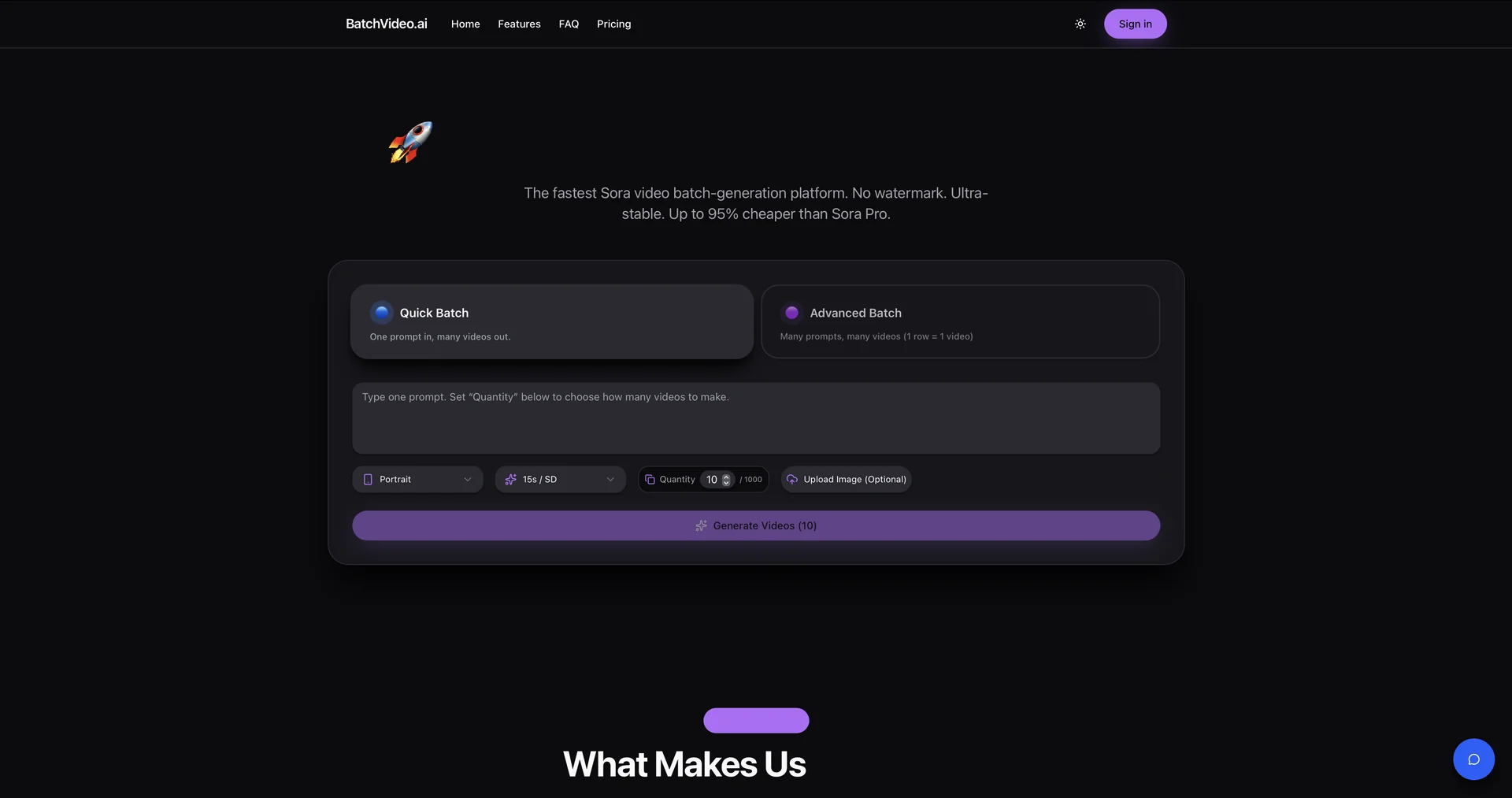
Description

🎞️ Tool Name:

BatchVideo.ai

✏️ Overview & AI Features (2026 Edition):

  • Parallel Batch Processing: Instead of waiting for one video to finish, you can upload a CSV or a list of 50+ prompts. The system processes them all in the background and notifies you when the entire "batch" is ready for download.

  • Integrated Sora & Kling Models: (2026 Update) BatchVideo.ai aggregates the power of OpenAI's Sora (for realism) and Kling (for complex motion and physics), giving you the best visual quality currently available in the AI space.

  • No-Watermark Professionalism: All exported videos are completely clean and unbranded, ready for immediate use in commercial ads, TV segments, or TikTok campaigns.

  • High Stability & Smart Queue: Features a resilient rendering engine that handles heavy loads. If a specific frame fails due to a server glitch, the "Smart Retry" agent fixes it without requiring user intervention.

  • Viral Content Cloning: A unique feature where you can input a trending video link, and the AI will analyze its "visual DNA" to generate a batch of original variations that carry the same viral energy.

  • Aspect Ratio Flexibility: Easily toggle between 9:16 (TikTok/Shorts), 16:9 (YouTube/Cinematic), and 1:1 (Instagram) for your entire batch with a single click.

⭐️ User Experience (2026):

  • "The Content Multiplier": Rated 4.6/5 by marketing professionals. It is widely praised for turning what used to be a "weekend of work" into a "30-minute automated run."

💵 Pricing & Plans (February 2026 Status):

BatchVideo.ai is designed for users who need scale, with pricing that reflects professional volume:

PlanPrice (Approx.)Key Features
Free Trial$0Limited batch generation; Standard resolution; No credit card required.
Creator Plan~$29.00 /moHigh-speed batch processing; 1080p quality; Priority in the generation queue.
Enterprise / APIUsage-BasedUnlimited parallel processing; 4K outputs; API access; Dedicated support.

🎁 How to Get Started:

Visit batchvideo.ai. Prepare a list of visual ideas (e.g., "A neon cyberpunk city in the rain,""A futuristic drone racing through a canyon"). Paste them into the batch editor, select your desired resolution, and hit Generate Batch. You can close the tab and return later to find your entire library of videos ready.

⚙️ Access or Source:

  • Official Website

  • Category: AI Video Generation, Automation, Content Scaling.

  • Primary Use Case: Creating 100+ ad variations, building automated social media channels, and rapid prototyping for film scenes.

🔗 Experience Link: 

https://batchvideo.ai

Pricing Details

💵 Pricing & Plans (February 2026 Status): BatchVideo.ai is designed for users who need scale, with pricing that reflects professional volume: Plan Price (Approx.) Key Features Free Trial $0 Limited batch generation; Standard resolution; No credit card required. Creator Plan ~$29.00 /mo High-speed batch processing; 1080p quality; Priority in the generation queue. Enterprise / API Usage-Based Unlimited parallel processing; 4K outputs; API access; Dedicated support. 🎁 How to Get Started: Visit batchvideo.ai. Prepare a list of visual ideas (e.g., "A neon cyberpunk city in the rain,""A futuristic drone racing through a canyon"). Paste them into the batch editor, select your desired resolution, and hit Generate Batch. You can close the tab and return later to find your entire library of videos ready.