Tool name:
Ready to Send
Tool category: 🔖
• Content and text writing
• Rewriting and style improvement
• Customer support and customer relationship management
• Productivity and scheduling
• Content management and publishing
• Automation and smart agents
️ What does this tool offer? ✏
Ready to Send is an advanced add-on for Gmail that uses artificial intelligence to automatically generate ready-to-send email responses instantly. The tool analyzes the context of incoming messages and then creates professional drafts that match the user's style and tone of voice, with the ability to edit or regenerate the text before sending.
The tool integrates seamlessly with Gmail via the Google Workspace store and complies with Google's privacy policies, particularly with regard to limited data usage. It also offers a "smart snippets" system that allows you to save frequently used responses and important information such as return policies or product details, which are automatically inserted into appropriate messages, enhancing response speed and accuracy.
The tool can be used in business, technical support, marketing, and internal communication, as well as for personal use to improve productivity and manage email more efficiently.
What does it actually offer based on user experience? ⭐
The tool allows you to create automatic reply drafts as soon as you open your inbox, especially for new and unread messages, reducing the time spent writing repetitive replies. It also allows you to customize the style, tone, and instructions for each recipient individually, giving the user more control over how they communicate.
It also provides the ability to organize your inbox, ignore unimportant promotional emails, and create drafts ready for review, so that the user's role is to review the reply rather than write it from scratch. Settings are controlled directly from within Gmail, with support for Gmail apps on Android and iOS devices.
Does it include automation? 🤖
Yes, the tool relies primarily on automation, automatically analyzing incoming messages and identifying those that deserve a reply, then generating ready-made drafts based on the context of the conversation and pre-saved smart snippets. Instructions can also be customized so that responses are automatically generated according to specific rules for each recipient or message type.
Pricing model: 💰
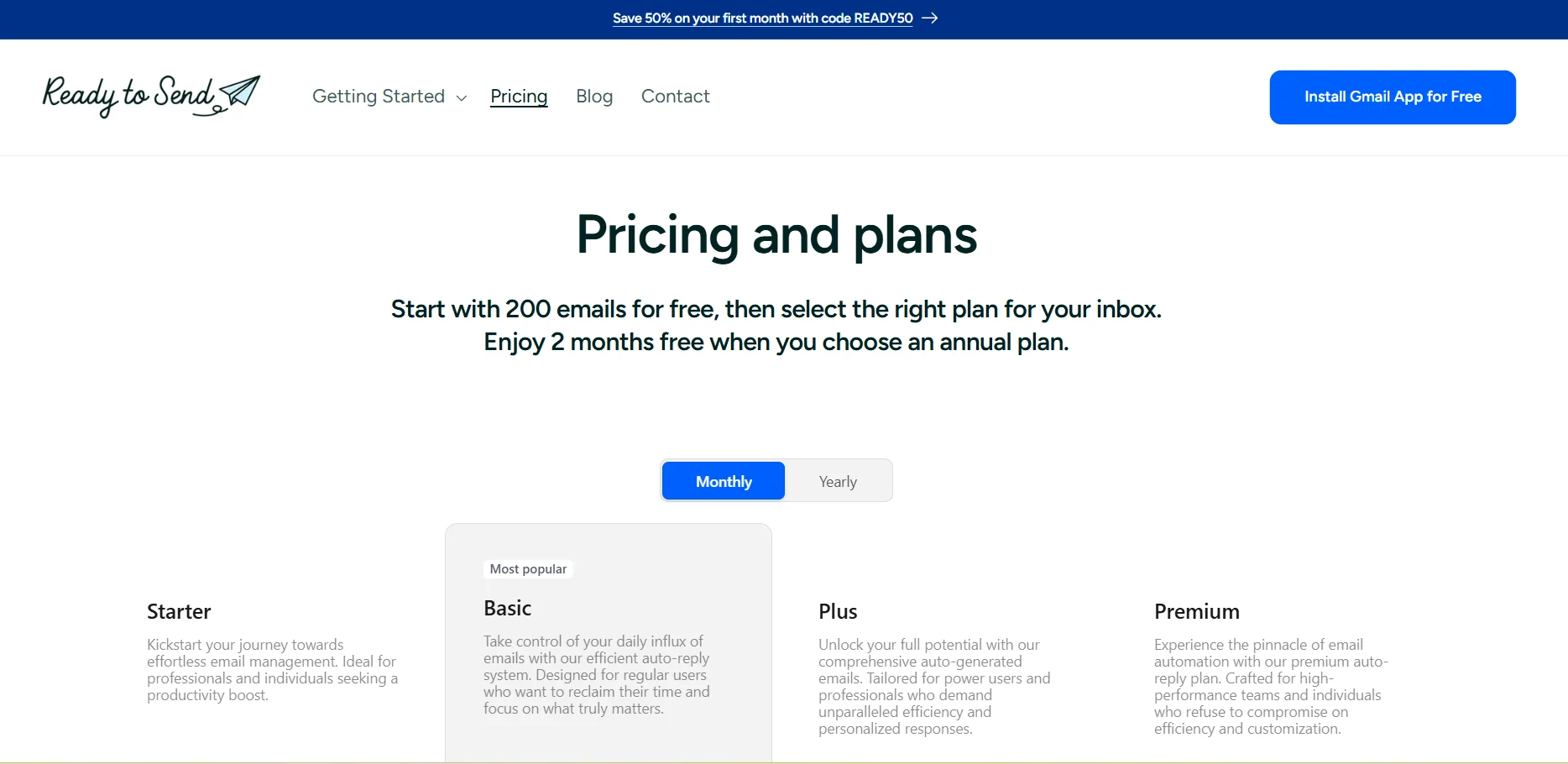
Ready to Send has a flexible pricing model that starts with a free trial, then lets you pick the plan that fits your needs. The platform offers two extra months for free with an annual subscription, plus 50% off the first month with the code READY50.
The tool is also available as part of a Setapp subscription through the AI+ plan, where AI credits can be used to generate a specific number of messages per month depending on the plan chosen, or subscribe through Setapp for $9.99 per month with no additional fees or ads.
🆓 Free plan details:
The free plan allows you to send the first 200 AI-generated emails at no charge. This trial enables users to test all the basic features, including automatic response generation, style customization, and smart snippets, before upgrading to a paid plan.
Paid plan details: 💳
After using up the 200 free messages, users can choose a paid subscription to continue generating responses without the trial restrictions. Monthly or annual subscription options are available, with two months free when paying annually, plus a 50% discount on the first month using the code READY50.
With a Setapp subscription (AI+ plan), users can generate between 10 and 250 messages per month, depending on the amount of AI credits available in their plan. Setapp can also be subscribed to for $9.99 per month to access the tool without additional fees or ads.
All paid plans include advanced core features such as automatic response generation, tone and instruction customization, full integration with Gmail on various devices, and settings management from within the mail itself.
How to access the tool: 🧭
The tool is accessed by installing it as an official add-on within Gmail through the Google Workspace store. After installation, it appears within the Gmail interface and settings are adjusted directly from the account. It can also be accessed through a Setapp subscription if you choose that route.
Trial link or official website: 🔗
https://getreadytosend.com/pages/pricing
