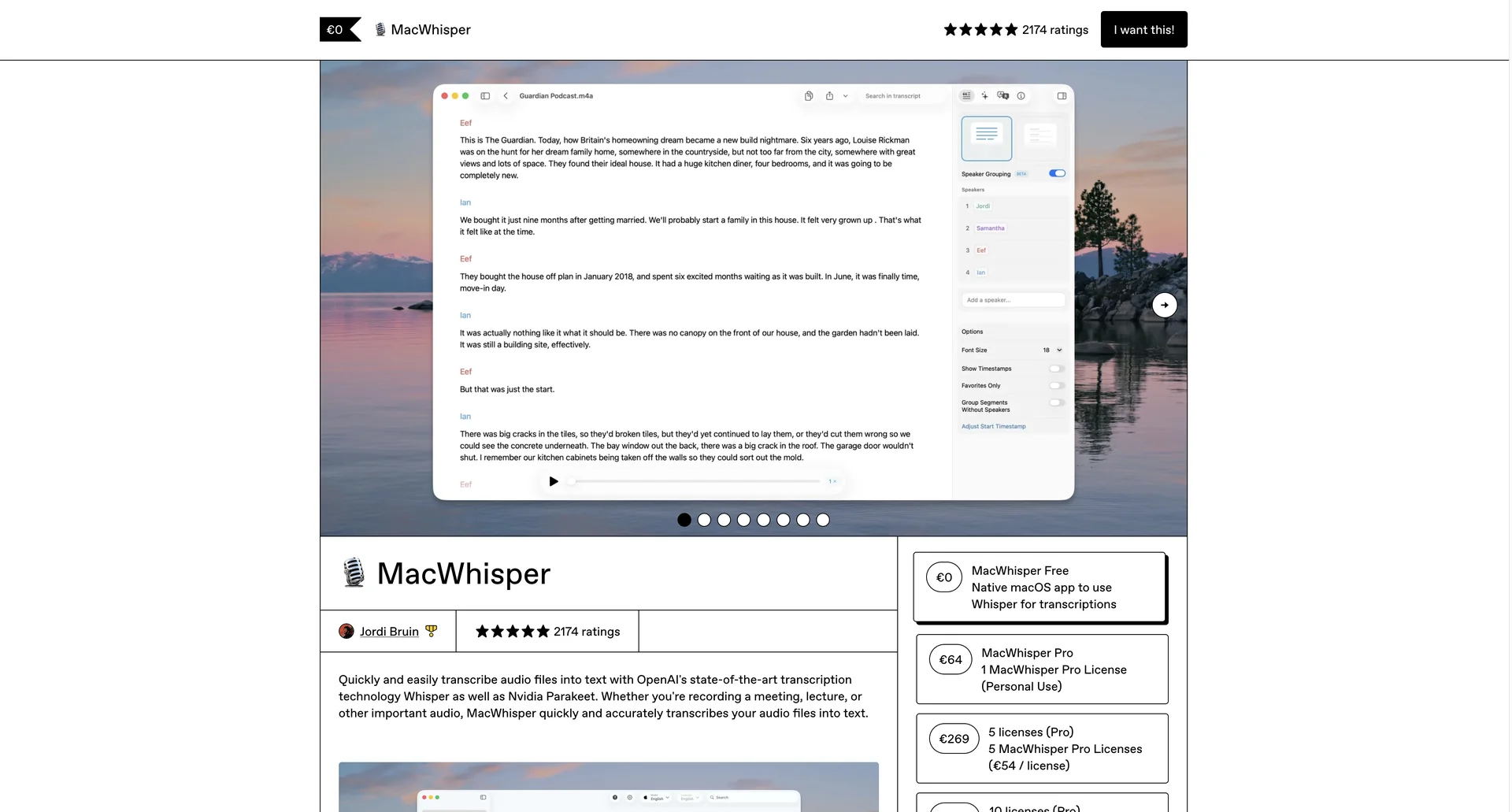
Description
🖼 Tool Name:
MacWhisper
🔖 Categories:
Text-to-Speech / Speech-to-Text
Meeting Notes & Summaries
Video Summaries & Clips (via Subtitle Generation)
Paper Summaries & Research
Integrations & APIs
✏ What does this tool offer?
On-Device Local Transcription: MacWhisper uses OpenAI’s Whisper and Nvidia Parakeet models to transcribe audio and video files directly on your Mac. No data leaves your machine, ensuring total privacy.
Multi-Model Support: Users can choose between various models (Tiny, Base, Small, Medium, Large V3) to balance speed and accuracy. It also supports WhisperKit and custom GGML models.
Meeting Recording: Automatically records and transcribes meetings from platforms like Zoom, Teams, Google Meet, and Skype by capturing system audio.
Global/System-Wide Dictation: Replaces the native macOS dictation with a higher-accuracy AI version that can be accessed from any app.
Advanced Export Options: Supports a wide range of formats including SRT/VTT for subtitles, CSV, PDF, Markdown, Docx, and HTML.
⭐ What does it actually offer based on user experience?
Privacy & Offline Utility: Highly praised by journalists and medical professionals because all processing is offline, making it "leak-proof."
Substantial Speed: Optimized for Apple Silicon (M1/M2/M3), transcribing audio up to 30x faster than real-time.
User-Friendly Design: Described as having a "native Mac feel," with simple drag-and-drop functionality for audio and video files.
Smart Cleanup: Automatically removes filler words (ums, uhhs) to provide cleaner, more professional transcripts.
Contextual AI Prompting: Through the "Assistant" feature, users can chat with their transcripts to generate summaries or extract specific details.
🤖 Does it include automation?
Yes, MacWhisper features several high-level automation capabilities:
Watch Folders: Automatically transcribes any file added to a specific directory on your Mac.
Batch Processing: Drag dozens of files (like a full podcast season) into the app to transcribe them one after another without manual intervention.
External Workflows: Integrates with Make.com, n8n, Zapier, and Obsidian to automatically forward transcripts to other apps.
Speaker Diarization: Automatically detects and labels different speakers using local models or external services like ElevenLabs/Deepgram.
Auto-Translation: Can translate transcripts into over 30 languages automatically as part of the processing flow.
💰 Pricing Model
Item Details: One-time purchase for Pro (Lifetime) or Monthly subscription via App Store.
General Concept: A "Pay once, own forever" model is preferred by most users on Gumroad, while the App Store version offers a lower-entry monthly cost.
🆓 Free Plan Details
Feature: MacWhisper Basic.
Details: Access to basic Whisper models (Tiny and Base). Transcribes individual files but lacks batch processing, speaker recognition, and the most accurate "Large" models.
Cost: Free ($0).
💳 Paid Plans (2026 Estimates)
| Plan | Price (Approx.) | Features |
| 🔹 Pro (Gumroad) | €59 - €69 (One-time) | Lifetime access, Large V3 models, Batch processing, Speaker Recognition, all export formats. |
| 🔹 Pro (App Store) | $6.99 / month | All Pro features, subscription-based, works across iPhone and iPad as well. |
| 🔹 MacWhisper Assistant | Optional Subscription | Access to cloud transcription (for slower Macs) and hosted AI summaries/prompts. |
🧭 How to access the tool:
Exclusively for macOS (Intel and Apple Silicon). Available for download via Gumroad (for the lifetime version) or the Mac App Store. An iOS/iPadOS version is also available.
