Features
- Converts text descriptions into images in seconds
- Creates images in many styles, including realistic, cyberpunk, anime and dark fantasy
- Generates logos, characters, game art and futuristic designs
- Edits images with a text command editor
- Applies AI photo filters
- Creates professional headshots
- Changes hair color in photos
- Creates travel photos and detects face shape
- Merges images, removes watermarks and offers Ultra Quality on paid plans
Pricing Details
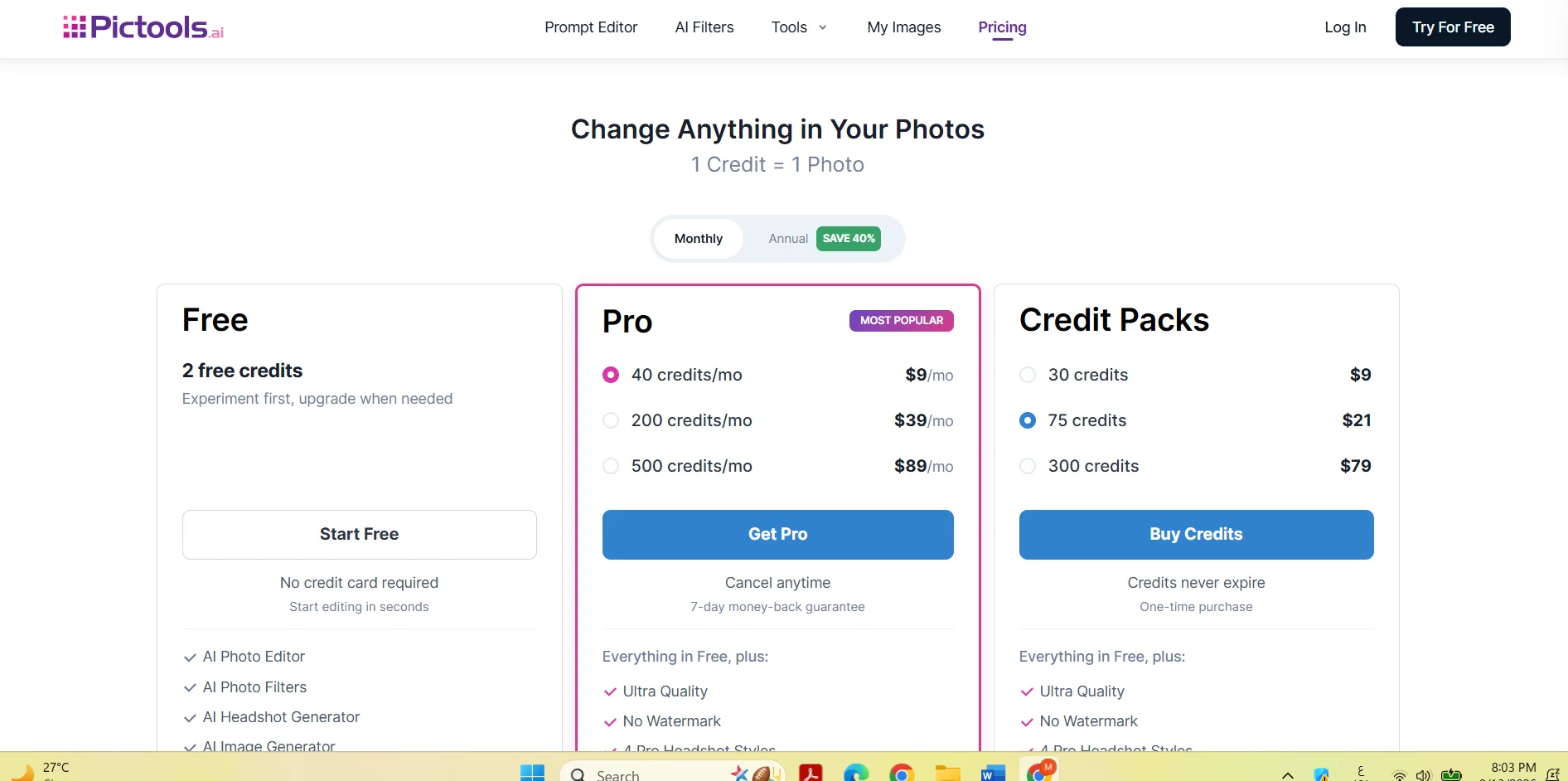
PicTools.AI's pricing model is based on a freemium system, along with Pro subscriptions and one-time credit packages. The platform provides free credits to get started, while paid plans are based on the number of monthly credits, with the option to choose between monthly or annual billing; annual billing offers a 40% discount, according to the information provided. One credit is consumed each time you create or edit an image, and credits purchased through Credit Packs do not expire. The free plan gives you two free credits without requiring a credit card, and allows you to use basic tools such as the AI Photo Editor and AI Photo Filters, as well as try out some other features. Paid plans start with the Pro plan, which offers 40 credits for $9 per month and includes all the benefits of the free plan plus Ultra Quality and advanced features, with the option to cancel at any time and a 7-day money-back guarantee. There is also a Pro plan with 200 Credits for $39 per month and a Pro plan with 500 Credits for $89 per month; both offer advanced Pro features. In addition to subscriptions, you can purchase separate credit bundles, including a 30-Credit bundle for $9, a 75-Credit bundle for $21, and a 300-Credit bundle for $79; these credits do not expire. According to the information provided, the advanced Pro features include Ultra Quality, watermark removal, four professional portrait modes, photo merging, work saving, and priority support.