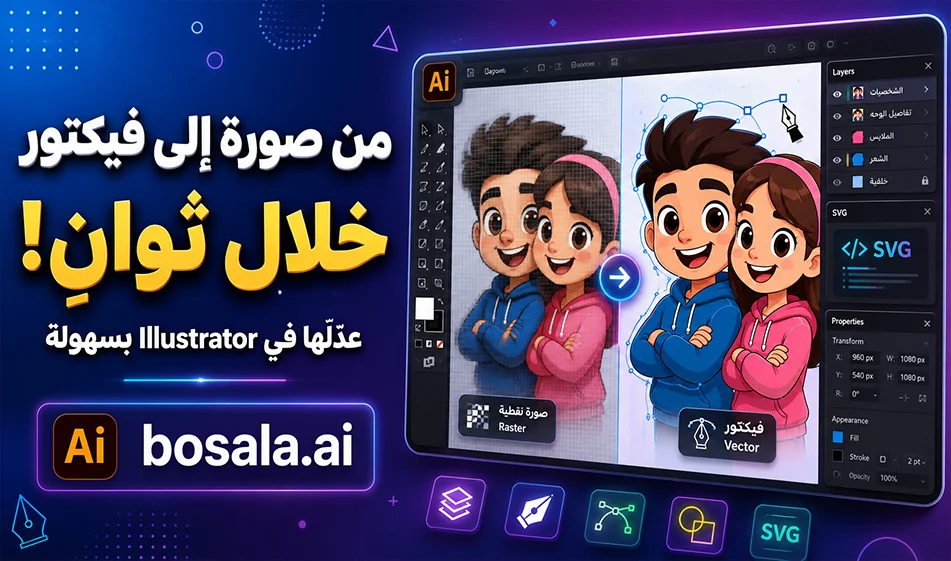
An explanation of the Kittl Vectorizer tool for converting images into editable vectors

An explanation of the Kittl Vectorizer tool for converting images into editable vectors

An Overview ofthe Kittl Vectorizer Toolfor Converting Images to Editable Vectors

If you’re a designer or work on logos, graphics, and posters, the Kittl Vectorizertool helps you convert any standard image into an editable vector file in seconds. Instead of keeping the image in a standard format like PNG or JPG and losing quality when zooming in, you can convert it into a vector design that can be opened and edited in Adobe Illustrator or used in design and print projects.

Link: https://www.kittl.com/tools/vectorizer

How does the tool work?

It’s very simple to use. Upload the image you want to convert—such as an illustration, logo, cartoon character, or simple design—then select “Convert to Vector.” The tool will then convert the image into editable paths, and you can download the result as an SVGfile and open it in Illustrator.

Once the file is open, you’ll be able to edit the paths, change colors, scale the design, separate elements, and use it for posters, stickers, T-shirts, or any other design project.

Practical Example

If you upload a cartoon image, such as a picture of Tom and Jerry, and apply the conversion, you’ll get an editable vector file. You can then open the file inIllustrator, adjust the colors and paths, and scale up the design without any pixelation, as if it were hand-drawn from scratch.

Why is this tool useful?

Because regular images are based on pixels, and when you enlarge them, they may lose quality. Vector images, however, are based on paths, so they remain clear no matter how large they are. This is very important in designing logos, icons, illustrations, posters, and for printing.

When should youuse Kittl Vectorizer?

Use it when you have a regular image and want to convert it into an editable file. Such as an old logo, a simple drawing, an icon, a hand-drawn design, or an image you want to use in high-quality print.

Compass Tip

For best results, use a clear image with a simple background and good contrast. The cleaner the original image, the clearer the resulting paths will be and the easier they will be to edit in Illustrator.

Conclusion

The Kittl Vectorizertool saves you a lot of time when converting images to vectors. Upload the image, convert it toSVG, open it inIllustrator, then adjust the colors and paths and scale up the design without losing quality. A quick and useful method for any designer who wants to convert regular images into professional, editable files.

May 21, 2026 03:57 PM GMT
About Kittl

️ Tool Name: 🖼
Kittl

Categories: 🔖
Image Design and Creation
Content and Copywriting
Ad and Landing Page Copywriting
Image Generation from Text
Content Management and Publishing
Motion graphics, headlines, and translation
Editing/Optimization/Resizing


️ What does this tool offer? ✏
The Kittl platform offers an integrated AI-powered design environment for creatives, designers, and businesses to quickly and efficiently create brand designs, marketing materials, and advertising images.

The platform offers multiple tools, including:

  • AI image generation
  • Logo and brand design
  • Mockup creation
  • Image editing and background removal
  • Text editing and visual effects
  • Using ready-made design templates
  • Advanced video and design tools

It also relies on a wide range of different AI models to create images and videos within a single platform.


What does it actually offer based on user experience? ⭐
Kittl helps users:

  • Quickly create professional designs without the need for complex software
  • Produce high-quality mockups and product images
  • Design marketing and advertising content ready for publication
  • Access a massive library of templates, fonts, and images
  • Experiment with multiple AI models in the same environment
  • Accelerate the work of designers and companies in producing visual content

Does it include automation? 🤖
Yes, the platform relies on powerful automation through:

  • Automatically generating images and videos using AI
  • Quickly creating ready-to-use designs from templates
  • Smart tools such as background removal, reframing, and automatic enhancement
  • AI-powered design workflows (AI Flows)

Pricing model: 💰
Paid subscription with a free plan


🆓 Free plan details:

  • 5 projects
  • 200 AI Tokens (one-time only)
  • Basic design tools
  • Over 1M images, fonts, and resources
  • Start for free without a credit card

Paid plan details: 💳

🟢 Pro

  • $12/month (billed annually)
  • 2,000 AI Tokens per month
  • Unlimited projects
  • Full suite of AI design tools
  • HD, transparent, and vector exports
  • 10GB storage
  • Commercial license

🟣 Expert (Recommended)

  • $26/month (billed annually)
  • 6,000 AI Tokens per month + 200 per day
  • Advanced design and AI features
  • 100GB storage
  • Huge library of resources (100M+)
  • Priority access to new features
  • Print-on-demand tools

Max 🔴

  • $48/month (billed annually)
  • 12,000 AI Tokens per month + 600 per day
  • AI Video
  • 1TB Storage
  • Advanced Support
  • Professional, large-scale use

How to access the tool: 🧭
Web App


Demo link or official website: 🔗
https://www.kittl.com/pricing