Spotter Studio
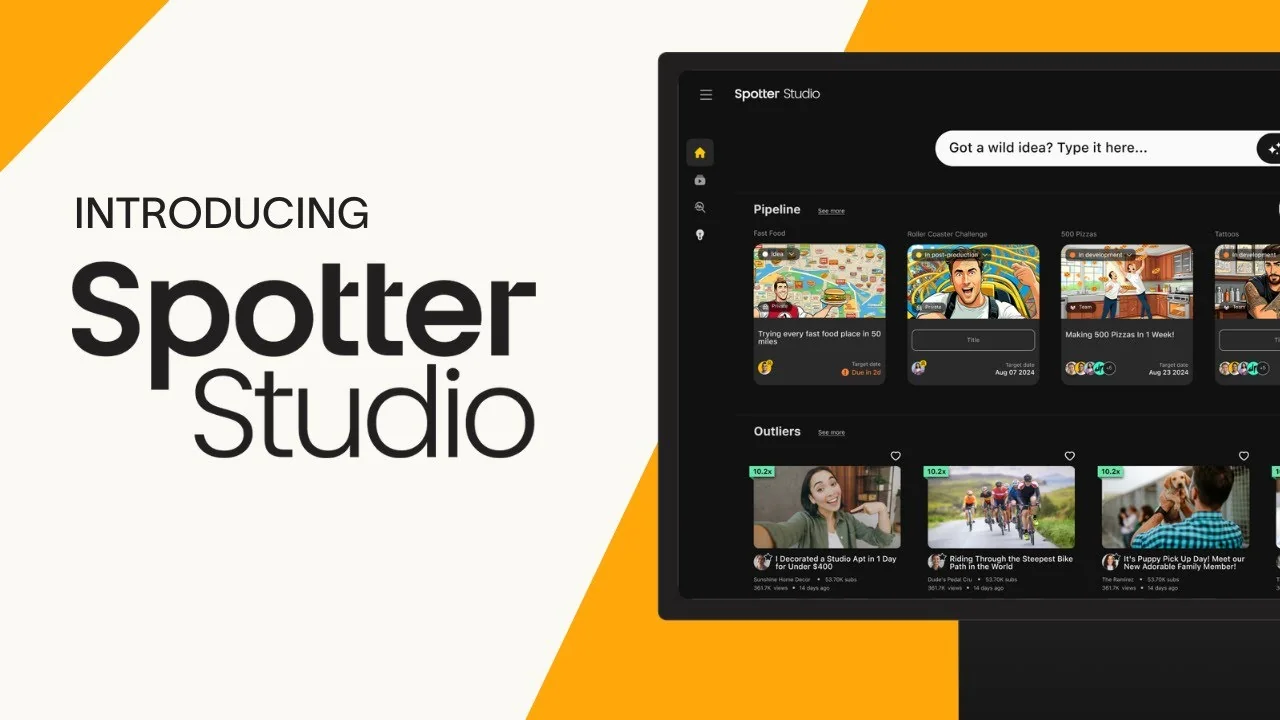
Description
🖼️ Tool Name:
Spotter Studio
🔖 Tool Category:
AI-powered content ideation & planning platform for YouTube creators (falls under Content Creation & Communication / Generative AI & Media Creation)
✏️ What does this tool offer?
Spotter Studio helps YouTube creators brainstorm video ideas, generate titles and thumbnails, analyze high-performing content (“outliers”), and organize projects and content workflows using AI.
⭐ What does the tool actually deliver based on user experience?
• Personalized video ideas and concepts based on your channel’s style and history
• Title suggestions optimized with keyword intelligence
• Thumbnail / visual concept suggestions
• “Outliers” analysis: finding videos that perform exceptionally well to inspire your content
• Project management and Idea Bank: organize, filter, rank, and prioritize video ideas
• Chat / brainstorming interface that adapts to your style
🤖 Does it include automation?
Yes — Spotter Studio automates:
Idea generation (videos, titles, thumbnails) with AI models
Analysis of millions of videos to surface trending patterns and high performers
Ranking and prioritization of ideas (Idea Bank scoring)
Suggesting optimizations (hooks, thumbnail tweaks, title improvements)
💰 Pricing Model:
Subscription-based (paid) model.
🆓 Free Plan Details:
Spotter Studio typically offers a trial period (e.g. 30 days) so creators can test features before committing.
💳 Paid Plan Details:
• Standard subscription (e.g. ~$49/month) for full access to ideation, outlier analysis, project tools, and team collaboration.
• Includes features like unlimited AI-generated ideas, connecting a YouTube channel, collaborative project access, etc.
🧭 Access Method:
• Web app / online platform (access via browser)
• Users connect their YouTube channel to allow Spotter Studio to analyze existing content and deliver personalized insights.
🔗 Experience Link:
https://www.spotterstudio.com