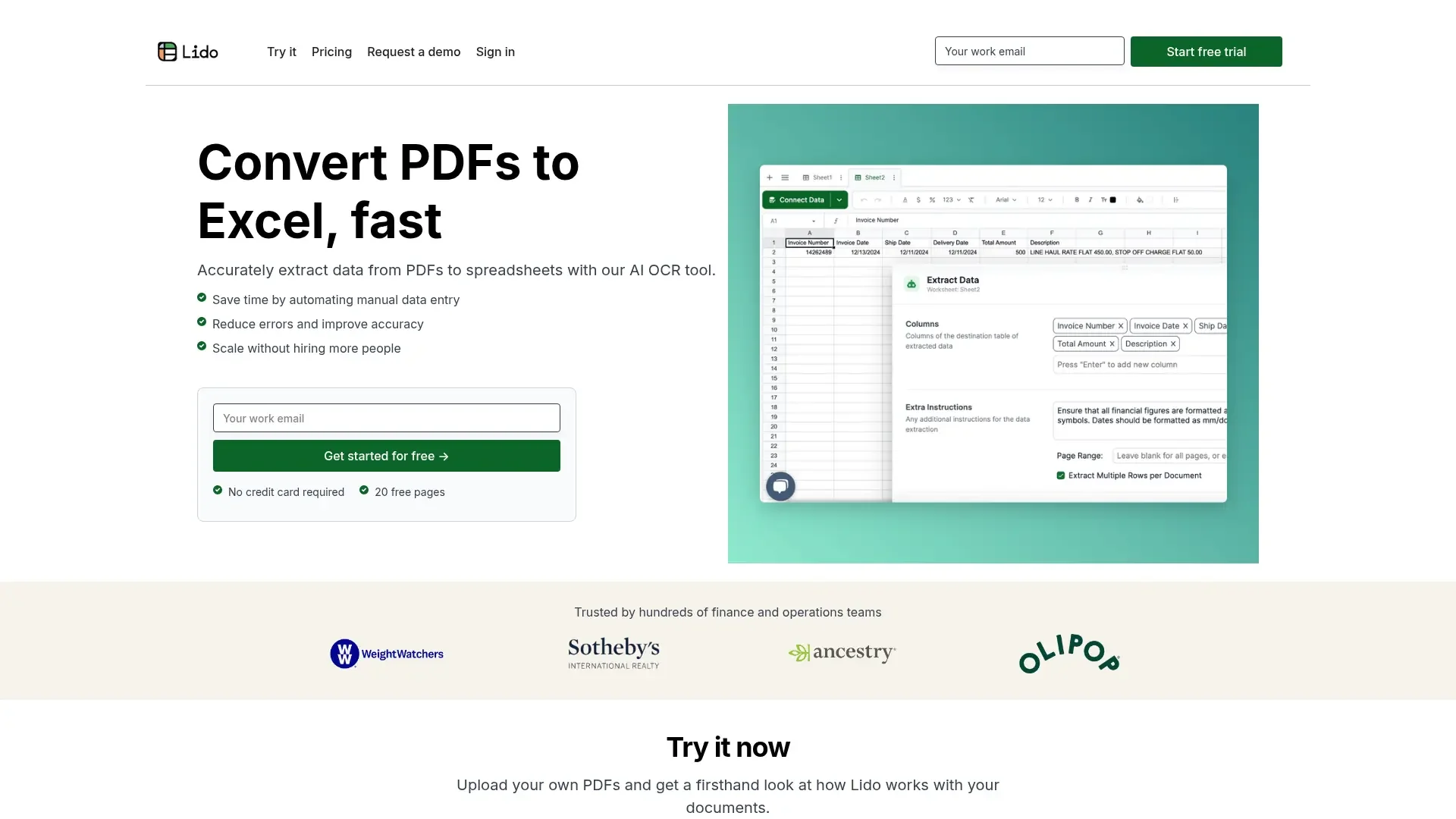
Description
️ 🖼Tool Name:
Lido
🔖 Categories:
- Data Processing and Cleaning
- Automation and Smart Agents
- RPA and Repetitive Task Automation
- Business and Operations Management
- Integrations and APIs
- Business Document Generation
- Data and Analytics
- No-Code Workflows
️ ✏What does this tool offer?
Lido is a platform specialized in extracting data from documentsand automating workflows. It converts files and documents into organized, usable data, then verifies the extracted data, compares it with records in internal systems, and automatically executes follow-up actions.
The platform can handle handwritten and scanned documents in various layouts and languages, extracting data such as invoice numbers, dates, amounts, purchase order numbers, and more, without the need to create templates or train models in advance.
Lido operates through four main stages. It begins with the document ingestionstage (Ingest), where files can be uploaded in batches or Google Drive, OneDrive, email, and shared folders can be linked to automatically receive new documents.
Next comes the data extraction (Extract)stage, where the user specifies the required fields, and Lido then converts the information in the documents into organized tables.
In the validationphase (Validate), the platform uses artificial intelligence to match the extracted data with records in internal systems, with the goal of providing clean and reliable data.
As for the automation (Automate) phase enables the execution of automated actions based on the extracted data, such as uploading data to ERP systems, filling out forms, creating documents, renaming or splitting files, and sending results according to a schedule.
Lido also allows for the extraction of multiple rows from a single document,which enables, for example, the conversion of different line items on an invoice into separate rows within a spreadsheet.
The platform is specifically designed for finance, operations, and accountingteams and can be used to process invoices, purchase orders, claims, bank statements, legal documents, and more.
Lido notes that data extraction accuracy can reach 99%, compared to 50–90% for traditional OCR technologies, It also highlights that the application can be implemented in about one hour, rather than the 4–8 weeks required by traditional solutions, and eliminates about 90% of the manual work associated with data extraction and review.
The platform also notes that it is SOC 2 Type II certified and HIPAA-compliant,and that it does not use customer data to train its models.
⭐ What does it actually offer based on user experience?
- Extracting data from documents and converting it into structured data.
- Handling handwritten and scanned documents.
- Extracts data from documents with different layouts and languages.
- Extracting invoice numbers, dates, amounts, purchase order numbers, and more.
- Operates without the need to create templates or train models in advance.
- Receive documents via direct upload.
- Connect Google Drive, OneDrive, email, and shared folders to receive documents.
- Specify the fields the user wants to extract and convert them into organized tables.
- Verify the extracted data and compare it with records in internal systems.
- Execute automated actions based on the extracted data.
- Upload data to ERP systems.
- Automatically fill out forms and create documents.
- Rename or split files.
- Send results according to a schedule.
- Extract multiple rows from a single document, such as converting invoice line items into separate rows.
- Support for processing invoices, purchase orders, claims, bank statements, and legal documents.
- Offers a free trial covering 50 pages with no credit card required.
- Extraction accuracy of up to 99%, according to the platform.
- Reduces the manual work associated with data extraction and review, according to the platform’s stated percentage.
🤖 Does it include automation?
Yes. Automation is a core feature of Lido.
After receiving documents, extracting data, and verifying it, the platform can trigger automated actions based on the results. These actions include uploading data to ERP systems, filling out forms, creating documents, renaming or splitting files, and sending results according to schedules.
You can also connect document sources such as email, Google Drive, OneDrive, and shared folders to automatically receive new documents, which are then processed through the extraction, verification, and automation stages.
💰 Pricing Model:
Freemium + Monthly Subscription + Annual Subscription + Custom Pricing for Enterprises.
Lido offers a free trial covering 50 pages with no credit card required, followed by the Standard plan (monthly), the Scale plan (annual), and the Enterprise plan (custom pricing).
🆓 Free Plan Details:
| Plan | Price | Details |
|---|---|---|
| Free Trial | Free | Process 50 pages for free to get started—no credit card required. |
💳 Paid plan details:
| Plan | Price | Features |
|---|---|---|
| Standard | $29 per month | Process 100 pages per month per user, convert various file types, and export data to Excel and CSV. |
| Scale | $7,840 per year | Process 42,000 pages per year(equivalent to $0.19 per page), support forup to 10 users,API access, automated workflows, and priority technical support. |
| Enterprise | Starting at $35,000 per year | Custom page limits, custom integrations with ERP systems, a dedicated account manager, and on-site setup and support services. |
🧭 How to access the tool:
| Access Method | Details |
|---|---|
| Web | The Lido platform is available via the web. |
| API | API access is available as part of the Scale plan, according to the pricing information provided. |
| Integrations | You can connect Google Drive, OneDrive, email, and shared folders to receive documents, and the Enterprise plan offers custom integrations with ERP systems. |
| Standalone Application | No standalone app is mentioned in the provided information. |
🔗 Demo link or official website:
Lido’s official website and pricing page