Deamoy
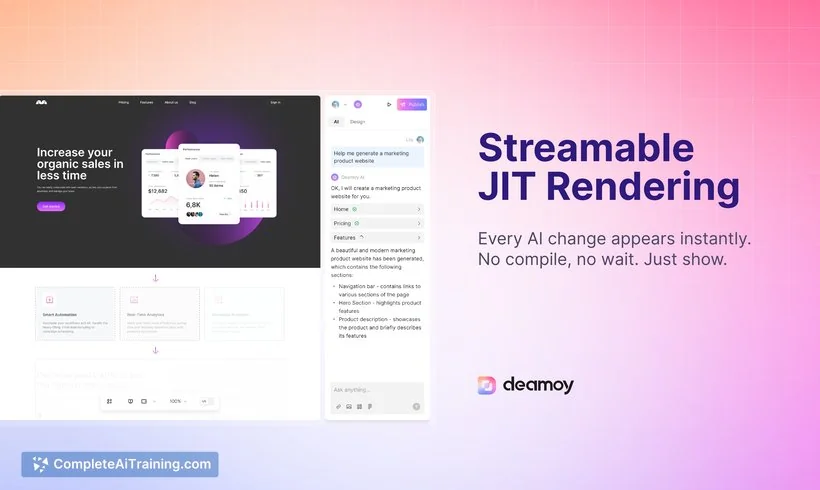
Description
🖼️ Tool Name:
Deamoy
🔖 Tool Category:
No-Code Workflows — AI-powered app/website builder that transforms natural-language prompts into editable web apps/pages.
✏️ What does this tool offer?
Deamoy enables users to:
• Enter a prompt describing the app or website they want (e.g., “landing page for SaaS with pricing table and contact form”) and instantly generate a multi-page responsive site.
• Seamlessly transition between AI-generation and visual editing — you can drag, resize, layer, and edit every element on-canvas in a Figma-style editor.
• Collaborate in real-time with team members, manage assets, assign roles, use templates, and deploy to a custom domain.
⭐ What does the tool actually deliver based on user experience?
• Users report being able to build full web apps or sites from a single prompt in minutes, thanks to “streamable JIT rendering” (just-in-time feedback) and the prompt→edit workflow.
• The hybrid model (AI + visual editor) is praised for giving both speed and control — you get initial output fast and then refine accurately.
• Limitations: Still a relatively new product, so integration depth, advanced custom logic and large-scale apps may face some constraints.
🤖 Does it include automation?
Yes — Deamoy automates:
• Natural-language prompt → scaffolded app/site generation (UI + navigation + basic logic) without coding.
• Real-time rendering of edits so the feedback loop is immediate (rather than slow compile or rebuild).
• Visual editing capabilities that synchronize with AI changes: you can both “tell” and “touch” your design.
💰 Pricing Model:
Freemium + Subscription tiers with usage credits.
🆓 Free Plan Details:
• Free tier available: for example: 200 AI credits, 500 MB storage, basic visual & AI editing.
💳 Paid Plan Details:
• Pro: ~US$ 10.41/month (≈US$12.50) for 1,000 credits, 5 GB storage, custom domains.
• Team: ~US$ 20.83/month for 2,500 credits, 15 GB storage, collaboration features.
• Enterprise: ~US$ 41.66/month for 5,000 credits, 30 GB storage, early-access features.
🧭 Access Method:
• Web-based platform: visit and sign up.
• Start by entering a prompt, then edit the generated site and publish (including connecting a custom domain in paid plans).
🔗 Experience Link: