Description

️ 🖼Tool name: Mistral AI

🔖 Tool category:
• Automation and intelligent agents
• Programming and development
• Business document creation
• Business and operations management
• Data and analytics
• Integrations and APIs

️ ✏What does this tool offer?
Mistral AI allows users to chat, search, learn, create text and image content, manage projects, save and recall memories, and use Mistral Vibe tools for programming and development within an IDE or via CLI, with the ability to connect data using more than 40 enterprise connectors.

What does it actually offer based on user experience?
The system provides a seamless experience in chatting and content creation, high-quality image generation, easy project management, support for teamwork, consistent performance of advanced Mistral models, and great flexibility in programming using Mistral Vibe, with deep search and data analysis features.

🤖 Does it include automation?
Yes, it includes automation tools such as Flash Answers, Async programming agents, Mistral Vibe CLI, and custom interfaces for automating tasks within the IDE, helping to increase productivity and reduce time spent on manual operations.

💰 Pricing model:
🆓 Free plan details:

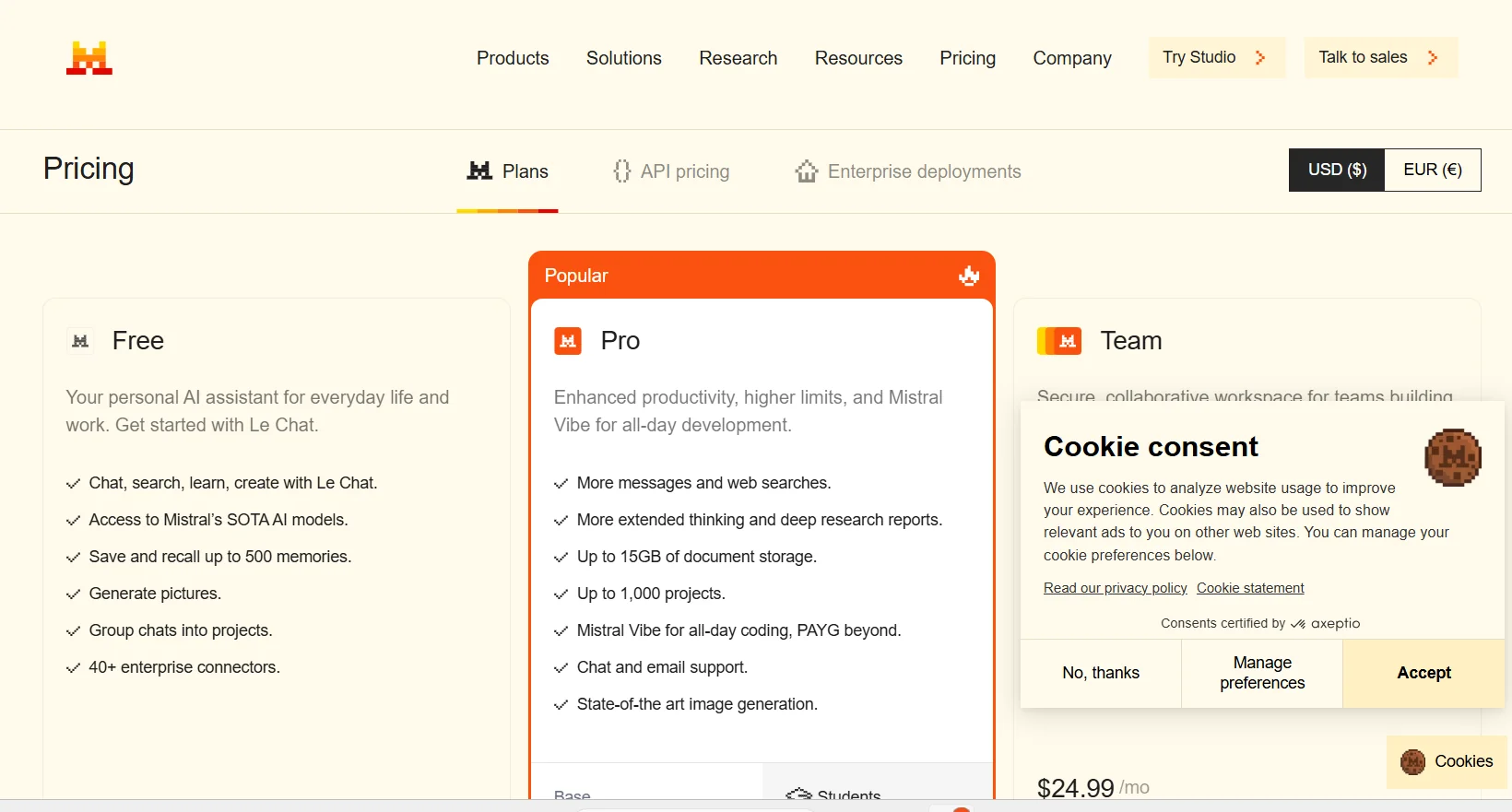
  • Personal assistant for daily tasks and work

  • Access to advanced Mistral models

  • Save and recall up to 500 memories

  • Generate images up to 40 times for free

  • Organize group chats and projects

  • 6 messages per day, 5 free web searches, 5 uses for code interpretation

Paid plan details: 💳

  • Pro ($14.99/month): All features of the free plan, with more messages and tasks, up to 15GB of document storage, management of up to 1,000 projects, all-day Mistral Vibe programming, chat and email support, advanced image generation, and in-depth search reports

  • Team ($24.99/month): Secure, collaborative space for teams, 200 Flash Answers per day per user, up to 30GB of storage per user, domain name verification, data export, all Pro features plus team features

  • Enterprise ($custom price): Private newsletters with custom templates and tools, full team support and data management, advanced security and privacy features, Async programming agents, Canvas Mode, full integration with enterprise systems

🧭 How to access the tool:
The tool can be accessed directly through a browser or using mobile apps on the App Store and Google Play, with the option of using Mistral Vibe interfaces for programming on a computer

🔗 Trial link or official website: Mistral AI Pricing

Pricing Details

The tool offers a tiered pricing model that includes a free plan providing a personal assistant for daily tasks and work, access to advanced Mistral models, storage and recall of up to 500 memories, 40 free image generations, group chat and project organization, plus 6 messages per day, 5 free web searches, and 5 code interpretation uses. The Pro plan, priced at $14.99 per month, includes all the features of the free plan with more messages and tasks, up to 15GB of document storage, management of up to 1,000 projects, use of Mistral Vibe for all-day programming, chat and email support, advanced image generation, and in-depth search reports. The Team plan, priced at $24.99 per month, provides a secure and collaborative space for teams, 200 Flash Answers per day per user, up to 30GB of storage per user, domain name verification, data export, and all Pro features plus team-specific features. The Enterprise plan comes at a custom price and includes private newsletters with custom templates and tools, full team support and data management, advanced security and privacy features, Async programming agents, Canvas Mode, and full integration with enterprise systems.