Testmoz
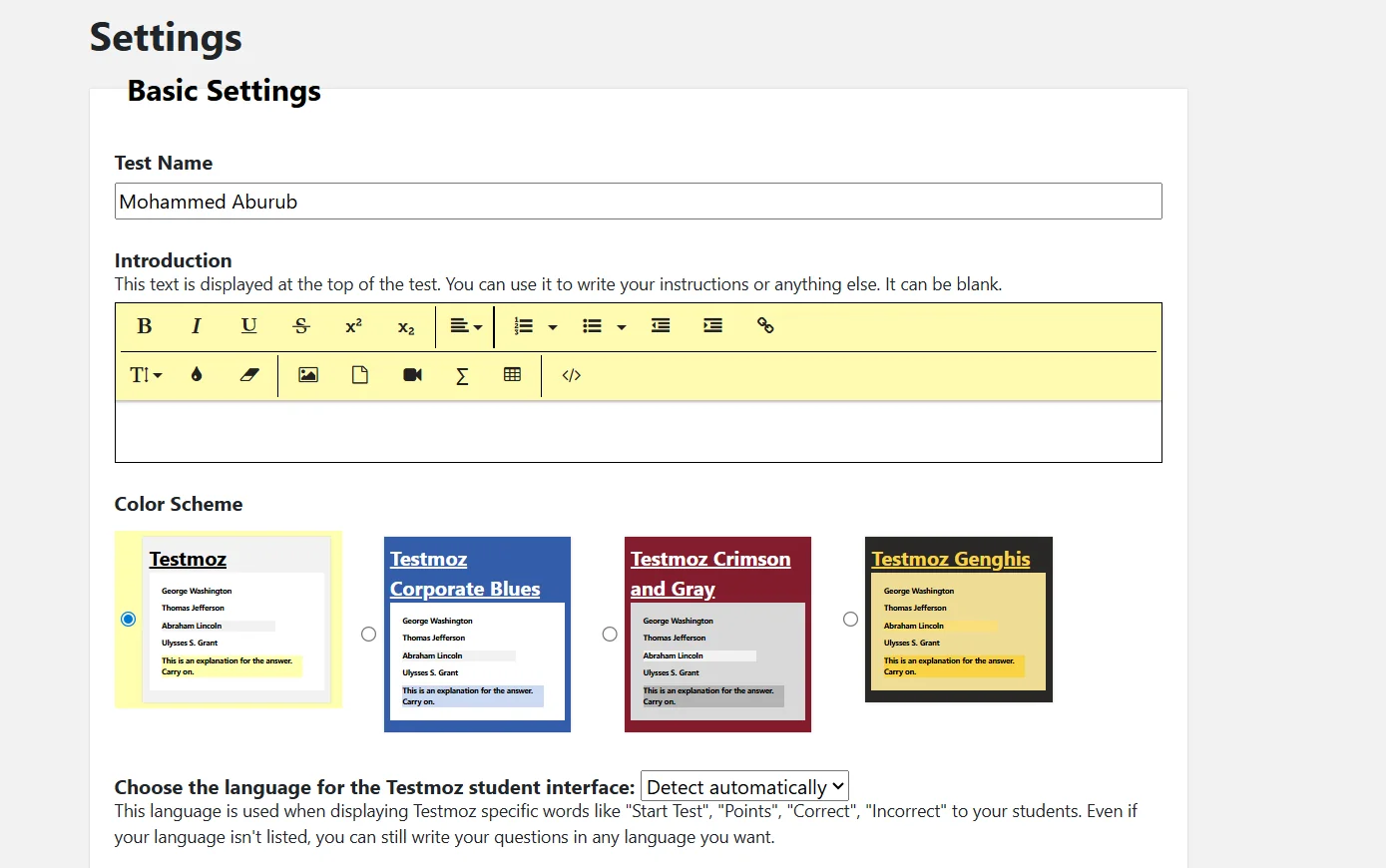
Testmoz allows teachers to create comprehensive online quizzes that include a variety of question types, such as multiple choice, true or false, fill-in-the-blank, matching or sequencing, short answer, or essay questions. Teachers can add instructions or an introduction to the quiz and customize the color scheme and language to suit their students.
- Education & Research
- Teacher Tools & Assessment
- Question Banks & Test Generation
- Edu-Games & Fun
- Feedback & Analytics
Last updated
Features
- Creates online tests with multiple choice, true/false, fill-in-the-blank, matching, short answer and essay questions
- Customizable instructions, color scheme and language
- Students take tests with just their name, no account needed
- Teacher dashboard to add questions, adjust settings, publish and review results
- Adds images and explanations to questions
- Exports tests for printing or use outside the platform
- Automatic grading and instant results for multiple-choice and true/false questions
Pricing Details
The Testmoz platform operates on a freemium model, offering a limited free plan and paid plans that provide full access to all features. The free plan allows you to create basic quizzes and distribute them to students, with the ability to collect results from up to 100 students per quiz and a maximum of 50 questions per quiz; however, it does not include some advanced features such as image uploads or email notifications. The individual annual subscription costs $50 per year and provides access to all platform features with no limits on the number of quizzes, questions, or results, as well as the ability to upload images, enable email notifications, and other advanced features. The platform also offers plans for schools and large groups with discounts of up to 50% for teachers, as well as custom solutions that allow for more than 300 students at a time through direct coordination with the support team.
Related Tips
- Integrating Claude and JXP Veo to Create Fun Science Videos for Kids · Video Generation & Editing, Text and Images to Video…
- A Comparison of Twistly and PageOn for Creating AI-Powered Presentations · Content Writing, Paraphrasing & Style…
- Prompt for creating worksheets to teach children how to write Arabic letters · Image Design and Creation, Text to Image Generation…
- How can you create a visual explanation of animals using NanoBanana in a way that helps students understand science and biology? · Image Design and Creation, Text to Image Generation…
- Claude and Kling have teamed up to create fun educational videos for children to teach English letters in Arabic · Video Generation & Editing, Text and Images to Video…