Meshy.ai
Description
️ Tool Name: 🖼
Meshy 7
Categories: 🔖
Automation and Smart Agents
Integrations and APIs
️ What does this tool offer? ✏
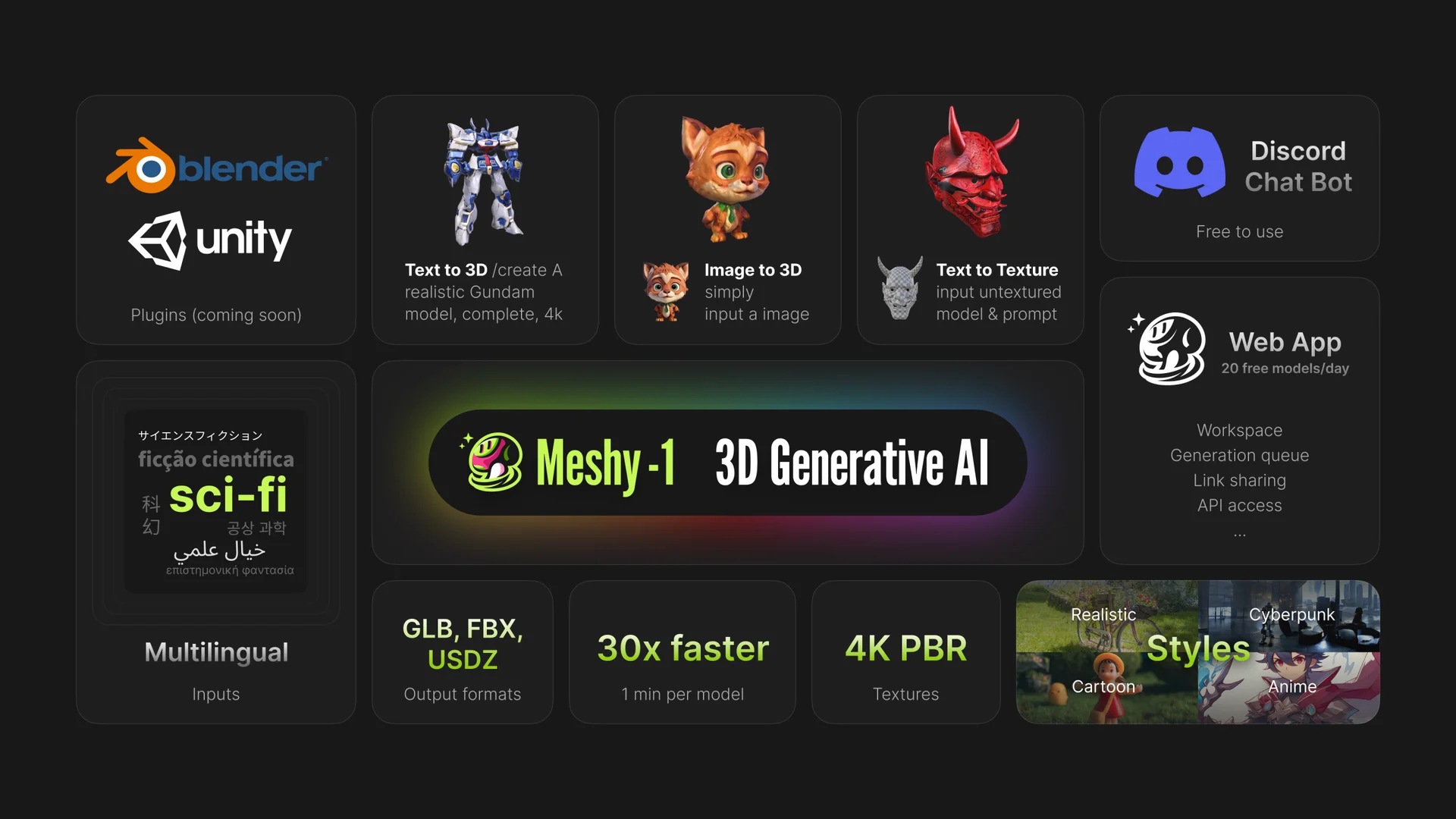
Meshy is a platform for creating 3D models using artificial intelligence. Meshy 7 focuses on creating 3D models that are true to the reference, with the ability to convert images or sketches into usable, printable 3D models. The platform provides specialized tools for model creation and development, along with options for Quick Generation, 3D Printing, and Games & Media; you can get started using the platform via the “Start Creating” option.
Meshy also supports preparing models for 3D printing, including “Auto Split,” which divides large models into printable parts, ensuring the parts are sealed and optimized to fit the print bed, and the ability to send them directly to supported slicer software. It also offers multicolor printing capabilities and integrates with a number of 3D slicing and printing programs.
The platform also includes Ultra 4K, which is now available with paid plans, to provide a higher level of detail in models. Meshy also provides access to 3D Agent and advanced integration tools, including an API, DCC Bridge, and plugins for platforms and software such as Roblox, Blender, Godot, Unity, Unreal, Maya, and 3ds Max, depending on the plan.
What does it actually offer based on user experience? ⭐
- Creating 3D models from text or images, with Meshy 7 supported as one of the current generation models.
- Converting images into 3D models, with the option to use Multi-view Image to 3D in paid plans.
- Automatically split large models into printable parts using Auto Split, with quick previews and preparation of parts for printing.
- Send models directly to supported slicer software instead of relying on manual export and import in supported workflows.
- Support for over 600 pre-made animation motions in paid plans, as compared to the official plans.
- Paid plans include an API, along with tools for integration with 3D development software and engines.
- The free plan offers 100 credits per month, requires no credit card, and has a low priority in the queue.
Does it include automation? 🤖
Yes. Meshy includes clear automation features, particularly through the 3D Agent and tools for model processing and printing. Auto Split can also automatically divide a model into print-ready parts and prepare them for export to slicing software, eliminating the need for manual splitting. Paid plans also provide an API and MCP & Skill for AI Agent, allowing you to integrate Meshy’s capabilities into other workflows and tools.
Pricing model: 💰
Freemium / Subscription / Purchase additional credits
🆓 Free Plan Details:
| Item | Details |
|---|---|
| Price | $0 / month |
| Credits | 100 monthly credits |
| Concurrent Tasks | 1 concurrent task |
| Queue Priority | Low queue priority |
| Features | Basic AI features |
| License | CC BY 4.0 license, with commercial use permitted provided attribution is given |
| Credit card | No credit card required |
| Credit Refresh | Free credits are reset monthly to the plan's specified limit |
Meshy officially confirms that the free plan provides 100 credits per month, and that free plan credits are reset at the beginning of each month (UTC) and do not carry over from one month to the next.
Paid Plan Details: 💳
| Plan | Monthly Price | Annual Billing | Monthly Credits | Concurrent Tasks | Key Features |
|---|---|---|---|---|---|
| Pro | $20/month | $120 per year according to the launch offer mentioned | 1,000 | 10 | 3D Agent, high priority, faster generation, 4 free retries, unlimited downloads, API, exclusive rights to assets, 600+ poses, DCC integrations |
| Premium | $40/month | $240 annually according to the launch offer mentioned | 3,000 | 30 | Everything in Pro, plus higher priority, 12 free retries, faster generation, Early Access, Creative Lab, and additional benefits for high-volume production |
| Ultra | $100/month | — | 8,000* | 100 | Highest priority, 40 free retries, API, unlimited downloads, 600+ actions, Early Access, Creative Lab, and the highest credit limit |
* There is currently conflicting official information on Meshy’s pages regarding the Ultra credit limit; the plan comparison page shows 8,000 credits per month, while the more recent help pages on credit resets show 10,000 credits for Ultra. Therefore, I’m using the number 8,000 in the comparison—as it’s the figure shown on the plan comparison page—while considering the 10,000 figure to be currently unresolved.
According to the offer you sent, the Ultra 4K launch offer is available at a 50% discount, so the Pro plan is priced at $10 instead of $20, and the Premium plan at $20 instead of $40, while the Ultra plan—designed for AI agents and advanced workflows—is priced at $80 instead of $100. Meshy also noted that new subscribers receive a 50% discount on the first month of paid plans, according to current offers.
Meshy allows users to purchase additional credits, with the following options available:
- $10 for 250 credits, or $4 per 100 credits.
- $32 instead of $40 for 1,000 credits, or $3.2 per 100 credits.
- $84 instead of $120 for 3,000 credits, or $2.8 per 100 credits.
The information provided also indicates a 20% discount on monthly plans and a 40% discount on annual plans when purchasing additional credits under this offer.
How to access the tool: 🧭
| How to Access | Details |
|---|---|
| Web | Available via the Meshy and Workspace platforms |
| API | Available on paid plans |
| DCC Bridge | Supports Roblox, Blender, Godot, Unity, Unreal, Maya, and 3ds Max depending on the plan |
| Platform Extensions | API & 3D platform plugins |
| AI Agent | MCP & Skill for AI Agent on eligible plans |
| Slicer Software | Direct integration with software such as Bambu Studio, OrcaSlicer, Creality Print, Elegoo Slicer, Ultimaker Cura, and Lychee Slicer |
Meshy’s documentation confirms that models can be sent directly from Workspace to supported slicer software, with some integrations varying by plan.
Demo link or official website: 🔗
Meshy – Workspace