Sprite Fusion
Description
️ 🖼Tool name:
Sprite Fusion
🔖 Tool Category:
Game Asset Generation / Entertainment & Gaming / 3D Modeling & Renderings / 3D & Geometric Design / Interior
️ ✏What does this tool offer?
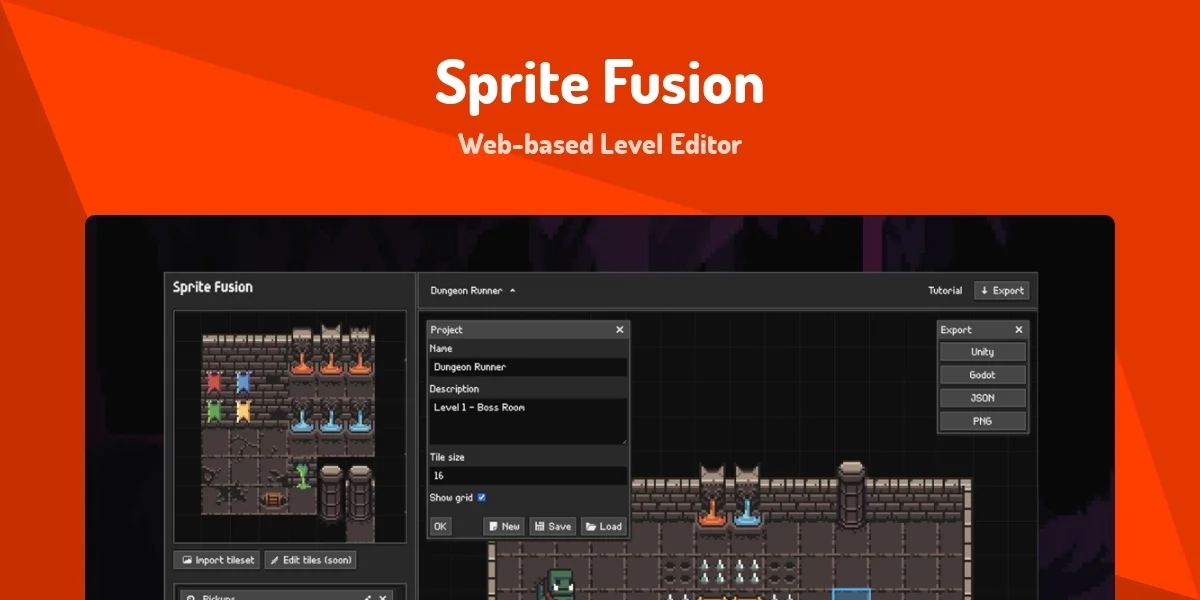
A specialized platform to quickly and easily create 2D maps, suitable for platform, classic, mobile and retro-themed PC and mobile games, with no programming or advanced design experience required. Key Features:
Tile-based Editing: Create maps by dragging and dropping ready-made tiles (floors, walls, backgrounds, and interactive elements).
Layers support: Control background, foreground, and interactive elements.
Engine-ready export: Unity, Godot, and more, with no additional conversion required.
Unlimited projects: Create an unlimited number of maps.
Personal and commercial use: Suitable for beginners and independent developers.
⭐ What does it actually offer based on user experience?
Easy and fast experience for creating 2D game maps.
Saves time compared to manual drawing or coding.
Full support for small and large projects, including commercial games.
The free version is excellent for learning and prototyping, and the paid version is suitable for professional production.
🤖 Does it include automation?
Yes, the tool greatly simplifies the design process by:
Quickly creating maps using ready-made tiles.
Manage layers and elements automatically.
Exporting maps directly in engine-ready formats.
💰 Pricing model:
1️⃣ Web Edition - Free Version - $0
No account or credit card registration.
Unlimited number of projects.
Personal and commercial use.
Map export is limited to a maximum size of 4.5MB per map.
Suitable for experimentation, learning, small projects or prototyping.
2️⃣ Collector's Edition - Paid version - $14.99 (one time)
All the features of the free version, plus:
Offline desktop application.
Export maps in any size with no restrictions.
Windows and Mac support.
Free lifetime updates.
Permanent ownership without any subscription.
Suitable for large projects and full commercial games.
️ ⚙How to access the tool:
Through the browser for the free version, or download the desktop application for the paid version (Windows and Mac).
🔗 Link to the official website and try the tool:
https://www.spritefusion.com/#pricing