Description
🖼 Tool Name:
LEETA
🔖 Approved Categories:
Editing, Enhancement & UpscalingRPA & Task AutomationEdu-Games & Fun
✏️ What does this tool offer?
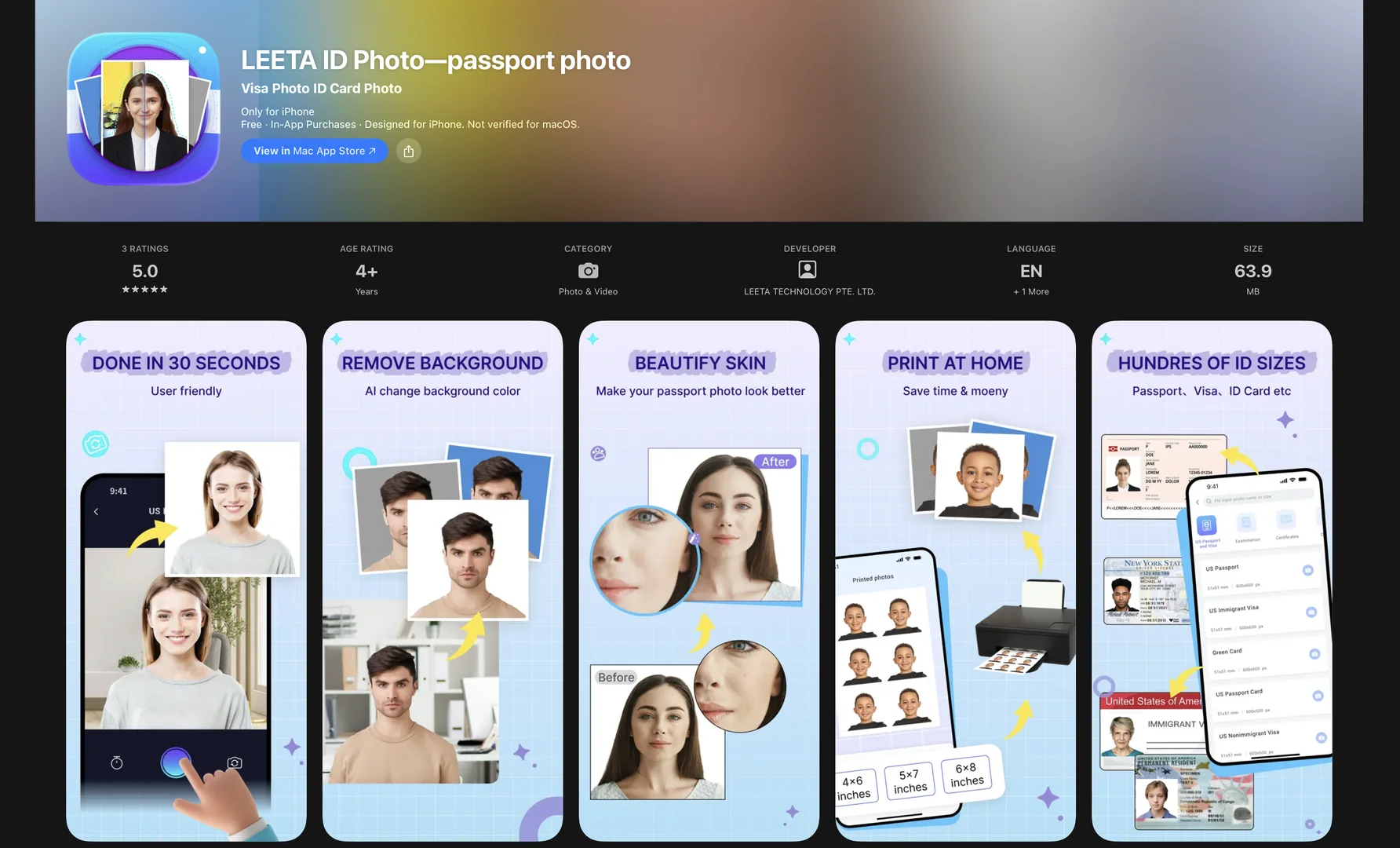
AI-Powered Passport & ID Photo Generator: LEETA ID Photo converts casual mobile selfies into compliant, high-resolution document photos in roughly 30 seconds.
Automated Background Removal & Color Swap: Detects facial features and automatically crops out complex background noise to replace it with required official colors (white, blue, red, or custom).
Global Document Size Templates: Supports official biometric dimensions and specs for over 150 countries, including US Passports (2x2 inch), Green Cards, Visas, Driver’s Licenses, and Nursing Licenses.
Auto-Layout for Printing: Automatically formats multiple generated photos onto standardized print sheet dimensions (e.g., 4x6 photo paper) for printing at home or local pharmacy hubs (Walmart, CVS, Walgreens).
Digital Photo Storage: Retains generated electronic ID photos in cloud history for up to 180 days for easy re-downloading to mobile device camera rolls.
⭐ What does it actually offer based on user experience?
Eliminates In-Person Photography Costs: Saves users time and money by replacing retail photo booth visits with a home-based mobile selfie workflow.
High Approval Compliance: Automatically aligns head positioning, proportions, and lighting to reduce application delays caused by non-compliant photo submissions.
Simple 3-Step Process: Guides non-technical users step-by-step (Choose Spec → Snap/Upload → Export/Print).
🤖 Does it include automation?
Yes, LEETA ID Photo automates subject extraction, background replacement, size cropping, and multi-up print formatting:
Automated AI Background Segmentation: Programmatically isolates subject silhouettes and replaces background environments instantly without manual eraser tools.
Automated Print Sheet Layout: Automatically tiles multiple ID crop instances onto selected paper formats (e.g., 4x6) for optimized printing.
💰 Pricing Model
Item Details: Free Base Access / In-App Purchases (Pay-Per-Export / High Resolution Downloads).
General Concept: Free to download and process preview renders; full-resolution downloads or specific template exports offer small single-use or package in-app options.
🆓 Free Access Details
Feature: Free Base App Access & Generation Previews.
Details: Users can download the app, shoot photos using alignment guides, and test AI background removal and auto-cropping features at no cost.
Cost: Free ($0) Base Download.
💳 Access & Subscription Options (Official Standards)
🧭 How to access the tool:
Your AI passport photo generation, background removal, and print-ready ID document creation workflows can be launched on iOS by visiting.