Description
️ Tool Name: 🖼
BridgeMind — The Agent Super App
Categories: 🔖
Automation and Smart Agents; Programming and Development; No-Code Workflows; Productivity and Scheduling; Integrations and APIs; Code Generation and Review; Testing and Quality Assurance; Text and Images to Video; Text to Speech / Speech to Text.
️ What does this tool offer? ✏
BridgeMind offers a unified application under the concept of “The Agent Super App,”combining AI agents that can be run according to schedules and routines, a dedicated workspace forVibe Coding,and a standalone mode for conversing with AI. The app combines Agent,Code, andChat modes into a single desktop interface.
In Agent mode, you can create permanent agents for specific roles or responsibilities, provide them with instructions and context, and then run them according to scheduled routines. This allows repetitive tasks to be converted into actions that the agent can perform periodically, with the ability to review results and changes before approving them.
Code mode is dedicated to Vibe Coding, where the user describes what they want to build or change, while the coding agent works within the project environment to carry out the task. BridgeMind supports terminal-based programming tools, including Claude Code, Codex, and others, with the ability to detect CLI tools present in the user’s PATH. Code mode also provides terminals, files, browsers, and project workspaces.
Chat mode provides a space for conversations, questions, writing, analysis, and general tasks that do not need to be tied to a permanent agent or a specific project. You can switch between Agent, Code, and Chat modes using the mode switcher in the title bar, with each mode maintaining its own space and organization.
BridgeMind also includes BridgeVoice for speech-to-text conversion, with the option to use local or cloud processing. The platform also supports voice dictation and features such as Hey Bridge on supported versions of macOS. Local transcription does not consume credits, while some cloud-based voice features and prompt rewriting do consume credits.
The platform also provides Skills and Plugins to give agents reusable actions and controlled access to connected services, along with automatically signed updates. The app also supports local and remote workspaces via SSH in recent versions.
What does it actually offer based on user experience? ⭐
Create agents with specific roles and responsibilities and run them according to scheduled routines.
Use the Vibe Coding environment, which brings agents, terminals, files, and the browser together in a single workspace.
Run various programming tools such as Claude Code, Codex, and other CLI tools available on the user’s device.
Use BridgeVoice to dictate commands and convert speech to text.
Create workspaces connected to local or remote folders via SSH.
Run conversations, code, and agents from a single desktop application instead of switching between multiple applications.
Use Skills and Plugins to extend agent capabilities and connect them to external services and tools.
Switch between AI providers while preserving the conversation context in modern versions.
Does it include automation? 🤖
Yes, automation is a core feature of BridgeMind. Agent Mode allows you to create persistent agents and run them within Routines according to specific schedules, so that the agent can start working automatically instead of needing to be launched manually each time.
Automation also extends to the realm of programming through Codemode ,where the user can assign a descriptive task to the agent, and the agent then works within the project environment using the available terminal, files, and tools. BridgeMind can also be used with various CLI tools instead of relying on a single software engine.
The platform also provides automatically signed updates, and certain tasks can be run using Plugins and Skills, allowing for the creation of more integrated workflows around the agents.
Pricing Model: 💰
Paid subscription — only one plan: Pro.
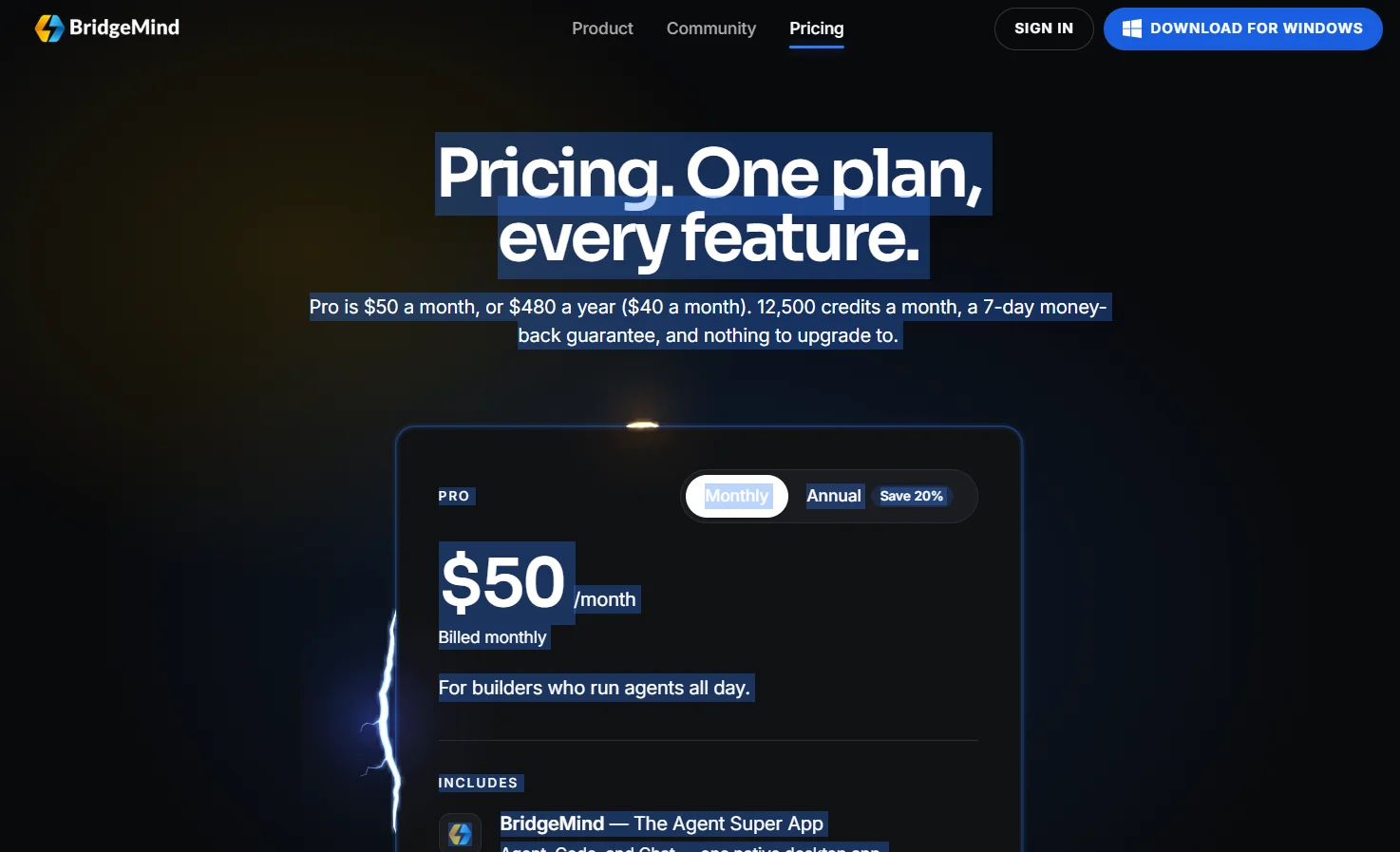
BridgeMind currently offers a single Pro plan, priced at $50 per month when billed monthly or $480 annually—equivalent to $40 per month when billed annually—with a 20% discount for the annual subscription. The plan includes 12,500 credits per monthand a 7-day money-back guarantee for first-time purchases, with the option to cancel at any time. There is currently no cheaper plan or higher-tier plan to upgrade to.
Credits are used for consumption-based features, such as Voice Orchestration,Cloud Voice-to-Text, and certain hosted features. Credits are not used to cover usage of Claude, Codex, or Grok through user accounts, as those services are billed separately by their respective providers. Additionally, unused credits do not roll over to the next billing cycle.
🆓 Free Plan Details:
| Item | Details |
|---|---|
| Free Plan | Not available |
| Required Plan | Pro |
| Minimum Price | $50 per month |
| App usage | Requires an active Pro subscription |
| Free Trial | No free plan; instead, a 7-day money-back guarantee is available for first-time purchases |
| Free credits | No standalone free plan |
Paid plan details: 💳
| Plan | Price | Features |
|---|---|---|
| Pro — Monthly | $50/month | Full suite of apps—Agent, Code, and Chat; agents and routines; Vibe Coding space; BridgeVoice; 12,500 monthly credits; plugins and skills; and support for hosted features |
| Pro — Annual | $480/year | All Pro features, effectively priced at $40/month, with a 20% savings compared to monthly billing |
| Number of Plans | — | Only one plan; there is no cheaper plan or higher-tier plan to upgrade to |
| Credits | 12,500 credits/cycle | Used for metered features such as Voice Orchestration and Cloud Voice-to-Text; unused credits do not roll over to the next cycle |
| Claude / Codex / Grok | Separate | Subscriptions and usage of these services from user accounts are billed separately and are not deducted from BridgeMind credits |
How to access the tool: 🧭
| Access Method | Details |
|---|---|
| Desktop Application | BridgeMind is a native desktop application that combines Agent, Code, and Chat |
| macOS | Currently available; requires macOS 14 or later according to the pricing page and official website, with a unified installer for Apple Silicon and Intel processors. The latest BridgeMind One documentation lists macOS 26 as the currently supported version |
| Windows | The marketing website shows a Windows version, but the current BridgeMind One documentation describes Windows as being under development and not yet a supported public release |
| Linux | The marketing website lists a Linux option, while the current BridgeMind One documentation states that Linux is not currently supported;experimental versions and release candidates for Linux are listed in the changelog |
| Agent | Create and run persistent agents according to Routines |
| Code | The Vibe Coding space contains a Terminal, Files, Browser, and programming agents |
| Chat | Separate chats for writing, questions, analysis, and general tasks |
| BridgeVoice | Speech-to-text conversion, with options for local and cloud processing |
| SSH | Ability to connect to folders on remote Linux or Mac machines via SSH in recent versions |
Trial link or official website: 🔗
BridgeMind’s official website