Description
️ Tool Name: 🖼
WelcoChat
Categories: 🔖
Chat/Voice Agents, Support Bots and Call Centers, Customer Support and CRM, Automation and Smart Agents, Knowledge Base and Self-Service, Marketing and Sales, Integrations and APIs
️ What does this tool offer? ✏
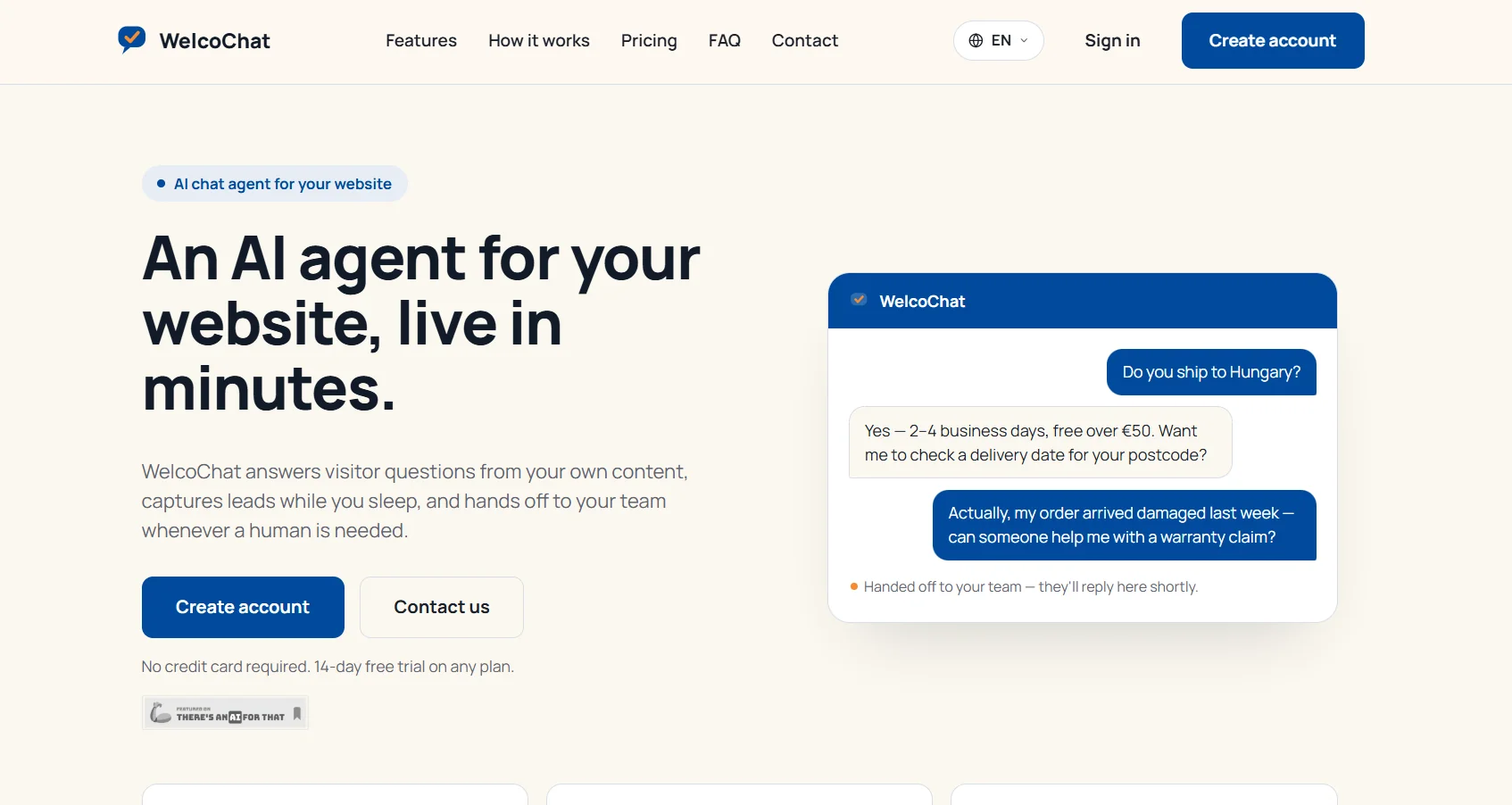
WelcoChat is an AI-powered chatbot for websites that answers visitors’ questions based on the site’s content, helps capture leads, and transfers the conversation to the support team when human intervention is needed. The platform relies on a knowledge base built by automatically crawling the website or by uploading documents, PDFs, and FAQs. You can customize the bot’s name, avatar, colors, and welcome message, and then embedding it on the website with a single line of code. It also allows you to review conversations and unanswered questions through the control panel to improve the knowledge base over time. The agent transfers the conversation to a live representative when unsure of the answer or when the visitor requests to speak with a person. The platform includes a knowledge base for the website, a fully embeddable and customizable widget interface, and the ability to capture lead data—including name, email, company, and intent—for every qualified conversation, and direct handoff to the support team so that the team is notified and can respond directly within the conversation itself from the WelcoChat portal, as well as a statistics dashboard displaying conversation volume, conversion rates to employees and captured leads, and the status of the knowledge base. It also provides notifications via Slack, Teams, and Webhooks that can be used with Zapier, Make, or any other tool. Available in the Business plan and above is a WhatsApp channel that allows users to link their WhatsApp Business number so the agent can respond there directly, with the option to forward the conversation directly to a staff member. It also includes team accounts that let you invite team members to manage the agent and handle live conversations together. You can also use a custom logo, choose to place the widget in the bottom left or bottom right corner, and enable image attachments so that visitors can send a photo and the agent can respond based on the image and website content using real-time computer vision, and multilingual support so that the agent automatically detects the visitor’s language and responds in it. The Custom CSS feature is available in the Enterprise plan and allows for the use of custom CSS confined within the widget’s Shadow DOM so that it does not affect the rest of the page. The platform also explains that the widget loads asynchronously so it does not block page loading, and it works on phones and tablets, and the linked website URL or uploaded documents and notes can be updated at any time via the portal, with WelcoChat continuously re-learning the new content without interrupting service.
What does it actually offer based on user experience? ⭐
The bot answers visitors’ questions based on the content associated with it; it doesn’t guess at answers.
If the agent is unsure of the answer or the visitor requests to speak to a person, the conversation is transferred to a live agent.
The team can join the conversation and respond directly from the WelcoChat portal.
You can review conversations and unanswered questions to improve the knowledge base.
The statistics dashboard displays the volume of conversations, the transfer rate to staff, the number of leads captured, and the status of the knowledge base.
The agent automatically detects the visitor’s language and responds in that language.
Visitors can send images on the Business plan and above, allowing the agent to base their response on the image and the website content.
The widget works on phones and tablets and loads asynchronously so it doesn’t slow down page loading.
Does it include automation? 🤖
Yes. WelcoChat relies on automation to build the knowledge base by crawling the website or processing documents, PDFs, and FAQs, as well as automatically answering visitor questions, capturing leads, detecting the visitor’s language, routing conversations to the support team when needed, and sending notifications via email, Slack, Teams, and Webhooks. Notifications can also be integrated with Zapier, Make, or any other tool, and the Business plan and above include a WhatsApp channel where the agent operates automatically with the option to transfer to a human agent.
Pricing Model: 💰
Freemium with a 14-day free trial, plus monthly and annual subscription plans. All accounts start with a 14-day free trial with no credit card required, offering a 20% discount for annual payments; annual plans are paid in advance. All prices exclude VAT where applicable.
🆓 Free Plan Details:
| Feature | Details |
|---|---|
| Free Trial | 14 days |
| Price | Free during the trial period |
| Credit Card | Not required |
| Plans Included | Try any plan for 14 days |
| After the trial ends | The widget on the website will be paused until the subscription is activated and billing is processed; however, access to the portal and all settings will remain unchanged, and service will resume once the subscription is activated |
Paid plan details: 💳
| Plan | Monthly Price | Annual Price | Monthly Chat Limit | Details |
|---|---|---|---|---|
| Basic | €39/month | €31/month when paid annually | 500 chats | Website knowledge base, embeddable widget, lead capture, direct email forwarding to agents, analytics dashboard, and multilingual support |
| Business | €99/month | €79/month when paying annually | 3,000 conversations | All Basic features, plus a custom logo and widget placement, Slack, Teams, and Webhook notifications, team accounts, a WhatsApp channel, and image attachments |
| Enterprise | €299/month | €239/month when billed annually | 15,000 conversations | All Business features, plus custom CSS override, custom integrations, priority support, and SLA |
Annual plans are paid in advance, and prices do not include VAT where applicable. You can upgrade or downgrade plans at any time through the portal without losing your settings, though features associated with the higher-tier plan will be temporarily suspended upon downgrade.
How to access the tool: 🧭
| Access | Details |
|---|---|
| Web | Create an account and manage agents, chats, and settings from the WelcoChat portal |
| Website Widget | Embed the chatbot on your website with a single line of code |
| Available on the Business plan and above by linking a WhatsApp Business number | |
| Slack | Notifications and integrations on the Business plan and above |
| Microsoft Teams | Notifications and integrations on the Business plan and above |
| Webhook | Notifications that can be used with Zapier, Make, or other tools |
| Live Chat | Team members can reply directly within the conversation from the WelcoChat portal |
| Custom CSS | Available in Enterprise and confined to the widget’s Shadow DOM |
Demo link or official website: 🔗
https://welcochat.com/en/