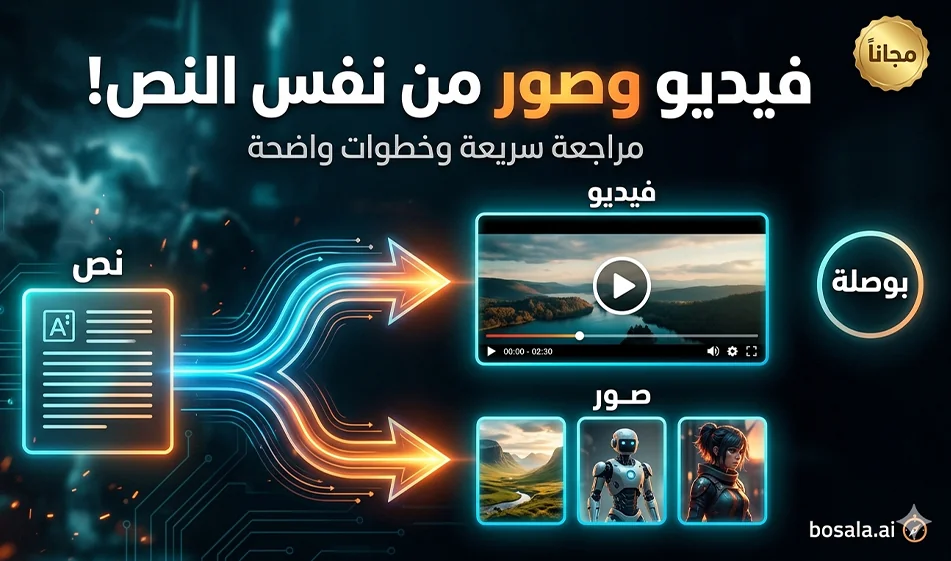
🧭 Compass Explained: A Review of Qwen Chat for Generating Images and Videos

🧭 Compass Explained: A Review of Qwen Chat for Generating Images and Videos

🧭 Busla Explained: A Reviewof Qwen Chat for Image and Video Generation

If you want to quickly produce visual content from within a single platform, Qwen Chat isa practical option because it lets you work using the “Write an idea ← Try multiple versions ← Choose the best one” approach, whether generating images or short videos based on what’s available in your account and the tool’s interface.

Tool link:
https://chat.qwen.ai/

Its most powerful use in creating educational series for children is to adopt a fixed template and then change only the country and information, resulting in a consistent series of episodes.

When is this tool right for you?

  • When you want to quickly experiment with ready-made styles such as: clay motion, stop motion, and childlike 3D.
  • When you want a “short clip” ready for Reels and Shorts (usually 6–10 seconds).
  • When you want to create a series featuring the same child and the same style, with only the country changing.

️ ⚙ Step-by-step guide to creating a clay motion-style educational video

  1. Open the tool and select “Generate Video” if the option is available.
  2. Adjust the basic settings:
    • Aspect ratio 9:16
    • Duration: 6 seconds
  3. Paste the prompt (template) as is.
  4. Just replace the variables:
    • COUNTRY with the country name in English within the English text
    • ARABIC LINE with the short Arabic sentence
  5. Generate only two or three versions, then choose the best one.
  6. If there are issues with character consistency or ambiguity in the room:
    • Don’t change the entire prompt
    • Modify just one line, such as: reducing the number of objects in the room or making the camera movement smoother

Important Note
If lip-syncing with the Arabic text is inaccurate in some versions, make the Arabic sentence shorter and explicitly request “natural lip movement.” If that doesn’t improve the issue, you can generate the video without dialogue and then add the audio later using a suitable child’s voice.

Tips for successful clay motion style

  • Keep the Arabic sentence very short: only 5 to 9 words.
  • Don’t include too many props in the room: 2 to 3 small props are enough.
  • Always use:
    • No text on screen
    • No subtitles
    • No music
    • Only the child’s voice + light room ambiance
  • Set the shot type:
    • Medium shot + slight push-in
      This reduces distortion and enhances the “stop-motion” effect.

🧩 Ready-to-replace prompt template

Copy and paste as is, then replace COUNTRY and ARABIC LINE

Create a 6-second vertical 9:16 claymation-style animated video with a beautiful handmade stop-motion look, mixed with soft Pixar-inspired charm. Show a cute Arab child standing inside a cozy themed room representing COUNTRY. The room contains the COUNTRY flag, miniature famous landmarks from COUNTRY, traditional clothing elements, cultural decorations, warm lighting, playful handcrafted textures, colorful details, and a magical educational atmosphere for children.

The child looks at the camera, smiles naturally, and speaks one short sentence in Arabic about COUNTRY. The mouth movement should match the speech naturally. Add small, gentle character movements, blinking, hand gestures, and slight camera motion to make the scene feel alive.

Visual style: premium claymation, handmade textures, soft cinematic lighting, expressive face, charming educational animation, highly detailed miniature room, cute proportions, family-friendly, emotionally warm, polished, and magical.

Camera: medium shot, slight push-in.
Audio: child’s voice only, soft natural room ambience, no music, no subtitles, no text on screen.

Arabic line:
ARABIC LINE

Ready-made examples for changing the country and the Arabic sentence

Choose one country and enter its name in English inthe COUNTRY field, then enter the sentence in the ARABIC LINEfield

Egypt
COUNTRY: Egypt
ARABIC LINE:
I am in Egypt, home of the great pyramids.

Jordan
COUNTRY: Jordan
ARABIC LINE:
I am in Jordan, home to the beautiful city of Petra.

Saudi Arabia
COUNTRY: Saudi Arabia
ARABIC LINE:
I am in Saudi Arabia, the land of the Two Holy Mosques.

Morocco
COUNTRY: Morocco
ARABIC LINE:
I am in Morocco, the land of colors and beautiful markets.

UAE
COUNTRY: United Arab Emirates
ARABIC LINE:
I am in the UAE, a modern city full of achievements.

Summary

Qwen Chat is very useful for creating short educational videos for children when you use a fixed template and simply change the country and the sentence. The secret to success is: a short sentence, few elements, simple camera movement, and two or three takes to choose the best one.

March 30, 2026 03:33 PM GMT
About Qwen2.5-VL-32B-Instruct

️ 🖼Tool Name:
Qwen2.5-VL-32B-Instruct

🔖 Tool Category:
Advanced Vision-Language Model

️ ✏What does this tool offer?

  • Understanding long images and videos (more than an hour).

  • Extract text, tables, charts, and graphs from images.

  • Locate objects within images and output them in JSON format.

  • Read documents such as invoices and forms with high accuracy.

  • Work as an independent visual agent able to interact with tools and devices.

What does the tool actually deliver based on user experience?

  • Superior performance on multimedia tasks compared to larger models such as Qwen2-VL-72B.

  • Strong results in MMU, MathVista, and other tests.

  • Output texts that are organized, smooth, and more in line with user preferences.

🤖 Does it include automation?
Yes, it works as an Autonomous Agent capable of making decisions and performing tasks automatically.

💰 Pricing Model:

  • Fully open source under the Apache-2.0 license, available for free.

  • Additional fees only when used via cloud services such as Fireworks.

🆓 Free Plan Details:

  • Available for free to everyone via Hugging Face, GitHub, and ModelScope.

  • It doesn't require any subscription or fees.

💳 Paid Plan Details:

  • There are no paid plans from developers.

  • Use via cloud platforms may cost (e.g. Fireworks: about $0.9 per million tokens).

🧭 Access Method:

  • Accessible via Hugging Face, GitHub, or ModelScope.

  • Supports running locally using libraries like transformers and vLLM.

🔗 Experience Link:
https://huggingface.co/Qwen/Qwen2.5-VL-32B-Instruct?utm_source=


About Qwen TTS

Tool name: 🧠

Qwen TTS


Description: 💡

An advanced artificial intelligence tool for converting text into natural and realistic human voices, developed by Qwen AI to enable users to create professional audio content easily and accurately. It uses deep learning algorithms to generate high-quality voices with accurate exits and multiple accents, making it ideal for content creators, advertisers, and developers.


️ Core Function: ⚙

Transform written text into real human voices using AI, with the ability to customize the tone, speed, and emotional feel of the resulting voice.


Key Features: 🔧

  • Generate realistic voices that are very close to natural human speech.

  • Supports multiple languages and dialects including Arabic, English, and Chinese.

  • Control the pitch, speed, and pauses of the voice.

    Link :

  • Ability to choose between multiple male and female voices.

  • Supports long texts without interruption or distortion.

  • Instant processing and high conversion speed.

  • Full compatibility with smart systems and voice assistants.

  • Easy API integration.

  • Automatic pronunciation optimization based on language and context.

  • Supports multiple emotions such as joy, seriousness, and sadness.


Subscription plans and pricing: 💰

F 🔹ree plan:

  • Allows an initial trial of basic features.

  • Limited number of letters or sounds per month.

  • Suitable for developers or new users.

🔹 Professional (paid) plan:

  • Monthly fee based on usage (official price not yet announced).

  • Unlimited access to high-quality sounds.

  • Live technical support and higher processing speed.

  • Possibility to integrate the tool into corporate applications.


Target audience: 🧩

  • Audio and video content creators.

  • Developers of AI applications and digital assistants.

  • Marketers and advertising companies.

  • Educational institutions and online course producers.

  • Businesses that want to add professional audio interfaces to their services.


Supported Languages: 🌍

Supports more than 50 languages and dialects, including Arabic, English, Chinese, Chinese, Spanish, Japanese, and French.


️ Supported Voices: 🗣

  • Realistic male and female voices.

  • Different tones depending on the emotion or type of content.

  • A variety of ages and accents to suit all uses.


Technologies used: ⚡

The Qwen Voice Engine model is based on Deep Learningand Natural Language Processing (NLP) techniques to generate accurate and smooth voice in real-time, with advanced algorithms to adjust the tone and feel of the human voice.


Available integrations: 🔌

  • Compatible with tools like Whisper, ChatGPT, and HuggingFace.

  • Easy to integrate into any system or application.

  • Connectivity to educational platforms, voice bots, and virtual assistants.


Technical support: 📞

  • Available via email.

  • Continuous updates to optimize performance and sound quality.

  • Special and fast support for paid plan subscribers.


Link: Qwen-TTS - Advanced Qwen-TTS & Professional Voice Cloning Tool

About Qwen AI

️ 🖼Tool name:
Qwen AI

🔖 Tool classification:
An advanced multimodal language model developed by the Alibaba Group, used in AI applications such as conversation, translation, voice recognition, image and video generation, and programming.

️ ✏What does this tool offer?

  • Intelligent conversations: Have text and voice conversations with the Qwen3-Omni model, which supports input and output via text, voice, image, and video.

  • Instant multilingual translation: Qwen3-LiveTranslate-Flash offers fast and accurate voice and video translation.

  • Photo and video editing: Qwen-Image-Edit-2509 lets you edit personal photos and transform styles and expressions.

  • Voice Recognition: Qwen3-ASR-Flash supports high-resolution voice recognition for 11 languages and dialects.

  • Script generation: Qwen3-Coder helps in writing and debugging code.

  • Open source model: All modules are available under the Apache 2.0 license, allowing them to be used in commercial and research applications.

What do you actually offer based on user experience?

  • Multiple language support: Supports more than 29 languages, including Arabic, making it suitable for users in the Middle East.

  • High productivity: Capable of processing text up to 128,000 tokens, allowing it to handle large and complex documents.

  • Low cost: It is a low-cost model compared to competitors, making it an attractive option for individuals and small businesses.

🤖 Does it include automation?
Yes, Qwen AI includes automation:

  • Interactive conversations: Having intelligent conversations with users.

  • Automatic translation: Translate text and audio between languages.

  • Photo and video editing: Edit photos and videos based on commands.

  • Voice Recognition: Convert voice to text with high accuracy.

  • Code generation: Write and debug code automatically.

💰 Pricing model:

🆓 F ree plan details:

  • Free access: Users can access Qwen Chat via the following link: chat.qwen.ai.

  • Trial Forms: The free trial allows the use of some models such as Qwen3-Omni and Qwen3-LiveTranslate-Flash.

💳 Details of paid plans:

  • Qwen-Flash (Alibaba Cloud platform):

    • Input price: $0.05 per million tokens.

    • Output price: $0.40 per million tokens.

    • Context range: 1,000,000 tokens.

    • Mode: Not yet available.

  • Qwen-Turbo (OpenRouter platform):

    • Input price: $0.05 per million tokens.

    • Output price: $0.20 per million tokens.

    • Context range: 1,000,000 tokens.

    • Mode: Not yet available.

🧭 How to access the tool:

🔗 Trial link or official website:
https://qwen.ai/home

About Qwen-Image-Edit

️ 🖼Tool name: Qwen-Image-Edit

🔖 Tool classification:
An open-source model for AI image editing, based on Qwen-Image's 20 billion parameter model.

️ ✏What does it do?
Qwen-Image-Edit provides advanced image editing capabilities, including:

  • Precise text editing: Add, delete, or modify text within images while maintaining the original font, size, and style.

  • Precise visual editing: Modify elements within an image without affecting the rest of the image, such as adding or removing objects.

  • Advanced semantic editing: Changing the content of an image while maintaining the overall visual meaning, such as rotating objects or changing the style.

  • Creating original content: Creating new characters or emojis based on input text or images.

  • Edit text within images: Modify text within images, such as changing words or correcting spelling errors.

  • Convert images into different styles: Apply artistic effects or graphic styles to images.

  • Generate new images based on text: Create completely new images based on specific text descriptions.

  • Bilingual support: Support text editing in both Chinese and English.

  • Outstanding performance: Achieve outstanding performance in photo editing tasks, making it a powerful model in the industry.

What does it actually offer based on user experience?

  • Highly accurate text editing: The ability to edit text within images with high precision, while maintaining font and color consistency.

  • Powerful semantic control: Ability to modify image content while preserving the overall visual meaning.

  • Ease of use: A simple and intuitive user interface, making it easy for users to work with the tool.

  • Creative content creation: Enables users to create original and new content based on the input text or images.

  • Helpful technical support: A technical support team is available to help users resolve any issues they may encounter.

  • Positive user experience: Positive reviews from users on different platforms, indicating their satisfaction with the tool's performance.

🤖 Does it include automation?
Yes, Qwen-Image-Edit provides automated tools for image editing based on text commands, which simplifies the editing process and saves time and effort.

💰 Pricing model:
Qwen-Image-Edit provides an open-source model, which means users can access and use the tool for free.

🆓 F ree plan details:

  • Price: Free

  • Features:

    • Full access to all editing tools

    • Chinese and English language support

    • Ability to edit text and images with high precision

    • Create original and new content based on input text or images

💳 Paid plans details:
There are currently no paid plans; the tool is available for free for all users.

🧭 How to access the tool:

  1. Download the template or use it via the Hugging Face Spaces interface.

  2. Follow the instructions on the website to start using the tool.

🔗 Link to the trial or official website:
https://huggingface.co/Qwen/Qwen-Image-Edit