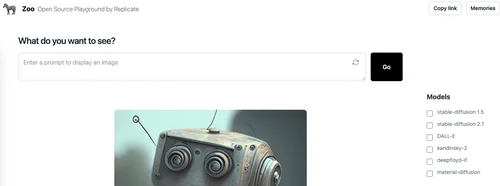
Description
🖼️ Tool Name:
Zoo
🔖 Tool Category:
AI-powered collaboration and creative workspace; it falls under the category of Productivity & Automation and Design & Creativity.
✏️ What does this tool offer?
Zoo is a modern collaborative platform designed for creatives and product teams to brainstorm, design, and build ideas together in a flexible digital canvas. It combines elements of whiteboarding, AI assistance, task management, and visual organization into one unified workspace.
⭐ What does the tool actually deliver based on user experience?
• Infinite canvas for visual brainstorming and idea organization
• AI-powered assistance for generating ideas, layouts, and summaries
• Real-time collaboration with team members
• Support for media uploads (images, text, sticky notes, etc.)
• Project templates for sprint planning, storyboarding, and product mapping
• Integration with tools like Slack, Notion, Google Drive, and Figma
• Easy sharing with view/edit permissions
🤖 Does it include automation?
Yes —
• AI assists with summarizing clusters of notes or generating new ideas
• Auto-organizes content visually based on relationships and categories
• Smart suggestions for next steps, grouping, or prioritization
• Automated task tracking and follow-up recommendations
💰 Pricing Model:
Freemium
🆓 Free Plan Details:
• Access to core whiteboard and collaboration features
• Limited AI actions per month
• Up to a certain number of boards or collaborators
💳 Paid Plan Details:
• Pro/Team plans include:
Unlimited boards and AI actions
Priority access to new AI features
Export and version history
Team workspaces, admin controls, and integrations
Enhanced security and support
🧭 Access Method:
• Web App
🔗 Experience Link: