Description
🖼️ Tool Name:
Fillout
🔖 Tool Category:
A smart form builder tool for creating professional, customizable forms, collecting data, getting insights, and integrating with tools like Salesforce, Notion, Google Sheets, and more.
✏️ What does this tool offer?
• Lets you build professional forms with zero code
• Supports login forms, scheduling, custom links, email settings, branding, and analytics
• Great for surveys, appointment bookings, application forms, subscriptions, etc.
⭐ What does the tool actually deliver based on user experience?
• Super smooth drag-and-drop interface
• Fast and fully responsive across all devices
• Seamless integrations with Notion and Google Sheets
• Very responsive support
• Some forms feel like real apps with all the features
🤖 Does it include automation?
Yup, tons of automation:
• Auto-sync form data to Google Sheets
• Send custom emails after form submission
• Redirect users to custom pages
• Auto-analyze form responses
• Dynamic questions based on previous answers (logic flow)
💰 Pricing Model:
Freemium – there’s a solid free plan and multiple paid tiers
🆓 Free Plan Details:
• 2,000 responses per month
• Upload your logo
• All question types
• Custom form endings
• Theme and color customization
• Login & scheduling form support
• Post-submit redirects
• Custom share links
💳 Paid Plan Details:
🟡 Starter – $19/month
• Everything in the free plan
• Custom email notifications
• Remove Fillout branding
• Custom share links
• Custom form endings
• Partial submissions (save incomplete forms)
• Custom domain hosting
• Custom HTML
• File uploads up to 1 GB
• Priority support
• Meta Pixel integration
🔵 Pro – $49/month
• All Starter features
• 5,000 responses/month
• Unlimited team members
• Custom favicon
• Custom fonts and CSS
🟢 Business – $89/month
• All Pro features
• Unlimited responses
• Instant analytics
• Fully custom domain
• Full code customization
• 1 GB file upload
• Priority support
• Split or partial responses
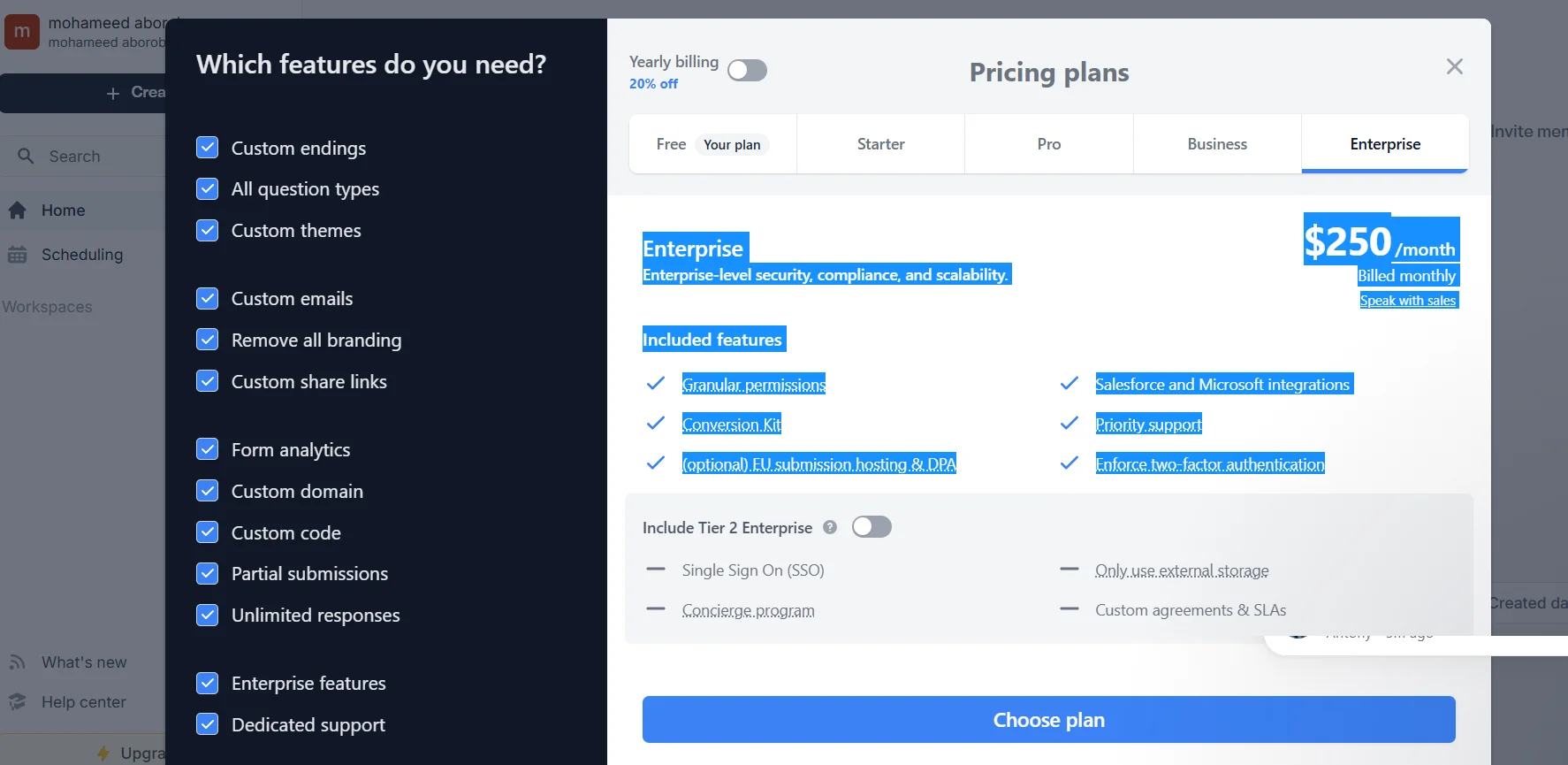
🔴 Enterprise – $250/month
• Everything in Business
• Granular permission controls
• Salesforce & Microsoft integrations
• Built-in conversion optimization tools
• Two-factor authentication (2FA)
• Optional EU data hosting
• 24/7 premium support
📅 Extra Info:
• Annual billing gives you 20% off all plans
🧭 Access Method:
• Go directly to their official site
• Use it in the browser—no downloads needed
• Account creation is free, and paid plans fit individuals, teams, or businesses
🔗 Experience Link:
https://build.fillout.com/home