DapperGPT
Description
🖼️ Tool Name:
DapperGPT
🔖 Tool Category:
Conversations (primary); also fits Productivity & Automation, Content Creation & Communication, Smart Assistant.
✏️ What does this tool offer?
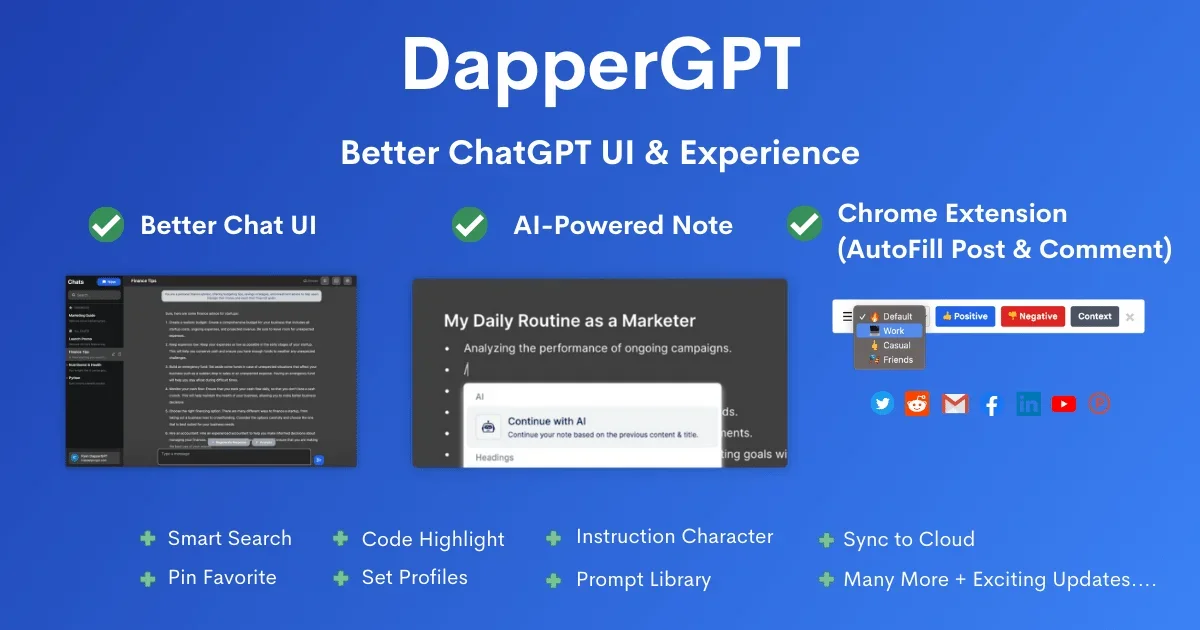
DapperGPT provides an enhanced user interface for the ChatGPT API, delivering a smoother and more powerful experience. It includes features such as AI-powered note-taking, smart Spotlight‑like search, prompt library, voice‑to‑text and text‑to‑voice, image generation, Chrome extension for auto‑fill, and chat customization options.
⭐ What does the tool actually deliver based on user experience?
• Intuitive and clean UI for better chat management and organization.
• AI‑powered notes for capturing and referencing information within the chat.
• Smart search to quickly retrieve past prompts or chats.
• Voice interaction support: both speech-to-text and text-to-speech functionalities.
• Prompt library and customizable character instructions for tailored AI behavior.
• Code preview with rich‑text formatting to simplify development workflows.
• Chrome extension enabling autofill in platforms like Twitter, Gmail, Facebook, LinkedIn, etc.
• Chat pinning and sync across devices for streamlined access
🤖 Does it include automation?
Yes — DapperGPT automates:
• Note generation within chat based on conversation.
• Autofill of content on popular web platforms via the extension.
• Search and retrieval of past content seamlessly.
• Rich formatting and code previews automatically integrated.
💰 Pricing Model:
Freemium — Basic features are free, but require a valid OpenAI API key. Premium features (like image generation, syncing, and team features) are unlocked via one-time purchases or yearly plans.
🆓 Free Plan Details:
Free access to core UI enhancements, notes, and basic tools. Usage depends on API key limits and local browser storage.
💳 Paid Plan Details:
Unlock premium features like cloud sync, image generation, advanced customization, and team/domain access (still in development) via subscription or one-time purchase.
🧭 Access Method:
• Via web interface at DapperGPT’s platform.
• Requires OpenAI API key for functionality.
• Accessible via Chrome extension and available as a desktop app through WebCatalog for Mac & Windows.
🔗 Experience Link:
https://dappergpt.com