HitPaw Video Enhancer
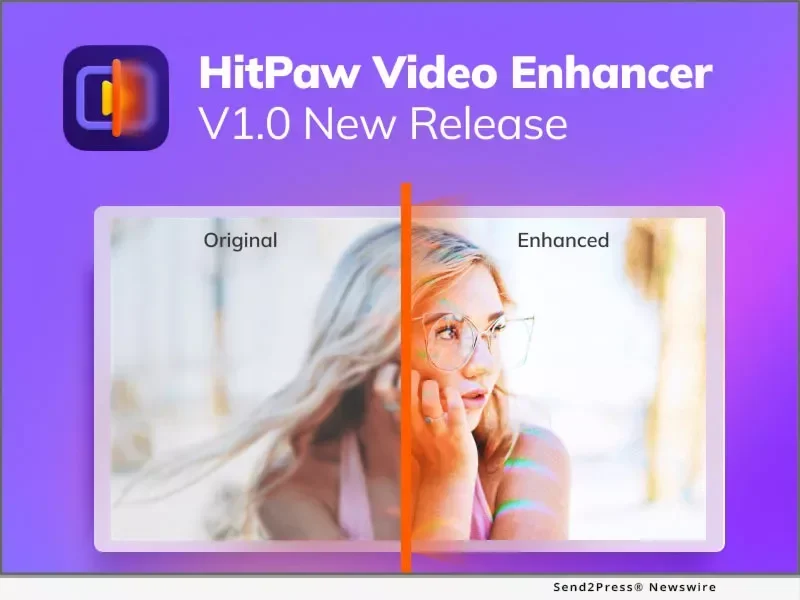
Description
🖼️ Tool Name:
HitPaw Video Enhancer (VikPea)
🔖 Tool Category:
AI-powered video enhancement tool; primarily under Video Editing, with secondary relevance to Visual Media Enhancement, Productivity & Automation, and Content Creation & Communication.
✏️ What does this tool offer?
HitPaw Video Enhancer is a robust desktop application designed to significantly uplift video quality using AI:
AI-driven 8K upscaling: Enhance low-resolution footage (SD/HD) to 4K or even 8K with vivid detail.
Focused enhancement models: Includes tools tailored for sharpening, portrait clarity, colorizing, color enhancement, animation refinement, stabilization, low-light corrections, and fixing damaged videos. Supports SDR-to-HDR conversion too.
One-click restoration: Automatically unblurs, color-corrects, denoises, and restores footage. Night scenes and faded archive clips get special treatment.
Batch processing & cloud acceleration: Speed up large-scale enhancement jobs via local GPU or optional cloud credits for faster results.
Wide format support: Compatible with MP4, AVI, MKV, MOV, FLV, GIF, and more. Also offers watermark or overlay removal.
Developer integration: Offers an API to embed enhancement capabilities into external workflows.
⭐ What does the tool actually deliver based on user experience?
Users report substantial improvement in clarity, color fidelity, and overall polish—especially for vloggers, marketers, and creators looking to repurpose footage shot on phones or old cameras.
Available AI models deliver targeted results—portrait models bring faces to life; color models revive dull visuals; repair models rebuild damaged content.
Preview-first workflow helps users see results before committing to export.
🤖 Does it include automation?
Yes — HitPaw Video Enhancer is built around automation:
AI-based enhancement models apply corrections with minimal user input.
Batch and credit-based processing to handle multiple clips efficiently.
Preview and one-click export workflows streamline the editing task.
💰 Pricing Model:
Paid licensing with trial access and multiple tiers:
Free trial allows preview mode only – exporting is restricted.
Standard plan: Windows – ~$69.99/month, ~$109.99/year, or ~$349.99 one-time; Mac – similar or slightly higher pricing.
Pro plan: Enhanced features including HDR conversion and advanced rendering—around $129.99/year.
Perpetual license: Windows ~$699.99; Mac ~$1,169.99.
Usage-based credits (e.g., $7.99 for 50 credits, $29.99 for 400 credits) are available for cloud-accelerated exports.
🆓 Free Plan Details:
Preview-only access to test AI models; editing is viewable but not exportable.
💳 Paid Plan Details:
Standard vs. Pro: Pro unlocks the most advanced models (like HDR conversion and stabilization).
One-time perpetual licenses provide long-term access without recurring fees.
🧭 Access Method:
Desktop application for Windows and macOS.
Supports local processing and optional cloud acceleration.
🔗 Experience Link:
https://www.hitpaw.com