Description

️ 🖼Tool Name:

Receiptor AI 2.0

🔖 Categories:

  • Automation and Smart Agents
  • Business and Operations Management
  • Invoices, Contracts, and Proposals
  • Data and Analytics
  • Integrations and APIs

️ ✏What does this tool offer?

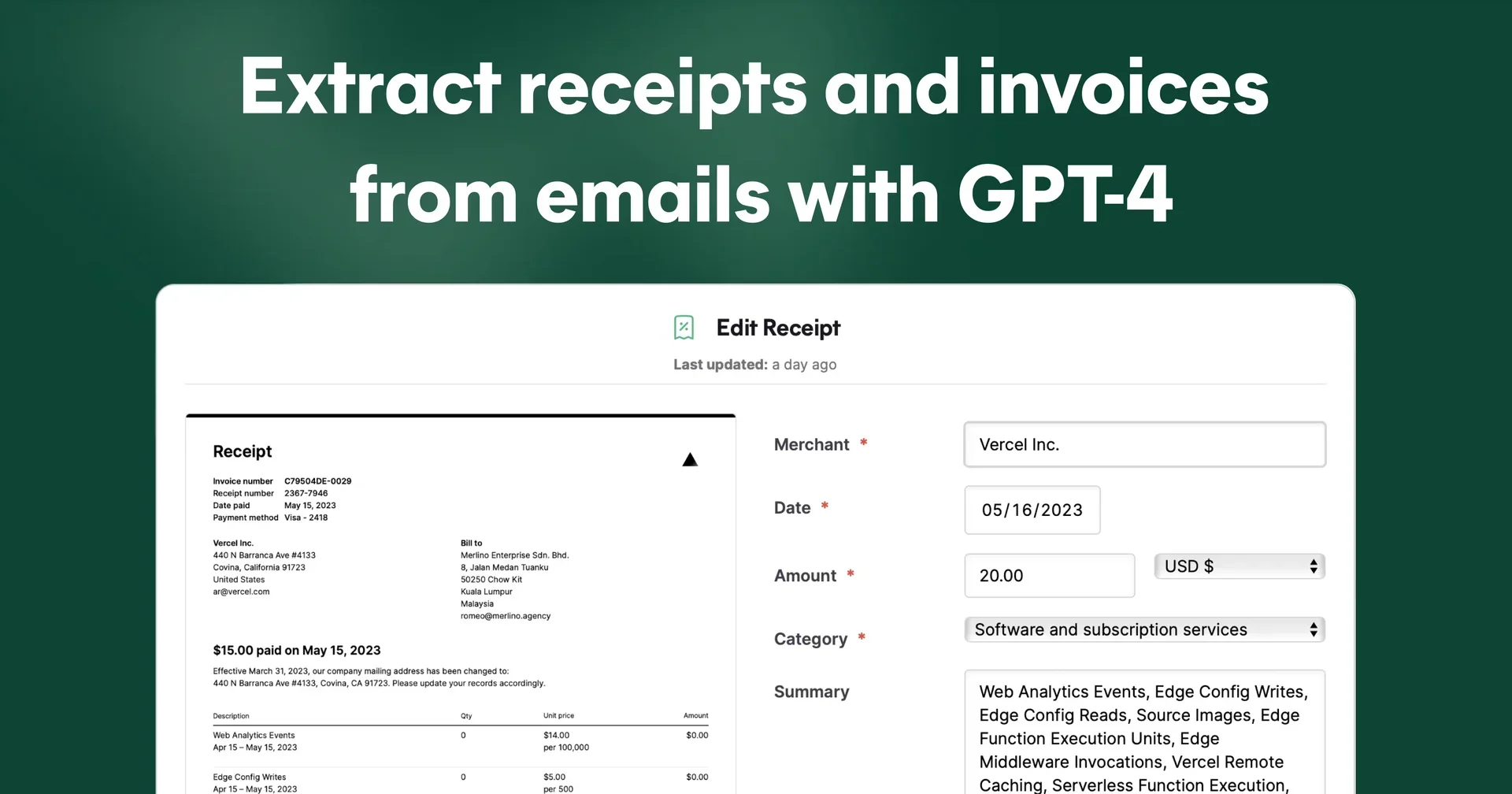
Receiptor AI 2.0 is an AI-powered platform for automating receipt and invoice management. It automatically extracts documents from email, WhatsApp, and uploaded files without the need for manual entry, then organizes and categorizes them so they’re ready for accounting and auditing.

The platform uses AI to understand the context of purchases and categorize expenses based on the nature of the actual transaction, rather than relying solely on keywords, It also supports all currencies and languages, and offers retroactive extraction to retrieve receipts and invoices from previous years, with immediate processing of new documents.

The platform supports Gmail, Yahoo, and any email provider via IMAP, as well as WhatsApp; users can also manually upload files or forward receipts via email. Data is automatically extracted from messages, attachments, and embedded links.

Receiptor AI offers integration with QuickBooks, Xero, and Expensify; the ability to attach original files to bank transactions; and the option to export data in CSV, PDF, and ZIP formats, as well as saving them to Google Drive and Dropbox or forwarding them to any email address.

The platform supports workflow automation based on events or schedules, allowing for automated actions such as categorizing Stripe receipts under “Software” and sending them directly to Xero, while displaying the last time the workflow was executed.

The platform can also automatically recognize different entities within the same source, such as distinguishing between “Company Inc.” and “Company Ltd.,” allowing different routing or export rules to be applied to each entity.

The platform also provides expense analytics that show daily and monthly spending trends by category, with currency conversion support to standardize financial values within reports. It also supports processing receipts, invoices, vendor notices, and quotes in various currencies.

Receiptor AI can be used by connecting Gmail, Outlook, or WhatsApp; manually uploading files; or forwarding receipts. after which the AI extracts and categorizes all the data, sending it to QuickBooks, Xero, or Google Drive, or exporting it in CSV, PDF, and ZIP formats.

The platform has processed over 7.2 million emails, WhatsApp messages, and uploaded files; extracted over 550,000 receipts and invoices; and helped save over 1.3 million work hours.


What does it actually offer based on user experience?

  • Automatically extract receipts and invoices from email, WhatsApp, and uploaded files.
  • Recover lost receipts and invoices from previous years through retroactive extraction.
  • Smart categorization of expenses based on the actual transaction context.
  • Automatic recognition of subscriptions and recurring expenses.
  • Create audit-ready files while retaining the original attachments.
  • Integration with QuickBooks, Xero, and Expensify.
  • Export data in CSV, PDF, and ZIP formats.
  • Save documents to Google Drive and Dropbox or resend them via email.
  • Support for all currencies and languages.
  • Analyze spending by category with daily and monthly reports.
  • Saves platform users more than 5 hours per week, according to the official website.
  • Used by more than 7,000 businesses.
  • Users have reported retrieving a full year’s worth of receipts in about 15 minutesand reducing the time spent on accounting each week by 3–5 hours.

🤖 Does it include automation?

Yes.

Receiptor AI relies primarily on automation, monitoring email and WhatsApp or processing uploaded files, then automatically extracts receipts and invoices, categorizes them, applies workflow rules, and sends them to accounting software or cloud storage services—or exports them in various formats—without manual intervention.

It also supports the creation of workflows based on events or schedules to perform automated actions such as categorization, routing, and exporting, while displaying the last execution time for each action.


💰 Pricing Model:

Freemium (free trial followed by a paid subscription)


🆓 Free Plan Details:

FeatureDetails
Free Trial14 days
Credit CardNot specified (unconfirmed)

💳 Paid Plan Details:

PlanPriceFeatures
StarterStarting at $29 per monthAccess to the platform, automated receipt and invoice extraction, and integrations depending on the plan
Higher-Tier PlansAdditional plans with higher features and capacities (guaranteed) are available, but details were not provided in the information provided

🧭 How to access the tool:

MethodAvailable
Web
API
MCP
CLI
WhatsApp

🔗 Link to the demo or official website:

https://receiptor.ai/

Pricing Details

Rumor. Subscription plans start at $29/mo with a 14-day free trial. Business owners, bookkeeping service providers, and accountants benefit from the platform by automating routine tasks, reducing errors, and turning hours of work into minutes. It also offers use cases for academic researchers, accounting and bookkeeping services, digital nomads, e-commerce operators, event organizers, freelancers and contractors, nonprofits, real estate investors, SaaS users, travel bloggers, and influencers, along with pages for support, pricing, the Help Center, FAQs, contact information, guides, the blog, how it works, features, partners, the Partner Program, and the Affiliates commission program — Earn 30%, as well as API / MCP / CLI interfaces, support for Agents, a roadmap, system status, privacy policies, cookies, terms of service, and a refund policy. Please note that the platform is owned by Merlino, Inc. Copyright © 2026, developed in Malaysia, France, and Italy.