Samey AI
Description
️ 🖼Tool Name:
Samey AI
🔖 Categories:
- Automation and Smart Agents
- Business and Operations Management
- Customer Support and CRM
- Data and Analytics
️ ✏What does this tool offer?
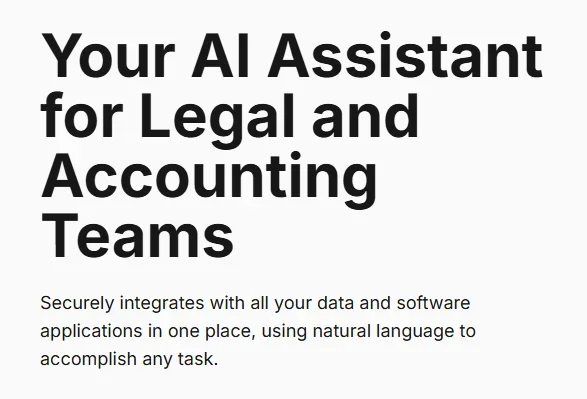
Samey AI is an AI assistant platform designed to automate daily work tasks for lawyers and legal, financial, and accounting teams, allowing users to interact with their applications using natural language, much like talking to a personal assistant.
Users can describe a task or ask a question in natural language, such as:
- Summarize yesterday’s emails and highlight urgent messages.
- List today’s meetings and help prepare for them.
- Generate a report on expenses and payments for a specific company.
- Display sales data for a specific period.
- Review case files and legal documents.
The platform works by connecting applications used within the organization—such as Outlook, Slack, Gmail, Salesforce, and others—and then executing complex tasks using various tools in a matter of minutes.
Samey offers customized solutions for several fields, including:
The legal field:
Helps streamline case management by automating document retrieval, tracking deadlines, and reducing the time required to handle client files.
Finance:
It helps automate data analysis and report generation, allowing finance teams to focus on strategic insights and client solutions.
Accounting:
It automates workflows across various tools and data sources and handles complex tasks to save time and increase productivity.
The platform supports searching across multiple sources and linking client data, documents, and reports stored in different systems. It also offers capabilities for creating, analyzing, and drafting documents, as well as intelligent agent-based workflows (Agentic Workflows).
⭐ What does it actually offer based on user experience?
- Saves hours each week on repetitive tasks.
- Saves up to two hours per day per employee, according to the information provided.
- Quick search across multiple documents and systems.
- Reduces the time spent reviewing contracts and legal documents.
- Extracts key information from contracts while highlighting sources, red flags, and key terms.
- Collect search results from sources such as Google Drive, GHL, and Outlook.
- Link customer data, documents, and reports across multiple systems.
- Accelerate access to files instead of manually searching through folders and databases.
- Streamline due diligence processes involving hundreds of documents.
User testimonials:
- Tayyeb Hussain, Legal Executive, explained that the platform reduces the need to review every page of contracts by highlighting key sections and displaying links to sources and key terms.
- Hammad Syed, Director, noted that it helps search across multiple platforms and aggregate results from various sources.
- Mishal Ahmad, Business Systems Analyst, explained that it has improved workflows by linking client data, documents, and reports.
- Fawad Ul Haq, Marketing Executive, noted that it helped him access files quickly.
- Vani Khanna, Senior Paralegal, noted that it reduced the time spent searching for contracts from hours to seconds.
- Megan Wilde, a Paralegal, explained that it helped her with large due diligence projects and reduced tasks that used to take days to just a few hours.
- Sonia Tariq, a Paralegal, noted that it reduced the need to switch between multiple systems to search for client information.
🤖 Does it include automation?
Yes.
Samey AI relies on smart automation to perform daily tasks across connected applications, including:
- Executing tasks using natural language without the need for technical commands.
- Retrieving information from various applications.
- Creating and analyzing documents.
- Executing agentic workflows.
- Automating searches within files and systems.
- Generate reports and summaries.
- Execute scheduled actions within advanced plans.
- Automatically fill out forms in the upcoming Premium plan.
💰 Pricing Model:
Freemium (Free Plan + Paid Subscription Plans)
🆓 Free Plan Details:
| Feature | Details |
|---|---|
| Price | Free |
| Target Audience | Individuals and freelancers |
| Cloud Storage | 1 GB |
| App Integrations | Up to 2 Software Integrations |
| Queries | Up to 25 queries per day |
| Integration with Existing Tools | Available |
| Compliance | GDPR |
| Train models on customer data | Not done |
| AI Model | Private and Secure Model |
💳 Paid Plan Details:
| Plan | Price | Features |
|---|---|---|
| Starter | £205 per year | All Free plan features, AI-powered search with data from apps, up to 10 integrations, document creation, analysis, and drafting, unlimited daily queries, 250GB of storage, audit logs, no data training, GDPR compliance |
| Standard | £421 per year | All Starter features, up to 250 queries per day, Agentic Workflows, SSO support, 250GB storage, audit logs and query control, personalized onboarding, standard support within 48 hours, GDPR compliance, option to apply setup fees |
| Premium | Coming Soon | All Standard features, unlimited queries, unlimited integrations, 500GB storage, Scheduled Agentic Workflows, Compliance Checker, Conflict Checker, Automated Form Filling, dedicated success manager, SLA priority support, GDPR compliance, option to apply setup fees |
| Custom Solutions | Depending on communication with the company | Custom solutions for businesses and organizations |
🧭 How to access the tool:
| Method | Available |
|---|---|
| Web | ✅ |
| API | Not specified (unconfirmed) |
| App Integrations | ✅ |
| Enterprise Apps | ✅ |
🔗 Demo link or official website: