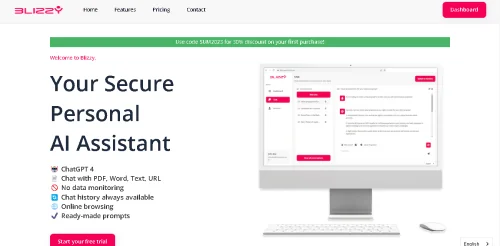
Description
🖼️ Tool Name:
Blizzy AI
🔖 Tool Category:
AI-powered productivity assistant; it falls under the category of “Smart Calendars & Assistants” and “Knowledge Base & Self-Service” (or more broadly “Chat/Voice Agents & Knowledge Assistants”) because it helps you interact with documents, chat with data, build a knowledge vault, and automate workflows.
✏️ What does this tool offer?
Blizzy AI enables users to:
• Upload documents (PDF, Word), URLs, text and then chat with them — ask questions, summarise, extract insights.
• Browse the internet in real-time from within the tool (live web browsing) to fetch up-to-date information.
• Create a structured “knowledge vault” where your files, prompts, and data are securely stored and searchable.
• Use ready-made prompts and templates for various professional workflows (marketing, sales, content, data analysis).
• Prioritize privacy and security: your data remains private, not used to train public models (for higher-end plans).
⭐ What does the tool actually deliver based on user experience?
• Users report that Blizzy AI consolidates multiple workflows (chat, summarising documents, web research) into a single workspace, reducing tool-switching.
• The tool saves time especially for tasks like scanning large documents and pulling out key information or generating content ideas from web browsing.
• However, some feedback notes that while the interface is intuitive, advanced users may need time to fully leverage all features (learning curve).
🤖 Does it include automation?
Yes — Blizzy AI automates aspects of knowledge and content workflows:
• Automatically extracts key insights from uploaded documents (summarisation, Q&A) rather than manual reading.
• Automates web‐research by browsing live and pulling relevant information into the workspace.
• Provides sets of prompts/templates to automatically generate workflows (for sales, marketing, content etc) so you don’t start from zero.
• Automates data organisation via the “knowledge vault” feature — making your documents searchable and interconnected.
💰 Pricing Model:
Freemium + Paid plans.
🆓 Free Plan Details:
• Free starter tier offers limited usage (e.g., 2,000 words/month, basic browsing, chat with PDF/Word/text/URL) according to one review.
💳 Paid Plan Details:
• Paid plan (~$20/month) offers higher word limit (1,000,000 words), premium browsing, full chat/document features.
• Enterprise plan (~$100/month or more) supports unlimited users, custom word-quotas, and enhanced privacy.
🧭 Access Method:
• Web-based platform: sign up at
• Upload your documents or connect URLs, then use the chat interface inside the platform.
🔗 Experience Link: