️ 🖼Tool Name:
Scribbly
🔖 Categories:
Content and Copywriting, Cold Emails and Sequences, Automation and Smart Agents, Marketing and Sales, Customer Support and CRM, HR and Recruitment, Rewriting and Style Improvement
️ ✏What does this tool offer?
Scribbly is an AI-powered email writing tool designed to help professionals compose and reply to emails more quickly, while providing context-based suggestions written in a professional style. It works with Gmail and Outlook via a Google Chrome extension.
When replying to an email, the user selects the email, then specifies the intent they want to convey, after which Scribbly provides a draft reply that the user can edit, refine, and send. Users can also create a new email from scratch using Input Mode,where they provide the tool with the necessary context to generate the message.
The platform targets several professional groups, including freelancers, founders, managers, support staff, sales reps, and HR staff,and helps with communicating with clients and teams, as well as writing sales, support, and HR emails, in addition to everyday workplace correspondence.
⭐ What does it actually offer based on user experience?
According to Scribbly’s official description, the tool focuses on writing everyday professional emails, provides multiple response suggestions, and allows users to adjust the tone of the message based on the context. It can also help handle frequently asked questions to reduce repetitive manual typing. The platform states that the goal is to make writing emails up to 10 times faster. These are marketing claims by Scribbly and not the results of independent testing.
🤖 Does it include automation?
Yes, but it focuses more on automating the email drafting process than on automatically sending messages. Scribbly can analyze a message, understand the context and intent, and suggest a ready-made reply that the user can edit and then send. It can also help draft responses to frequently asked questions.
The Terms of Use state that Scribbly is intended for manual, individual use via its standard interface and may not be used to automate activities or perform services on behalf of others. Therefore, it should not be considered a tool for sending fully automated emails.
💰 Pricing Model:
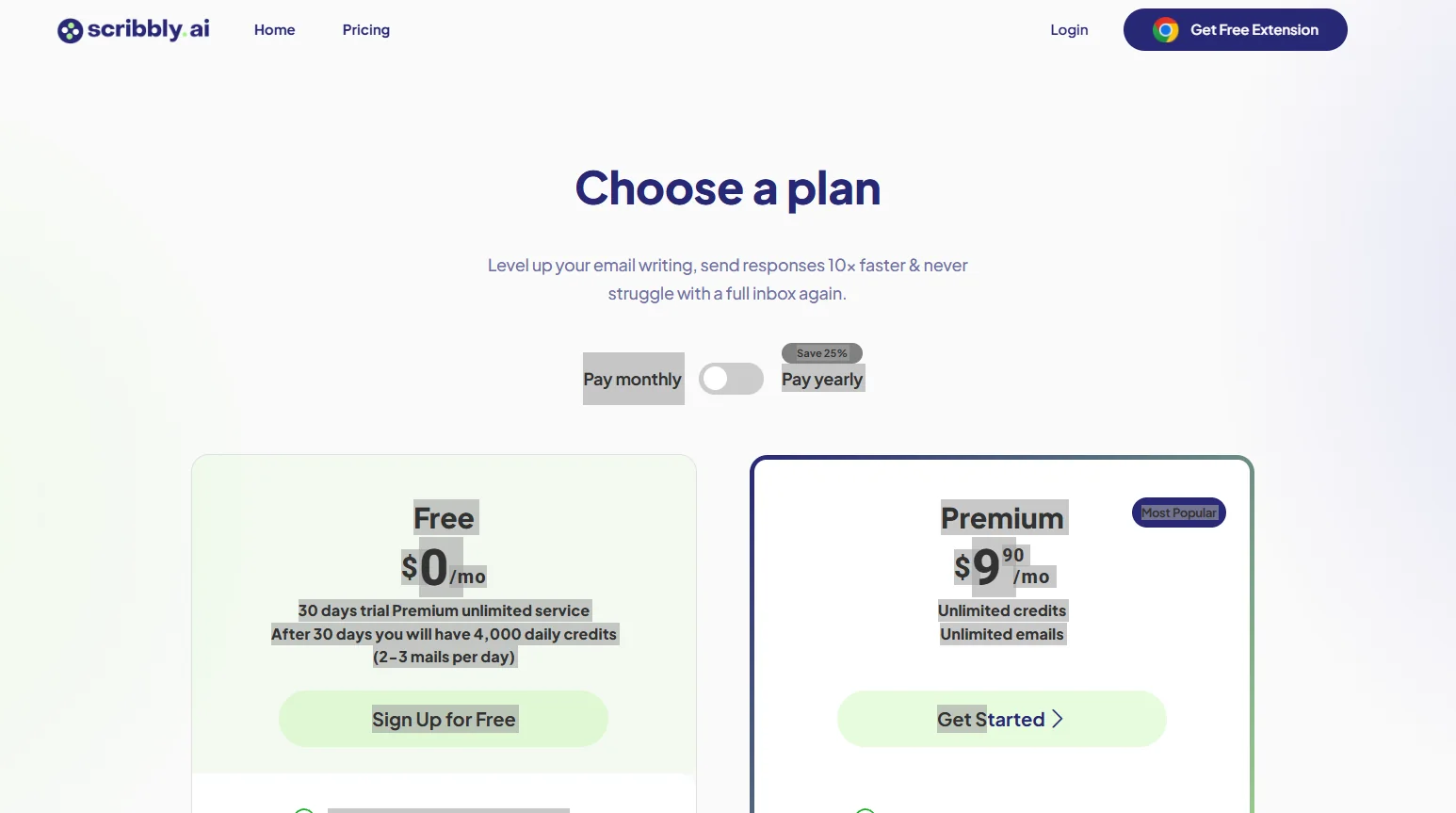
Freemium / Paid Subscription;Scribbly offers a free plan with a 30-daytrial of the unlimited Premium plan,after which the account reverts to the free plan, which provides 4,000 credits per day. It also offers a paid Premium plan with the option to pay monthly or annually; the current pricing page indicates that annual payment saves 25%.
🆓 Free Plan Details:
| Feature | Details |
|---|
| Price | $0/month |
| Trial | 30 days of unlimited Premium |
| After the trial ends | 4,000 credits per day |
| Daily usage | About 2–3 emails |
| Credit card | No credit card required upon registration |
| Premium | All Premium features for the first 30 days |
Scribbly explains that a single message typically consumes between 500 and 1,000 credits, depending on its length, complexity, and the number of replies it generates, and that free credits are reset daily at 12:00 a.m. ET, and unused credits do not carry over to the next day.
💳 Paid plan details:
| Plan | Monthly Price | Annual Price | Details |
|---|
| Premium | $9.90/month | $81.90/year | Unlimited credits, unlimited emails, cancel anytime, and suitable for business email |
Note: The price shown in the information provided ($990 per month) appears to be the result of an incorrect price format or display; the current official pricing page shows $9.90/month,not $990. It also offers an $81.90 annual option.
🧭 How to access the tool:
| How to Access | Details |
|---|
| Gmail | Supported |
| Outlook | Supported |
| Google Chrome | The Scribbly extension works in Chrome |
| Create replies | Select the message, then choose an intent and edit the suggested reply |
| Write a new message | Use Input Mode and enter the context |
| Devices | Requires a Chrome extension and the use of Gmail or Outlook |
Scribbly explains that the currently supported browser is Google Chrome,and that the sign-up process involves downloading the Scribbly extension, then logging in or creating an account and opening Gmail or Outlook to get started.
Regarding privacy, Scribbly states that the data processed to generate replies is deleted after the email is processed, and it does not store any email information. However, the privacy policy clarifies that the content of the email thread or information entered by the user may be sent to OpenAI to provide the email generation feature.
🔗 Link to the demo or official website:
Scribbly – Official Website
Scribbly – Pricing Page