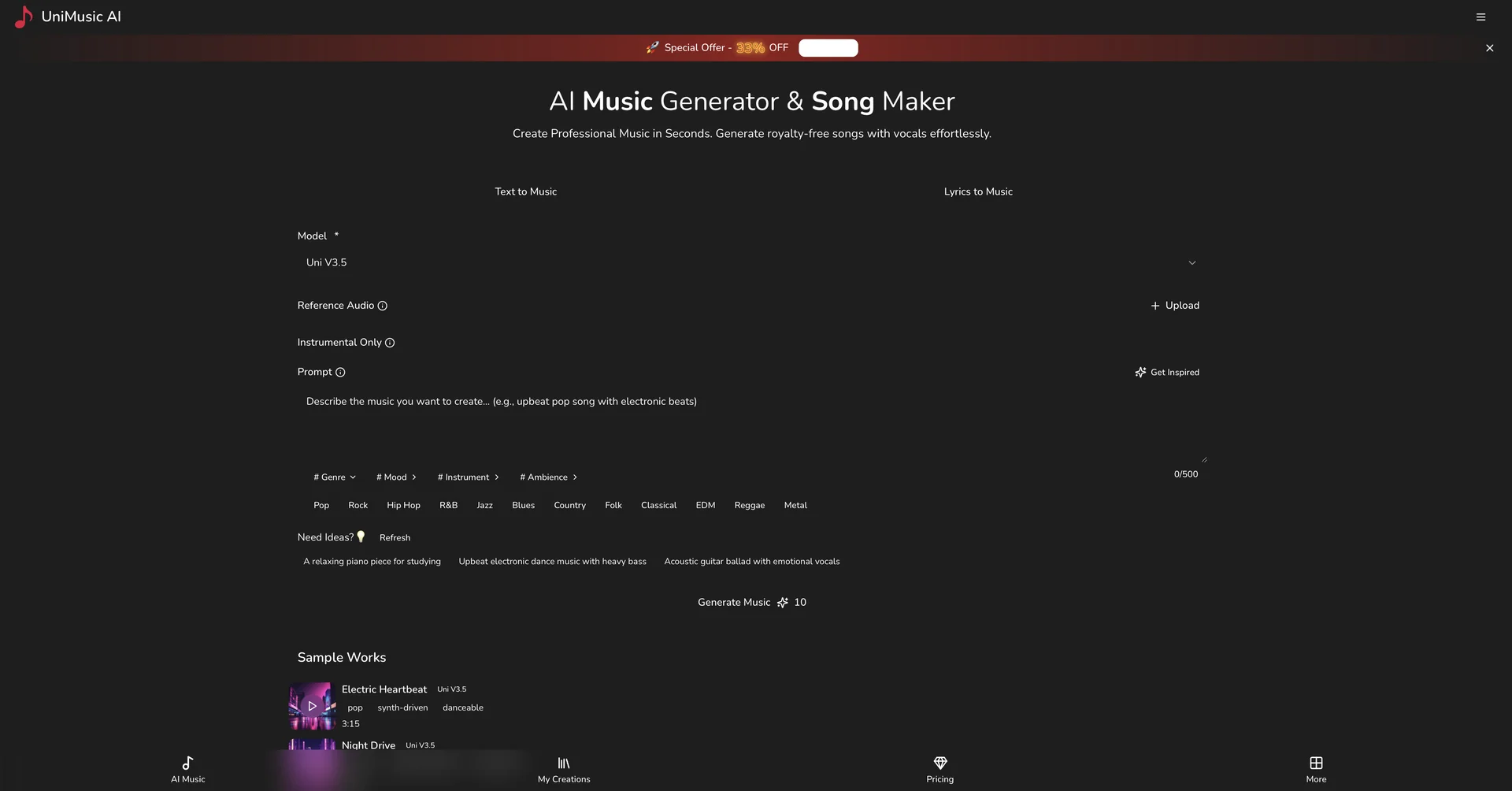
Description

🖼️ Tool Name:

 UniMusic AI

✏️ Overview & Key AI Features (2026 Edition):

  • Text-to-Studio Song Creation: Generates complete songs (intro, verses, chorus, and outro) in seconds. Users can define the mood, genre, and instruments or provide their own lyrics for the AI to "perform."

  • Advanced Vocal Synthesis: Features highly realistic vocal generation that supports multiple languages and specific emotional tones (e.g., "raspy rock vocals" or "ethereal pop harmonies").

  • Stem Splitting & Isolation: A standout 2026 feature that allows users to extract individual "stems"—such as just the drums, the bass, or the raw vocals—for use in remixes or professional DAW (Digital Audio Workstation) projects.

  • Reference Audio Upload: Allows you to upload a "ditty" or a specific sound sample for the AI to use as a stylistic or melodic reference, ensuring the output aligns with your creative vision.

  • AI-Generated Lyrics Assistant: If you have a theme but no words, the built-in lyricist can draft entire songs optimized for rhythm and rhyme based on your chosen genre.

  • Royalty-Free Licensing: All tracks generated are cleared for use in commercial projects (on paid plans), making it a favorite for YouTubers, podcasters, and small businesses.

⭐️ User Experience (2026):

  • "Professionalism Made Simple": Rated 4.7/5 for its balance of simplicity and output quality. Users frequently highlight the "showcase pages"—beautifully designed web players that allow you to share your AI tracks with synced lyrics instantly.

  • Efficiency: Known for its "30-second turnaround," moving from a blank page to a studio-quality MP3 or WAV file almost instantly.

💵 Pricing & Plans (February 2026 Status):

PlanPrice (Approx.)Key Features
Free / Basic$0Limited generations; basic quality; for personal/non-commercial use.
Creator~$15 / moHigh-quality downloads; commercial license; access to stem splitting.
Studio / Pro~$35 / moPriority processing; unlimited generations; advanced vocal cloning; lossless audio.

🎁 How to Get Started:

Visit UniMusic.ai. You can start for free by entering a simple prompt like "Upbeat synth-pop song about a summer road trip" or by pasting your own lyrics. Once the track is generated, use the "Remix" or "Stem Splitter" tools to fine-tune the individual elements of your new song.

⚙️ Access or Source:

  • Official Website

  • Category: AI Music Generation, Audio Post-Production, Creative Content Tools.

  • Primary Use Case: Creating original songs, background music for videos, and extracting vocals/instruments for remixes.

🔗 Experience Link: 

https://unimusic.ai

Pricing Details

💵 Pricing & Plans (February 2026 Status): Plan Price (Approx.) Key Features Free / Basic $0 Limited generations; basic quality; for personal/non-commercial use. Creator ~$15 / mo High-quality downloads; commercial license; access to stem splitting. Studio / Pro ~$35 / mo Priority processing; unlimited generations; advanced vocal cloning; lossless audio. 🎁 How to Get Started: Visit UniMusic.ai. You can start for free by entering a simple prompt like "Upbeat synth-pop song about a summer road trip" or by pasting your own lyrics. Once the track is generated, use the "Remix" or "Stem Splitter" tools to fine-tune the individual elements of your new song.