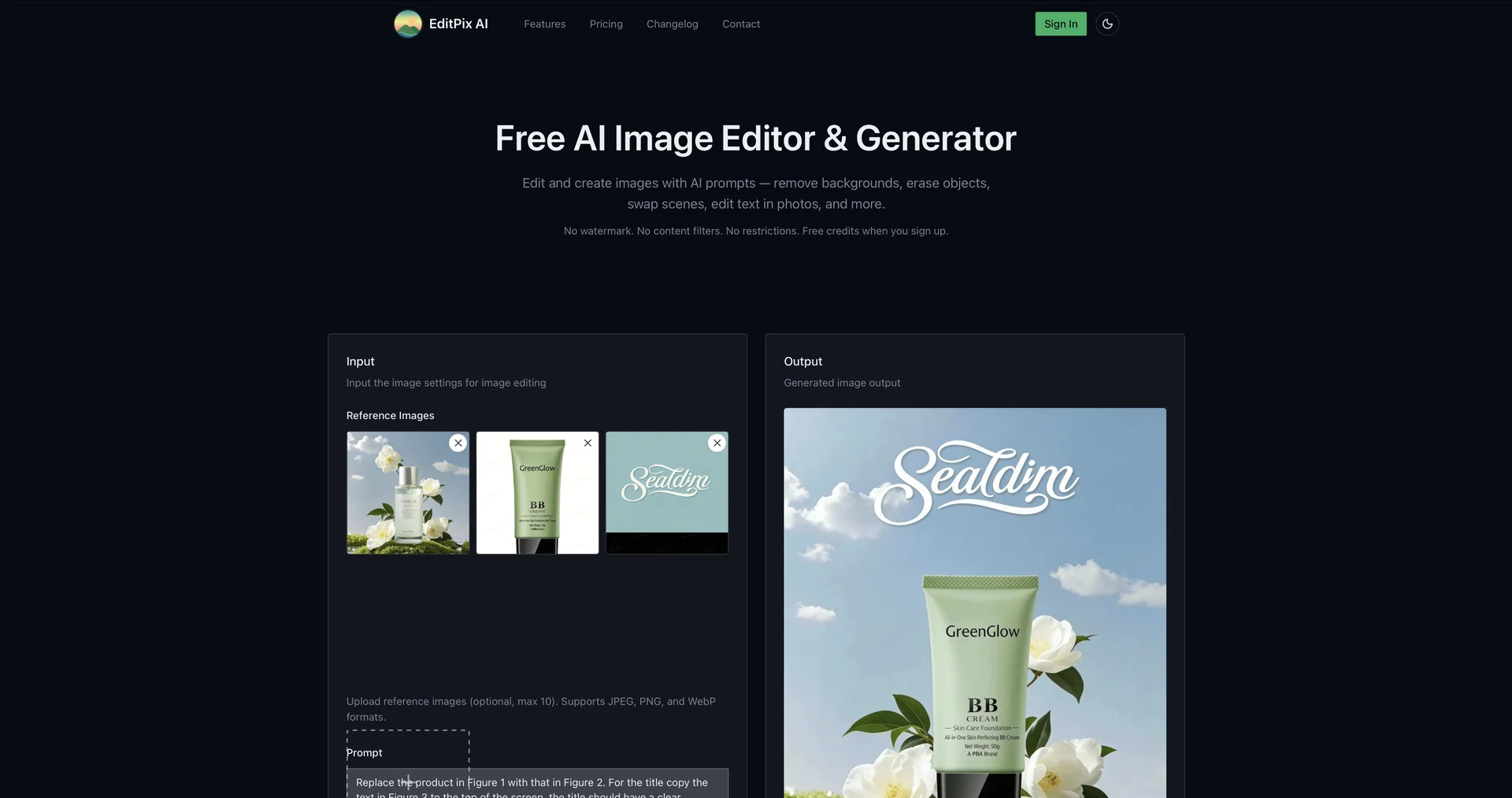
Description
🖼️ Tool Name:
EditPix AI
🔖 Selected Classifications:
Editing, Enhancement & Upscaling (Core image processing)
Object & Background Editing (Removing distractions and scene swapping)
Product Descriptions & Copy (Editing text within images)
Summaries, Headlines & Ideas (AI-assisted content transformation)
Style Transfer & Batch (Applying artistic scene swaps)
Social Templates & Auto-Editing (One-tap magic for social media)
✏️ Overview & Key AI Features:
The "All-in-One" Creative Suite: EditPix AI is a versatile, web-based photo editing platform designed to handle complex transformations through simple natural language commands and automated AI models.
Intelligent Object Removal: Features a high-precision "Magic Eraser" that allows users to remove unwanted objects or people from images while seamlessly reconstructing the background using generative fill.
Scene Swapping & AI Backgrounds: Unlike basic background removers, EditPix AI can entirely swap the "scene" of an image—allowing you to place a subject in completely new environments while maintaining realistic lighting and shadows.
In-Image Text Editing: A standout 2026 feature that allows users to edit or replace text directly within an existing image, matching the font, style, and perspective of the original graphic.
One-Tap Magic Enhance: Automatically balances exposure, contrast, and color saturation while applying subtle skin-smoothing for portraits, making it ideal for quick social media preparation.
Photo Restoration: Includes specialized tools for restoring old, blurry, or low-resolution photos by injecting AI-generated details into faded areas.
⭐️ User Experience:
"Professional Results, Casual Effort": In early 2026, EditPix AI is highly rated (4.7/5) for its accessibility. Users—ranging from influencers to small business owners—praise the tool for its "no-learning-curve" interface. It is frequently cited as the best alternative for those who find Photoshop's Generative Fill too expensive or technically intimidating. The "Scene Swap" feature is particularly popular for e-commerce sellers needing varied product backgrounds.
💵 Pricing & Plans (April 2026 Status):
EditPix AI operates on a competitive freemium model.
🎁 How to Get Started:
Visit editpix.ai, upload an image, and use the "Magic Brush" to highlight what you want to change. You can also type a prompt like "Replace the background with a luxury studio" to see the AI transform the scene instantly.
⚙️ Access or Source:
Official Website
Platform: Web-based and Mobile (iOS/Android) App.
