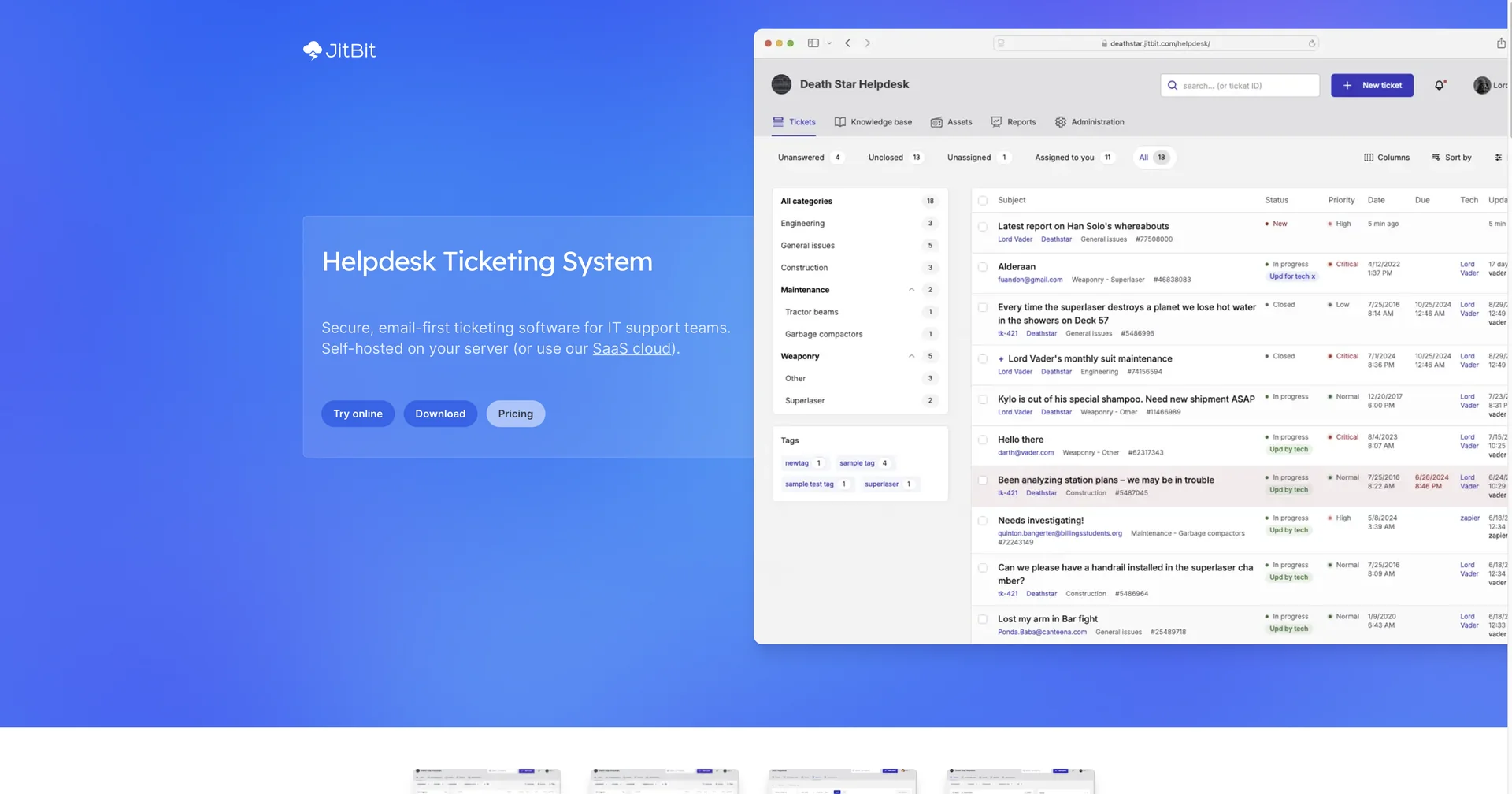
Description
🖼️ Tool Name:
Jitbit Helpdesk
🔖 Assigned Classifications:
Knowledge Base & Self-Service (Public/private FAQs and AI-powered suggestion module)
Tasks & Projects (ITIL-compatible ticket management and incident lifecycle tracking)
Chat/Voice Agents (Live chat integration and AI-generated chat responses)
Finance, Forecasting & Dashboards (Time tracking, billing reports, and performance analytics)
Governance & Compliance (On-premise options for data sovereignty and audit logging)Analytics & Dashboards (Real-time activity monitoring and custom report builders)
Integrations & APIs (Connects with Slack, MS Teams, Jira, and GitHub via REST API)
No-Code Workflows (Automation engine for "If This, Then That" ticket routing)
Business Docs Automation (Automatic ticket summaries and canned response drafting)
✏️ Overview & Key AI Features:
The "Sysadmin’s Choice" Help Desk: Jitbit is a robust ticketing system designed by former technical administrators to prioritize utility over hype. It is unique for offering both a cloud-hosted (SaaS) version and a self-hosted (on-premise) version for organizations requiring total data control.
AI-Powered Ticket Deflection: In 2026, Jitbit uses a local (privacy-first) LLM to vectorize tickets and match them against your Knowledge Base. It suggests relevant articles to users before they submit a ticket, significantly reducing Tier-1 support volume.
ChatGPT Integration (Drafting & Summaries): For agents, a built-in "GPT" button allows for instant summarization of long ticket threads and the generation of draft replies based on previous Knowledge Base entries and company-specific context.
Autonomous Routing Engine: Uses AI and a rules-based engine to automatically categorize and assign incoming tickets (via email, WhatsApp, or web) to the correct department or technician based on subject, body content, or user domain.
Integrated Asset Management: Unlike basic ticketing tools, Jitbit includes a full module to track hardware and software assets. You can link specific laptops or servers directly to a support ticket to see a complete incident history for that asset.
Screen & Video Capture: A built-in feature allows users or agents to record their screen or take screenshots directly within the browser and attach them to the ticket without needing external software.
⭐️ User Experience:
"Enterprise Power, SMB Simplicity": In April 2026, Jitbit is highly rated (4.5/5) across platforms like Capterra and Software Advice. Users consistently praise its "clean interface" and "rapid deployment," often getting the entire system live in under a day. It is a favorite for mid-market companies that need advanced features (SLA management, asset tracking) without the complex setup of Zendesk or Jira.
💵 Pricing & Plans (April 2026 Status):
Jitbit is famous for its flat-rate pricing models that do not penalize you for adding more agents.
🎁 How to Get Started:
Visit jitbit.com and sign up for a 21-day free trial of the SaaS version. To see the AI in action, navigate to Administration -> Integrations -> ChatGPT to enable the KB suggestion engine. If you require on-premise security, download the installer and connect it to your local SQL Server.
⚙️ Access or Source:
Official Website
🔗 Experience Link:
https://www.jitbit.com/helpdesk/
