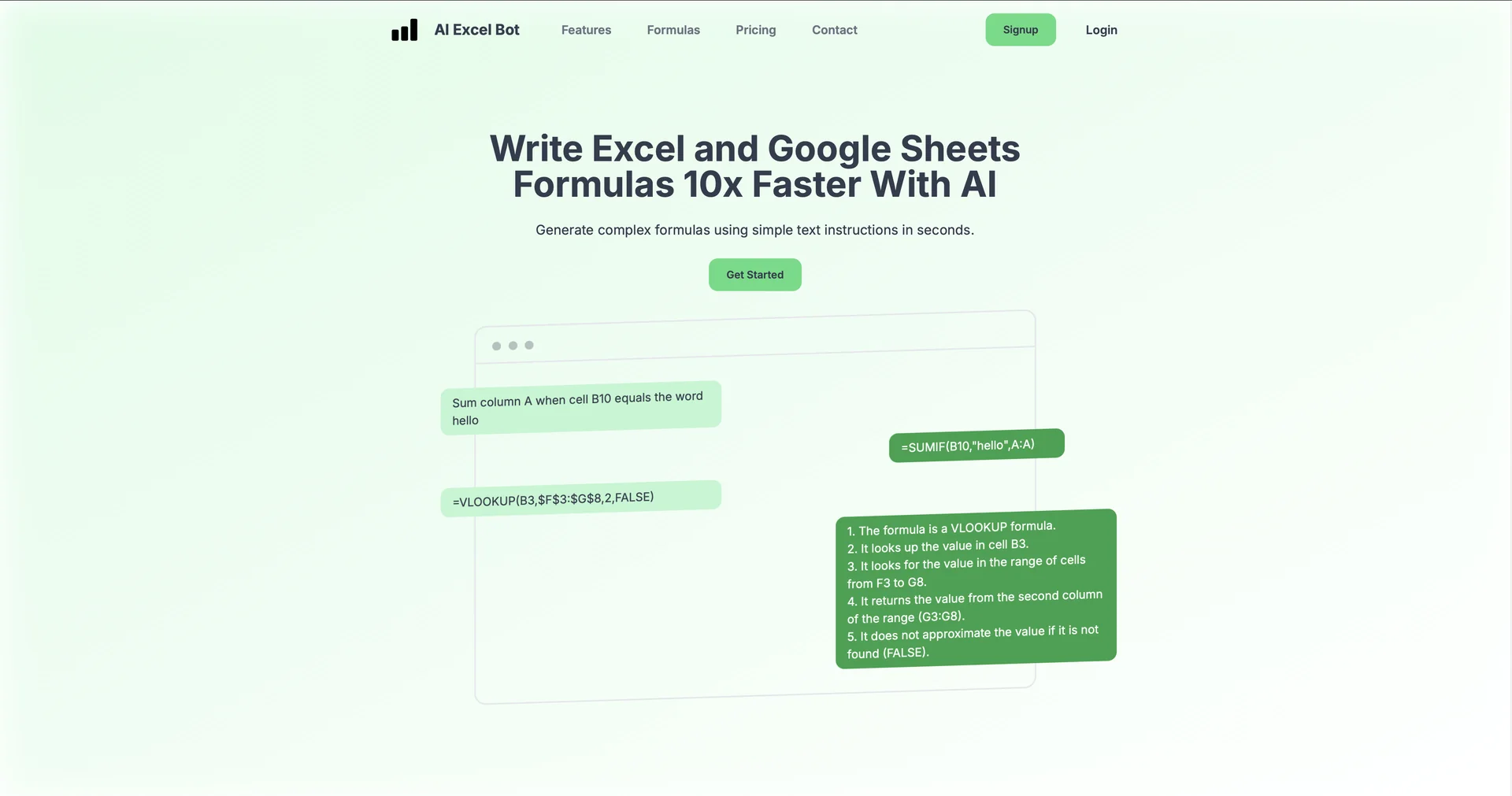
Description

🖼 Tool Name:

AI Excel Bot


🔖 Approved Categories:

  • No-Code Workflows

  • Integrations & APIs

✏️ What does this tool offer?

  • Plain-Language Formula Generation: AI Excel Bot is an artificial intelligence application built to automatically convert text-based instructions into fully functioning formulas for both Microsoft Excel and Google Sheets.

  • Step-by-Step Formula Explainer: Translates highly complex formulas into readable English breakdowns. This provides users with clear structural explanations of the data operations happening within their spreadsheets.

  • Automated Script & Macro Development: Goes beyond basic cell logic by allowing users to programmatically generate VBA (Visual Basic for Applications) macros and Google Apps Scripts through plain-text commands.

  • Seamless Workspace Integration: Features dedicated add-ins and extension modules that allow users to invoke AI assistance directly inside active Excel or Google Sheets workbooks without changing tabs.

  • Error Detection & Code Debugging: Evaluates faulty code loops or broken formulas to pin down errors and suggest exact replacements to correct your workflow calculations.


What does it actually offer based on user experience?

  • Eliminates Web Searching Fatigue Entirely: Data analysts, financial modelers, and office personnel heavily praise the platform, noting that it saves hours typically spent scouring the web for correct syntax or troubleshooting syntax errors.

  • High Accessibility for Spreadsheet Beginners: Users appreciate the natural language interface, confirming it completely removes the prerequisite of memorizing formula formats like VLOOKUP or complex nesting criteria.

  • Speeds Up In-Sheet Macro Automation: Technical professionals value the script generation engine, highlighting that getting production-ready VBA blocks without leaving their sidebar workspace removes traditional macro programming bottlenecks.

  • Excellent Visual Blueprint Integration: Users express great satisfaction with the Chrome extension, finding that creating formula layers directly over live grid arrays preserves focus and maintains workflow momentum.


🤖 Does it include automation?

Yes, AI Excel Bot relies on semantic parsing and task automation pipelines:

 
  • Automated Text-to-Formula Conversion: Autonomously interprets user instructions to synthesize error-free spreadsheet formulas.

  • Autonomous Script Ingestion: Automatically structures multi-line VBA and Google Apps Scripts derived from high-level operational descriptions.

  • Programmatic Syntax Correction: Automatically analyzes cell errors to output valid alternative logic blocks.


💰 Pricing Model

  • Item Details: Commercial B2C/B2B freemium model. Subscriptions are divided into restricted monthly credit pools versus flat-rate unlimited tiers.

  • General Concept: Offers a basic sandbox framework for casual spreadsheet users, paired with low-cost commercial tiers designed for active business users requiring unthrottled generation limits.


🆓 Free Plan Details

  • Feature: Limited Open Baseline Sandbox.

  • Details: Unlocks access to the web panel tools with a recurring allotment of 5 free credits per month. This lets users test standard formula transformations, try text explanations, and test out basic code snippets.

  • Cost: Free ($0 open registration).


💳 Paid Plans (Official 2026 Standards)

All premium plans unlock unthrottled generation quotas, complete browser add-in integrations, and premium execution speeds. Opting for annual terms reduces the operational rate significantly:

 
Plan TrackPrice StructureFocus, Data Boundaries & Core Deliverables
🚀 Premium Monthly$5.99 / monthDesigned for independent business owners and freelancers. Unlocks unlimited formula creations and explanations, unlimited VBA code generations, full Google Sheets and Excel add-in support, and community support access.
💎 Premium Yearly$2.08 / month($24.99 billed annually)Best Value Track. Built for long-term power users. Offers full access to unlimited credits, priority processing speeds, advanced logic builders, extension rights, and dedicated priority email support channels.
 

🧭 How to access the tool:

Available across web interfaces by logging onto aiexcelbot.com, or accessible directly within spreadsheets via the Chrome Web Store extension and official marketplace add-ins.


🔗 Experience link or official website:

https://aiexcelbot.com/

Pricing Details

💰 Pricing Model Item Details: Commercial B2C/B2B freemium model. Subscriptions are divided into restricted monthly credit pools versus flat-rate unlimited tiers. General Concept: Offers a basic sandbox framework for casual spreadsheet users, paired with low-cost commercial tiers designed for active business users requiring unthrottled generation limits. 🆓 Free Plan Details Feature: Limited Open Baseline Sandbox. Details: Unlocks access to the web panel tools with a recurring allotment of 5 free credits per month. This lets users test standard formula transformations, try text explanations, and test out basic code snippets. Cost: Free ($0 open registration). 💳 Paid Plans (Official 2026 Standards) All premium plans unlock unthrottled generation quotas, complete browser add-in integrations, and premium execution speeds. Opting for annual terms reduces the operational rate significantly: Plan Track Price Structure Focus, Data Boundaries & Core Deliverables 🚀 Premium Monthly $5.99 / month Designed for independent business owners and freelancers. Unlocks unlimited formula creations and explanations, unlimited VBA code generations, full Google Sheets and Excel add-in support, and community support access. 💎 Premium Yearly $2.08 / month($24.99 billed annually) Best Value Track. Built for long-term power users. Offers full access to unlimited credits, priority processing speeds, advanced logic builders, extension rights, and dedicated priority email support channels.