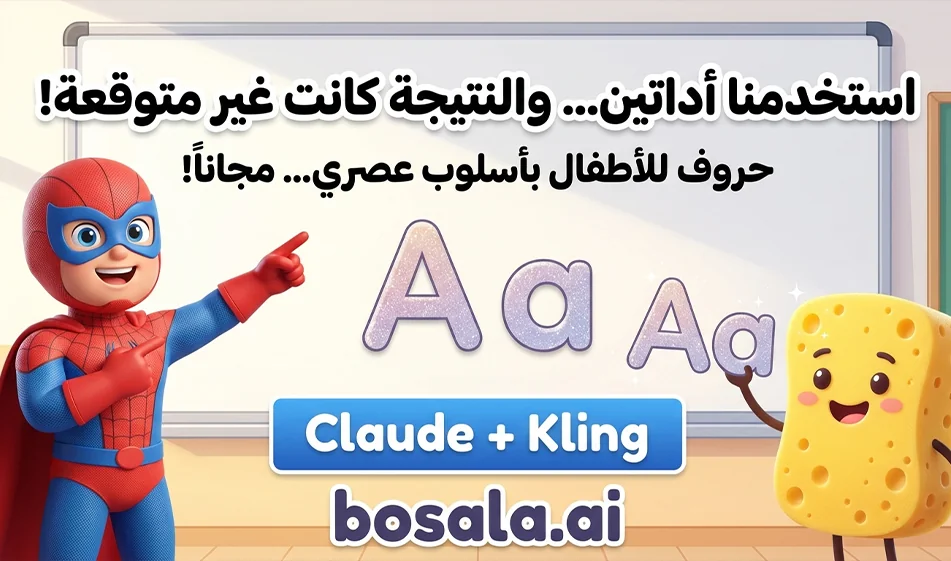
Claude andKling teamup to create fun educational videos for children to teach English letters in Arabic
Brief Summary
A robust and engaging production pipeline for children’s educational videos can be built by integrating Claude with Kling. Claude actsas the writer and educational planner, generating the lesson idea, the Arabic dialogue, the scene order, and a simplified, child-friendly way to present the letters, while Kling transforms this idea into a visual video by generating images and video, animating characters, andapplyingvisual effects. Claude provides an educational plan and a structured script, while Kling provides video and image tools such as AI Video ,AI Image ,Motion Control, andOmni.
Overview
In creating educational content for children, it’s not enough for a video to be visually appealing; it must also be built on a clear educational sequence, simple language, and visual engagement that captivates the child and reinforces the information. This is where the power of this integration shines. Instead of relying on a single tool to try to write the lesson and create the video at the same time, the work can be smartly divided: Claude writes the lesson and sets the teaching style, then Kling transforms this text into engaging scenes featuring characters, visible letters, and playful movement suited to a child’s mind. This integration is very practical for anyone who wants to produce videos about English letters with clear Arabic explanations and characters that interact with the child within the scene.
The websites:
https://claude.ai/new
What role does Claude playin this integration?
Claude is very well-suited for the pre-visualization stage, as it is designed to assist with writing, editing, and content creation, and it supports organizing work and formulating clear texts. In this project, its function is not to produce the video directly, but rather to build the educational content upon which the video will be based. It can be used to write the lesson objective, select the target letter, draft a simple Arabic explanation, generate short sentences appropriate for the child’s age, and suggest characters, dialogue styles, and scene sequences.On its free plan, Claude enableswriting, editing, and content creation, while higher-tier plans offer greater usage and more advanced features.
In practice, Claude is the brain of the educational project. Through it, you can ask, for example: “Write me a 30-second video script to teach the letter A to children aged 5 to 7, in simple Modern Standard Arabic, featuring the letter, the word‘Apple,’ and a cartoon character who asks the children questions and repeats the letter with them.” This way, you get a structured script that can be used directly as the basis for a visual and animated production.
What is Kling’s rolein this process?
Kling is the component responsible for transforming ideas into visual content. Kling’s officialpagesclearly state that it offers AI Video ,AI Image ,Motion Control ,Avatar ,AI Sounds , and Omni. The platform’s documentation also explains that video generation supports text-to-video and image-to-video, along with some video editing capabilities via Omni 3.0, while the image section supports text-to-image, image-to-image, and even high-resolution images in certain workflows.
This makes Kling very suitable for alphabet learning videos, as you can use it in various ways. You can generate a fun classroom background, a cartoon character of a child or teacher, or a 3D letter that dances and jumps, and then animate these elements within a short video. Kling’s image-to-video guide alsonotes that this feature produces a 5- or 10-second video from a single image, with the option to add a text description, and includesboth Standard Mode andProfessional Mode. This is a very important point, because children’s content often works best when built from several short, fast-paced clips.
Why is this integration suitable for alphabet learning videos?
The main reason is separating the educational task from the visual task. Many content creators start with the video first, resulting in a scene that looks beautiful but is educationally weak, or a script that’s good but visually confusing. By using Claude and Kling together, a natural balance is achieved: Claude designs the educational concept,and Kling creates the final visual.
In an English alphabet video for kids, you typically need five elements: a simple goal, an easy Arabic sentence, a visually clear letter, a word associated with the letter, and a character interacting with the child. Claude excels at producing the verbal and educational elements,and Kling excels at presenting them as images, video, and motion. Therefore, this combination is very suitable for a video series such as: the letter A with an apple, the letter B with a ball, the letter C with a cat, and so on, with a single character or consistent visual style throughout the episodes. This conclusion is based on the functions of each platform as presented on their official websites.
Step-by-Step Process
Step 1: Develop the educational concept within Claude
Start in Claude by defining the lesson elements before any visual generation. Ask it to generate for you:
the episode concept, educational objective, target age group, video duration, dialogue in Arabic, English words to appear, character description, and a child-friendly background description.
The best approach here is to structure your request. For example:
Write me a short episode script to teach the letter B to children aged 4 to 6. I want a cheerful teacher speaking simple, standard Arabic, with a blue ball appearing alongside her, the letter repeated three times, and the episode ending with a question for the child.
With this approach, Claude will give you ready-to-use material as a production template, not just a general idea. And since Claude is designed for writing, editing, and content creation, it’s very well-suited for this stage.
Step 2: Break the text down into scenes
After obtaining the text, ask Claude to convert it into short scenes. For example:
Scene 1: The character enters and greets the child.
Scene 2: The letter appears large and colorful.
Scene 3: A word related to the letter appears.
Scene 4: The character interacts with the element.
Scene 5: The letter is repeated and the child is asked a question.
This step is very important, because Kling produces better results when each scene is clear and precisely defined, rather than attempting to generate a long, crowded full video in a single request. This also aligns with Kling’s logicof generating short clips from text or images.
Step 3: Converting Scene Descriptions intoVisual Prompts
Here, Claude comesback to play an important role. Ask him to convert each scene into a visual prompt suitable for generation in Kling. For example:
Write me a visual description of a scene featuring a cheerful cartoon teacher in a colorful classroom, pointing to alarge 3Dletter C , with a cute cat jumping next to the letter, in the style ofa 3D animated kids’ educational video.
In this way , Claude doesn’t just write the lesson; it also helps you prepare the generation prompts themselves, which saves a significant amount of time in moving from the idea to the final video. Thisisa logical useof Claude’s content writing and phrasingcapabilities.
Step 4: Generate Images or Videos in Kling
Now move on to Kling. Depending on your needs, you have two options:
If you want a complete shot from scratch, use Text to Video or Text to Image.
If you want more consistency in the character, you can generate a reference image first, then use Image to Video to animate it. Kling officially supports Text to Video, Image to Video, Text to Image, and Image to Image, along with Motion Control and Omni.
For children’s content, the best workflow is often:
First, generate an image of the educational character.
Then generate a second image of the letter or related element.
Then use Image-to-Video or Omni to animate the shot.
This helps maintain the character’s shape and colors more consistently than trying to generate everything at once.
Step 5: Use short clips to create a full episode
Kling’s Image-to-Videoguideexplicitly states that the standard duration is 5 or 10 seconds per animation. Therefore, it’s practically best to create the episode as a series of short, sequential clips: opening, character introduction, interaction, then ending. The clips are then compiled into a single montage. This method is particularly well-suited for character-based content, as children respond better to quick, clear scenes.
Ready-made prompts:
1) The Panda Bear — Letter A
Create an 8-second vertical 9:16 ultra-realistic cinematic educational video for children. The scene takes place in a real bright modern playroom with a real Arab boy and a real Arab girl, around 6–8 years old. A cute animated panda bear character is integrated seamlessly into the real environment with Hollywood-quality live-action CGI blending.
The panda stands beside the children in a fun educational moment. A large glowing 3D letter "A" appears clearly in the scene, first floating beside the panda, then appearing again on the wall as soft animated light, and later as a playful object shape in the room. The children look excited and point at it.
The panda speaks in clear Arabic:
"This is the letter A. A for Apple. It means an apple."
The moment the panda says "Apple," a cute animated red apple appears and bounces playfully near the children. The children smile and react naturally.
Style: ultra-realistic cinematic live action, warm lighting, clean family-friendly atmosphere, magical educational energy, expressive children, premium CGI integration, realistic shadows and reflections.
Audio: Arabic voice only, no music, no subtitles, no on-screen text except the visible letter A as part of the scene. Add soft room ambience, a slight magical whoosh when the letter appears, and a cute bounce sound for the apple.
2) SpongeBob — Letter B
Create an 8-second vertical 9:16 ultra-realistic cinematic educational children’s video in a real playful classroom. Show a real Arab boy and a real Arab girl, around 6–8 years old, standing together in a colorful real-world kids learning space. SpongeBob appears as a realistic high-quality animated character blended seamlessly into the live-action scene, with expressive movement and playful energy.
Alarge, bright 3D letter "B" appears prominently in the environment: first beside SpongeBob, then reflected on a nearby wall, then floating again in front of the children. SpongeBob points enthusiastically to the letter.
SpongeBob says in Arabic:
"This is the letter B. B for Ball. It means ball."
As he says "Ball," a colorful animated ball appears and rolls between the children and SpongeBob in a fun, playful way. The children laugh and point at the ball.
Style: realistic cinematic lighting, Hollywood-quality character integration, playful classroom realism, colorful but natural visuals, warm child-friendly tone, premium live-action CGI.
Audio: Arabic voice only, no music, no subtitles, no on-screen text except the visible letter B as an object in the scene. Add soft classroom ambience, playful magical whoosh for the letter appearance, and a rolling ball sound effect.
3) Spider-Man — Letter C
Create an 8-second vertical 9:16 ultra-realistic cinematic educational video in a real outdoor urban playground or rooftop setting in daylight. Show a real Arab boy and a real Arab girl, around 6–8 years old, standing together and looking amazed. Spider-Man appears in the scene as a realistic cinematic superhero character, integrated naturally like a Hollywood live-action film, but in a warm educational child-friendly way.
Abold 3D glowing letter "C" appears in multiple places: first hanging in the air beside Spider-Man, then appearing as a shadow-light effect on a nearby wall, then floating in front of the children. Spider-Man crouches slightly and points toward the letter in a friendly, playful way.
Spider-Man says in Arabic:
"This is the letter C. C for Car. It means car."
As he says "Car," a cute animated toy car appears and drives quickly in a small, playful motion near the children. The children react with excitement and smile.
Style: live-action realism, cinematic camera, premium CGI blending, real sunlight, soft heroic atmosphere, child-safe and educational, expressive reactions, polished reflections and shadows.
Audio: Arabic voice only, no music, no subtitles, no on-screen text except the visible letter C naturally present in the scene. Add light outdoor ambience, subtle superhero movement sound, magical letter reveal whoosh, and a small toy car sound.
4) Labubo — Letter D
Create an 8-second vertical 9:16 ultra-realistic cinematic educational children’s video in a real cozy kids’ studio or modern playroom. Show a real Arab boy and a real Arab girl, around 6–8 years old, interacting with a realistic cinematic Labubu character blended seamlessly into the live-action environment, with soft fur detail, expressive eyes, playful movement, and child-friendly charm.
Alarge 3D glowing letter "D" appears clearly in the scene: first next to Labubu, then as a colorful object hanging in the room, then again as a soft luminous projection behind the children. Labubu moves excitedly and points at the letter while the children watch with happy curiosity.
Labubu says in Arabic:
"This is the letter D. D for Dog. It means dog."
As the word "Dog" is spoken, a cute, friendly animated puppy appears and wags its tail happily beside the children. The children smile and interact naturally.
Style: realistic cinematic live action, premium fantasy character integration, warm indoor lighting, soft depth of field, expressive child reactions, magical educational mood, Hollywood-style CGI quality.
Audio: Arabic voice only, no music, no subtitles, no on-screen text except the visible letter D as part of the environment. Add subtle room ambience, soft magical reveal sounds, and a cute puppy bark and tail movement sound.
General Fixed Template
If you want to change the letters or characters later, use this template:
Create an 8-second vertical 9:16 ultra-realistic cinematic educational children’s video in a real environment. Show a real Arab boy and a real Arab girl, around 6–8 years old, interacting with [CHARACTER NAME], integrated seamlessly into the live-action scene with Hollywood-quality CGI.
Alarge 3D glowing letter "[LETTER]" appears prominently in multiple places in the scene, first beside the character, then elsewhere in the environment, then in front of the children. The character points to the letter and teaches it in Arabic.
The character says in Arabic:
"This is the letter [LETTER]. [LETTER] for [ENGLISH WORD]. It means [ARABIC MEANING]."
As the example word is spoken, show a cute animated example object related to it appearing playfully in the scene. The children react naturally with joy and curiosity.
Style: ultra-realistic cinematic live action, child-friendly, warm lighting, expressive kids, premium CGI blending, magical educational mood.
Audio: Arabic voice only, no music, no subtitles, no on-screen text except the visible letter as part of the scene.
Practical example of an episode production for the letter A
You can build the letter A episodethis way:
In Claude, ask:
Write me a short educational script in simple Modern Standard Arabic to teach the letterA, featuring the word"Apple," a cheerful teacher, and an interactive sentence at the end.
Then ask:
Turn the text into 4 short scenes, each with a visual description ready for generating a 3D children’s video.
Next, within Kling:
Generate an image of the educational character.
Generate a clip of the letter A glowing and jumping.
Generate a clip of a cute apple with cartoon eyes.
Animate each clip individually using Image-to-Video or Video Generation.
Then combine the clips with an external audio track in Arabic.
The result here is a fun educational video featuring clear letters, clear words, and an interactive character, with a pedagogical structure superior to direct random generation. Kling ’s video, image, and motioncapabilitiesmake this workflow highly practical.
How do we make the characters interact with the children?
This part depends on good design from the start. Claude can write interactive sentences such as:“
” “Can you say ‘A’ with me?”
Where is the apple?
Let’s repeat the letter again.
Then,inKling, these sentences are converted into scenes featuring hand gestures, the letter jumping, the camera zooming in, or the character interacting with the object. Additionally, the presence of Motion Control ,Avatar , andAI Sounds within the Kling systemcan help create more dynamic and interactive scenes.
The best production approach for this idea
The best approach here isn’t to produce a long video all at once,but to build a consistent template for the series:
A consistent character, a relatively static background, short duration, one letter per episode, and a consistent interactive ending. Claude helps you establish this template in writing,and Kling helps you establish it visually. This way, the character series becomes easily scalable from A to Z without having to rebuild the project from scratch every time. This is a practical conclusion based on Claude’s natureas a content tool and Kling’s natureas a multi-tool visual production platform.
Is this integration suitable for beginners?
Yes, but it requires the right approach. Claude is very suitable for beginners in text and scriptwriting, as the platform itself focuses on writing, editing, and content creation. Kling ,on the other hand, requires some experience to choose the right workflow: text-to-video, image-to-video, orOmni. However, its features make learning it highly valuable for anyone looking to create recurring visual content. Therefore, this integration is suitable for beginners if they stick to clear steps and don’t try to cram everything into a single task at once.
Conclusion
The integration of Claude and Kling is one of the best practical approaches for creating fun educational videos for children about English letters with Arabic explanations. Claude handles writing the educational concept, dialogue, scene breakdown, and formulating generation prompts, while Kling handlesproducing images and video and animating characters and letters within engaging scenes. Kling supports video, images, motion, and Omni,and Claude supports writing, editing, and content creation, so combining them results in a clear workflow: write the lesson intelligently, then turn it into a visually engaging video.