Description

️ 🖼Tool Name:
Teal

🔖 Categories:

  • Resumes and Cover Letters
  • Human Resources and Recruitment
  • Screening and Interviews
  • Automation and Smart Agents
  • Marketing and Sales
  • Productivity and Scheduling
  • Tasks and Projects

️ ✏What does this tool offer?
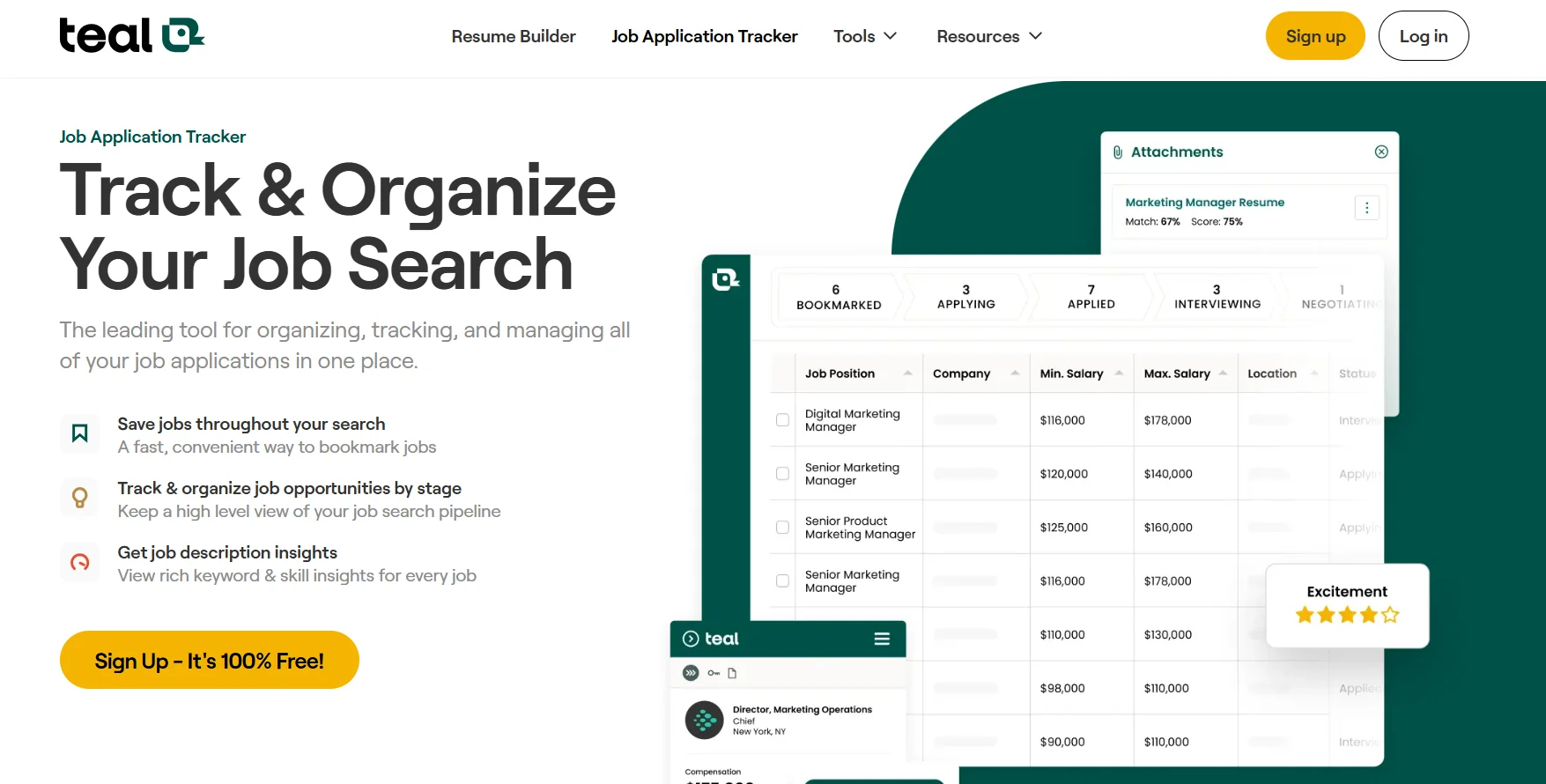
Teal is an all-in-one platform for job search and application management, bringing together tools for job tracking, resume building, job posting analysis, customized applications, contact management, cover letter creation, and interview practice into a single system.

The platform allows users to save and organize jobs by recruitment stage, track the status of each application, extract keywords and required skills from job descriptions, and then use this information to tailor their resume and cover letter to the target position.

Teal offers a free Chrome browser extension to save job postings directly from more than 50 job sites and platforms, including Indeed, Glassdoor, BuiltIn, and others. The extension can also extract information such as salary from job descriptions and add it to the tracking system.

The platform acts as a central dashboard for managing your job search, allowing you to organize opportunities instead of relying on Excel spreadsheets, Google Sheets, or saving jobs in scattered locations.

Users can categorize jobs by stages such as “Saved,” “Applications,” “Interviews,” “Advanced Stages,” and “Negotiation,” as well as rate their level of interest in each job to set priorities.

The platform also allows users to add notes, tasks, and checklists for each job, company, or contact, and to create custom to-do lists for each job application.

Teal analyzes job postings to extract keywords and required skills, provides a match between the resume and job requirements, offers guidance on improving resume content, and to create personalized cover letters using artificial intelligence.

It also provides tools for building and editing resumes and using templates, as well as managing professional contacts, including recruiters, hiring managers, colleagues, and people who can help with job referrals.

It offers more than 40 email templates for different stages of the job search, such as reaching out to recruiters, following up after applying, and following up after interviews.

It also allows you to explore jobs from a database of more than 3 million job listings across various fields, along with tools for tracking interviews, reviewing resumes, AI-powered interview practice, automatic job application form filling, and cover letter generation.

What does it actually offer based on user experience?

  • Save and organize jobs on a single dashboard.
  • Track an unlimited number of jobs with the free plan.
  • Categorize jobs by recruitment stage.
  • Track the status of each job application.
  • Assess the level of interest in job postings.
  • Add notes, tasks, and checklists to job opportunities.
  • Save job postings from over 50 job sites and platforms using the Chrome extension.
  • Extract information such as salary from job postings.
  • Analyze job descriptions.
  • Extract keywords and required skills.
  • Match your resume to job requirements.
  • Provide guidance on how to improve your resume.
  • Creating customized resumes.
  • Providing multiple resume templates.
  • Generating personalized cover letters using artificial intelligence.
  • Manage professional contacts and link them to jobs and companies.
  • Provide more than 40 email templates.
  • Support communication with recruiters and hiring managers.
  • Track interviews.
  • Practice for interviews using AI.
  • Automatically fill out job applications.
  • Provides a job board.
  • Provide resume screening.
  • Generate resume summaries.
  • Generate resume bullet points.
  • Search a database of over 3 million jobs.
  • Support for fields such as software engineering, marketing, project management, product management, customer success, and design.

🤖 Does it include automation?
Yes. Teal includes a range of AI and automation capabilities related to the job search process.

The platform can analyze job postings, extract keywords and skills, match job requirements with your resume, and generate customized content for applications and cover letters.

It also provides tools for AI-powered interview practice and automatically fills out job applications.

The Chrome extension automates the process of saving job postings from multiple websites and adding the extracted information to a job tracking system.

💰 Pricing model:
Freemium + paid subscription.

🆓 Free Plan Details:

PlanPriceDetails
FreeFreeUnlimited free use, track an unlimited number of job openings, create custom resumes, add an unlimited number of contacts and companies, unlimited resumes, resume templates, and job tracking; displays the top 5 keywords from the job posting; one email template for each stage of the application process; a limited number of AI tools, basic resume analysis, and basic resume-to-job-requirements matching, with the option to get started without entering a credit card.

💳 Paid Plan Details:

PlanPriceFeatures and Differences
Teal+$13 per weekAll features of the Free plan, plus unlimited advanced resume analysis, unlimited resume-to-job matching, and the ability to view an unlimited number of keywords, hard skills, and soft skills in the job tracker, unlimited email templates, advanced resume design, and premium resume templates.

Billing: The paid subscription is billed weekly at the listed price, noting that billing cycles may be weekly, monthly, or quarterly depending on the available subscription option.

🧭 How to access the tool:

How to AccessStatusDetails
WebAvailable – ConfirmedTeal can be used via its web platform to manage job searches and job applications.
Chrome ExtensionAvailable – ConfirmedA free extension to save job listings from over 50 job sites and recruitment platforms.
iOS/Android AppNot specifiedNo information is provided to confirm the availability of standalone mobile apps.
APINot specifiedNo information is provided to confirm the availability of a standalone API.

🔗 Demo link or official website:

Teal – Official Website and Job Tracker

Pricing Details

As for the pricing model, Teal offers a free plan that can be used indefinitely at no charge, It includes tracking an unlimited number of job postings, creating personalized resumes, adding an unlimited number of contacts and companies, along with a set of basic search tools. The free plan also includes an unlimited number of resumes, resume templates, and job tracking; displays the top 5 keywords from the job posting; and provides one email template for each stage of the application process, as well as a limited credit for AI tools, basic resume analysis, and basic resume-to-job-requirement matching—all without needing to enter a credit card to get started. The paid Teal+ plan costs $13 per week and offers all the features of the free plan plus advanced capabilities, including unlimited advanced resume analysis, unlimited resume-to-job matching, an unlimited number of keywords, hard skills, and soft skills displayed in the job tracker, an unlimited number of email templates, advanced resume design, and premium resume templates, making it suitable for users who apply to a large number of jobs and want to customize their resumes and applications in greater detail. The website notes that the paid subscription is billed weekly, with the option to be billed on a weekly, monthly, or quarterly basis depending on the available subscription plan, while the free plan does not require a credit card to get started.