• Teacher tools, test evaluation, and quality assurance
• Automation and smart agents
• Productivity and scheduling
Description
Tool name:
ShellMate AI
Tool category: 🔖
️ What does this tool offer? ✏
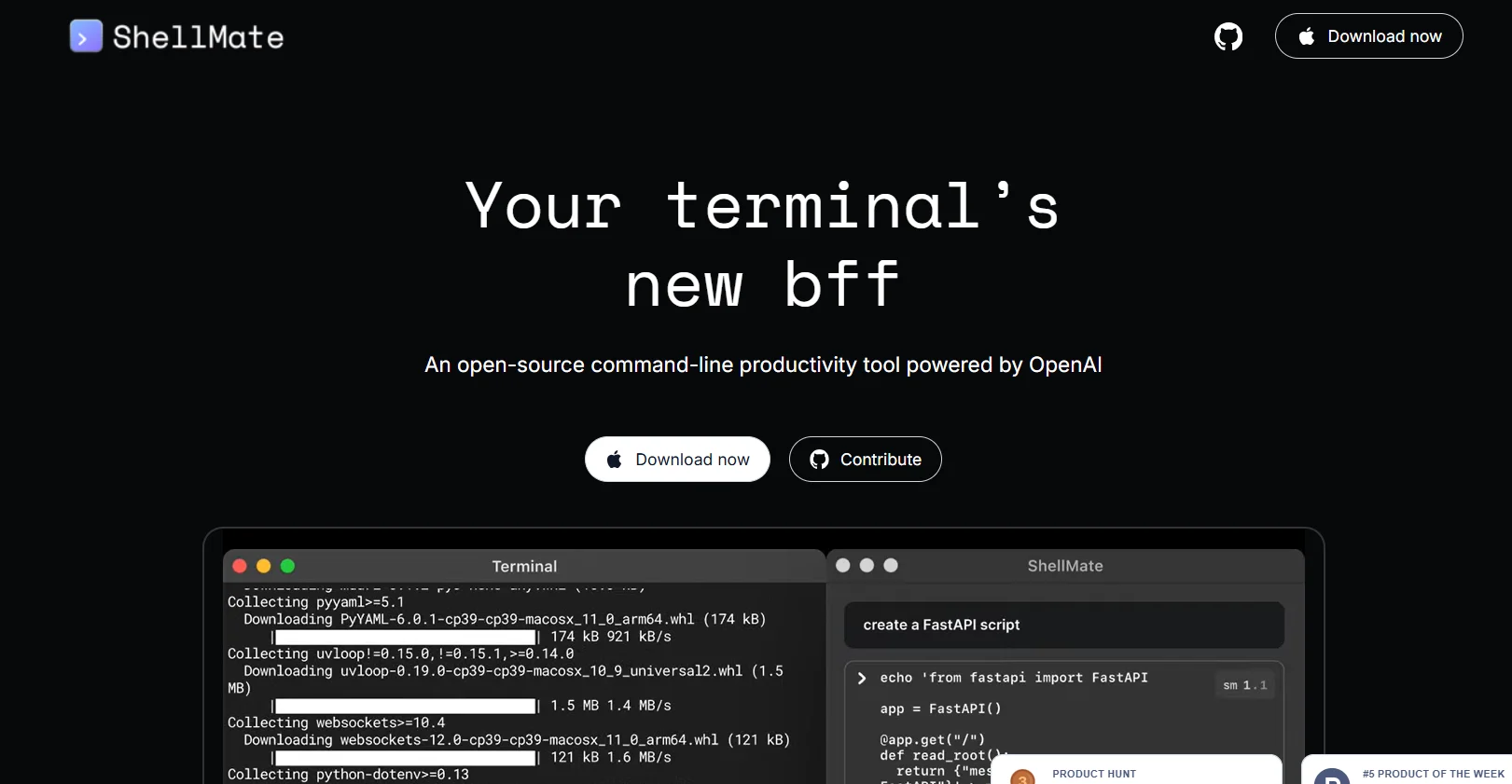
ShellMate AI allows users to send queries directly from the terminal, either via stdin, command input media, or highlighted text, to provide quick answers without having to leave the current work environment. The tool is able to predict upcoming commands based on terminal history, making task execution faster and smoother. Users can also highlight specific text to focus the tool's attention on it and insert AI-generated suggestions directly into the active terminal using the sm shortcut, providing a seamless and efficient work experience without switching between applications.
What does it actually offer based on user experience? ⭐
ShellMate AI enables users to significantly increase productivity by executing commands faster, facilitating code writing, and interacting with the terminal more efficiently. It also allows AI suggestions to be integrated directly into the work environment, focusing on important text without the need to rephrase queries.
Does it include automation? 🤖
Yes, the tool includes partial automation by predicting upcoming commands and automatically suggesting or executing commands based on the user's terminal history.
Pricing model: 💰
ShellMate AI offers a flexible pricing model that meets the needs of individuals and businesses with different service levels, ranging from free use for individuals to advanced enterprise plans that include additional security and extended technical support.
🆓 Free Plan Details:
The Free plan gives individual users and organizations access to core code management and collaboration features at no cost. It includes unlimited use of public repositories, code management features, limited CI/CD service hours, and up to 500 MB of storage for private repositories.
Paid plan details: 💳
Team: $4 per user per month. Adds advanced collaboration capabilities such as policies and controls on operations, increases uptime to 3,000 minutes per month, 2 GB of storage, and the ability to use GitHub Copilot within the monthly free trial limit.
Enterprise: Pricing starts at $21 per user per month. Includes all Team plan features with advanced security features, legal compliance, flexible deployment within the enterprise environment, comprehensive support for development teams, up to 50,000 minutes of runtime per month, 50 GB of storage, access to services such as GitHub Advanced Security, GitHub Codespaces, and Git Large File Storage, and 24/7 technical support for large enterprises.
How to access the tool: 🧭
ShellMate AI can be used directly from the terminal on Mac devices after installing and setting it up according to the platform's instructions.
Trial link or official website: 🔗
https://www.deepspring.ai/shellmate
Pricing Details
A flexible pricing model that meets the needs of individuals and businesses with different service levels. The platform starts with a free plan, which gives individual users and organizations access to basic code management and collaboration features at no cost, with unlimited public repositories, code management features, limited CI/CD service hours, and up to 500 MB of storage for private repositories. The Team plan costs $4 per user per month, and adds advanced collaboration capabilities such as policies and controls on operations, increased uptime of up to 3,000 minutes per month, up to 2 GB of storage space, and the ability to use GitHub Copilot to assist with smart coding with a free monthly quota for experimentation. For large organizations and companies, the Enterprise plan starts at $21 per user per month and includes all the features of the Team plan with advanced security features, legal compliance, flexible deployment within the enterprise environment, and comprehensive support for development teams. up to 50,000 minutes of runtime per month, 50 GB of storage, and access to additional services such as GitHub Advanced Security, GitHub Codespaces, and Git Large File Storage, as well as premium 24/7 technical support for large companies. In this way, GitHub offers flexible options to suit any stage of work, from individual developers who want access to public repositories, to large teams and organizations that need advanced security and complete control over their development environment.