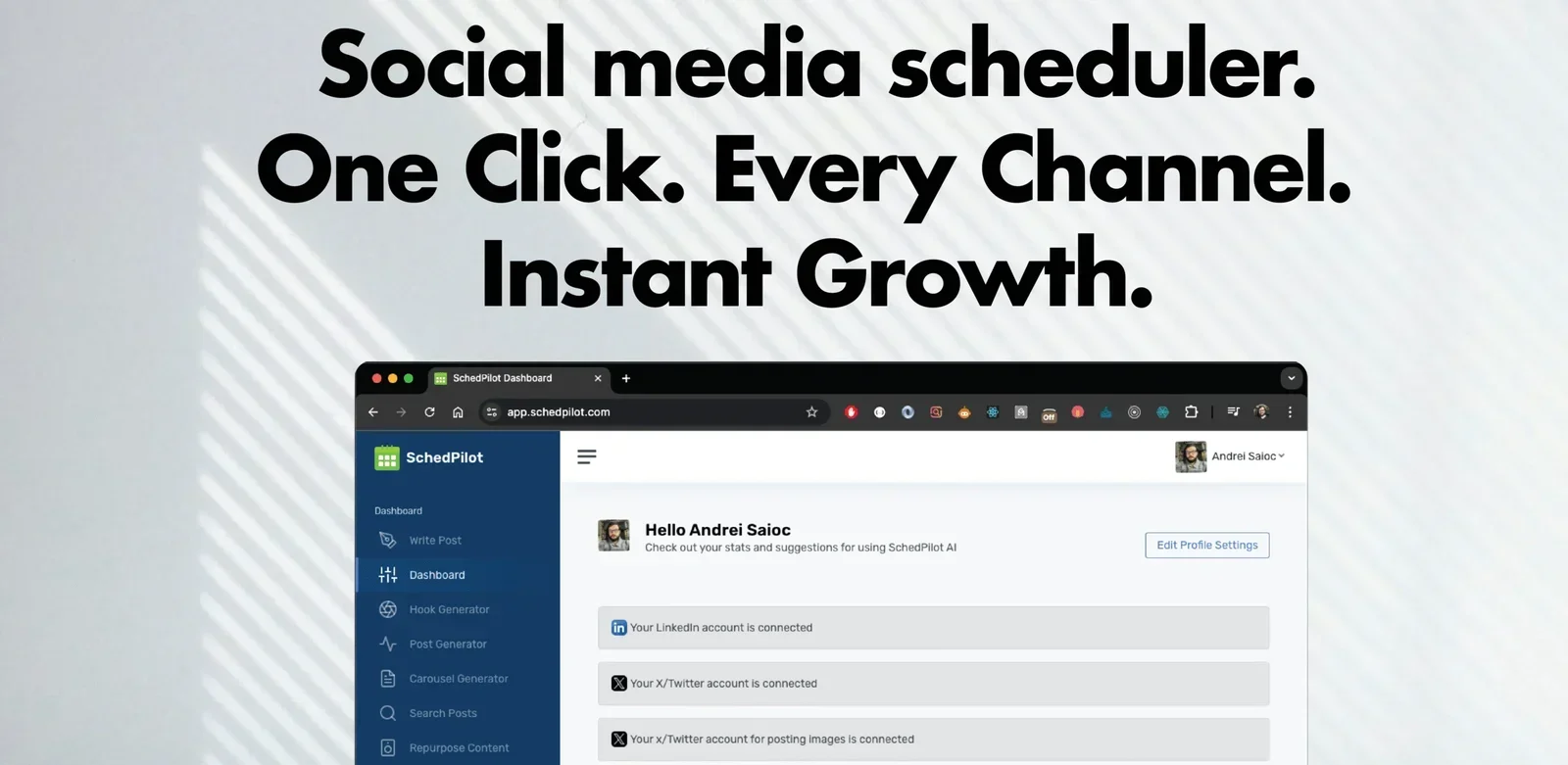
Description
️ Tool Name: 🖼
SchedPilot
Categories: 🔖
- Automation and Smart Agents
- Calendars and Content Scheduling
- Social Media Templates and Post Scheduling
- Content Management and Publishing
- Integrations and APIs
- Marketing and Sales
- Analytics and Dashboards
- Cross-Platform Publishing and Collaboration
- Video, Editing, and Motion Graphics
️ What does this tool offer? ✏
SchedPilot is an AI-powered social media content management and scheduling platform that allows users to connect their social accounts via official APIs, create and schedule posts, and publish them after approval through a unified content calendar.
The platform supports 9 social networks, including X, TikTok, LinkedIn, YouTube, Pinterest, Instagram, Threads, Bluesky, and Facebook, and provides an integrated content management environment for brands, content creators, agencies, developers, and startups.
Using SchedPilot involves three basic steps, starting with the first step, “Connect your accounts,” where accounts are securely linked via official APIs once, followed by the second step, “Plug in your AI agent,” where AI agents such as Claude, ChatGPT, Cursor, Hermes, and OpenClaw are connected via the MCP server, CLI, or API, or posts are created manually from the control panel, followed by the third step, “Approve & publish,” where the agent creates and schedules posts and places them in a unified calendar for review, editing, and approval before publication.
SchedPilot provides an integrated control panel that includes a unified content calendar, analytics and client reports, client workspaces and permissions management, AI agents, and a human pre-publication approval system, in addition to a built-in video editor and UGC tools for converting short clips into content tailored for Reels, TikTok, Shorts, and X.
The platform’s unified calendar enables users to plan, drag-and-drop, and schedule posts across all nine networks from a single location—whether for a single brand or for all clients. Its analytics also allow users to track reach, engagement, and growth, and generate shareable reports.
SchedPilot also supports developers through its API and MCP server, allowing them to create custom publishing apps and connect users once to publish across all networks without having to build separate integrations for each platform.
The platform provides six tools that an AI agent can use: get_accounts, list_posts, create_post, upload_media, delete_post, and get_analytics, with support for the MCP server, n8n custom nodes, and autonomous agents capable of tracking trends and automatically generating content, while the user retains final approval control.
What does it actually offer based on user experience? ⭐
- Manage and schedule posts across 9 social networks from a single dashboard.
- Securely connect accounts via official APIs.
- Use AI agents to create and schedule content.
- Review and approve posts before publishing.
- Provide a unified content calendar to manage all posts.
- Generate reports and analytics on reach, engagement, and growth.
- Manage client accounts, workspaces, and permissions.
- Create posts, ideas, headlines, comments, and carousels using AI.
- Schedule Reels, posts, photos, and Stories.
- Automatically publish and add the first comment.
- Save hashtag groups.
- Analyze the best time to post.
- Edit short videos and prepare them for Reels, TikTok, Shorts, and X.
- Support for agencies, influencers, developers, and startups.
Does it include automation? 🤖
Yes, SchedPilot relies primarily on automation and AI agents. The platform allows you to connect agents such as Claude, ChatGPT, Cursor, Hermes, and OpenClaw via the MCP server, CLI, or API to automatically create and schedule posts.
The agent generates the content and places it in the unified calendar, while the user retains control over reviewing, editing, and approving it before publication.
The platform also supports automation through the API, MCP server, and n8n custom nodes, allowing users to build custom publishing workflows, link multiple accounts, and run automated tasks such as tracking trends and generating content.
Pricing Model: 💰
SchedPilot operates on a subscription model, offering a 7-day free trial at $0, as well as a limited-availability Lifetime Membership (100 Lifetime Spots), where users can purchase a Platinum Membership with a one-time payment.
🆓 Free Plan Details:
| Feature | Details |
|---|---|
| Plan | Free Trial |
| Price | $0 |
| Trial Duration | 7 days |
| Usage | Try social media management and scheduling tools |
| Features | Use the SchedPilot platform and try out its core features |
Paid Plan Details: 💳
| Plan | Price | Benefits |
|---|---|---|
| Subscription | Not specified | Use AI-powered content management and scheduling tools |
| Lifetime Membership | One-time payment | Lifetime Platinum Membership |
| Number of Seats | 100 Lifetime Spots | Limited-time offer for lifetime membership |
How to access the tool: 🧭
| Method | Details |
|---|---|
| Web | Available via the SchedPilot website |
| API | Available for building applications to publish and link accounts |
| MCP Server | Available for connecting AI agents |
| CLI | Available for running agents and commands |
| Chrome Extension | Extension for interacting with social media and suggesting AI-powered comments |
Demo link or official website: 🔗
https://schedpilot.com/pricing/