Voicenotes
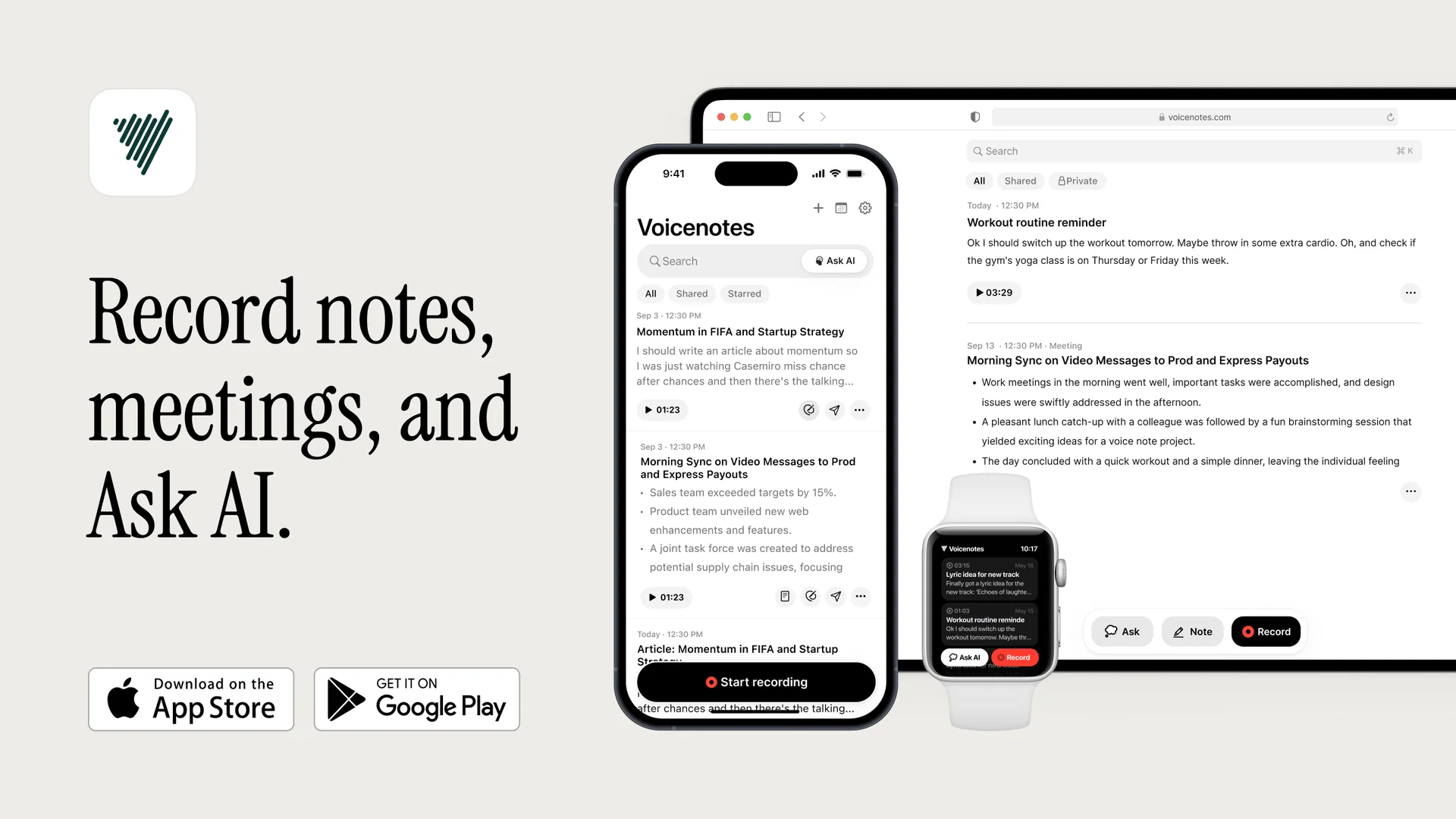
Description
🖼️ Tool Name:
Voicenotes (Voicenotes AI Notes & Meetings)
🔖 Tool Category:
AI-powered voice-note & meeting note assistant; belongs to Audio to Text, Content Creation & Communication, Productivity & Automation
✏️ What does this tool offer?
Voicenotes provides a set of features to record, transcribe, and work with voice notes and meeting recordings:
Record voice memos, meetings, reflections, ideas, or conversations.
Instantly transcribe speech into text, supporting 100+ languages.
Summarize long recordings into clear takeaways.
Let the AI help “remember details, dates, decisions” from recordings and allow queries over past recordings.
Create content directly from notes (e.g. blog posts, to-do lists, etc.)
Search across all recorded & transcribed content.
Works across multiple platforms: iOS, Android, MacOS, via Chrome extension / Web, Apple Watch / Wear OS, etc.
⭐ What does the tool actually deliver based on user experience?
Users like that it works “just hit record → transcribe → search/ask later”; makes capturing ideas easy.
The summaries & takeaways are seen as quite useful (when recordings are long or meetings are dense) to avoid going through full audio.
It’s praised for high transcription quality, multilingual support, integrations (like Notion, Todoist, Readwise), ability to repurpose voice notes into content.
🤖 Does it include automation?
Yes — many tasks are automated:
Automatic speech-to-text transcription as you record.
Automated summarization / generation of takeaways from recordings.
AI “memory” of details/dates/decisions so you can query past recordings (“ask your AI to recall anything later”).
Search & organization across all recordings.
💰 Pricing Model:
Freemium model with In-App Purchases.
🆓 Free Plan Details:
The app is free to download. Basic recording, transcription, summaries are possible in free tier.
Has limitations in features / usage until you upgrade (e.g. limits on how much recording / transcription you can do, or number of features).
💳 Paid Plan Details:
Offers subscriptions: weekly, monthly, annual. For higher usage / unlimited recording, better features.
In-App Purchases unlock more capabilities.
🧭 Access Method:
Mobile apps (iOS / Android).
Desktop/Mac app.
Chrome extension / web version.
🔗 Experience Link:
https://voicenotes.com