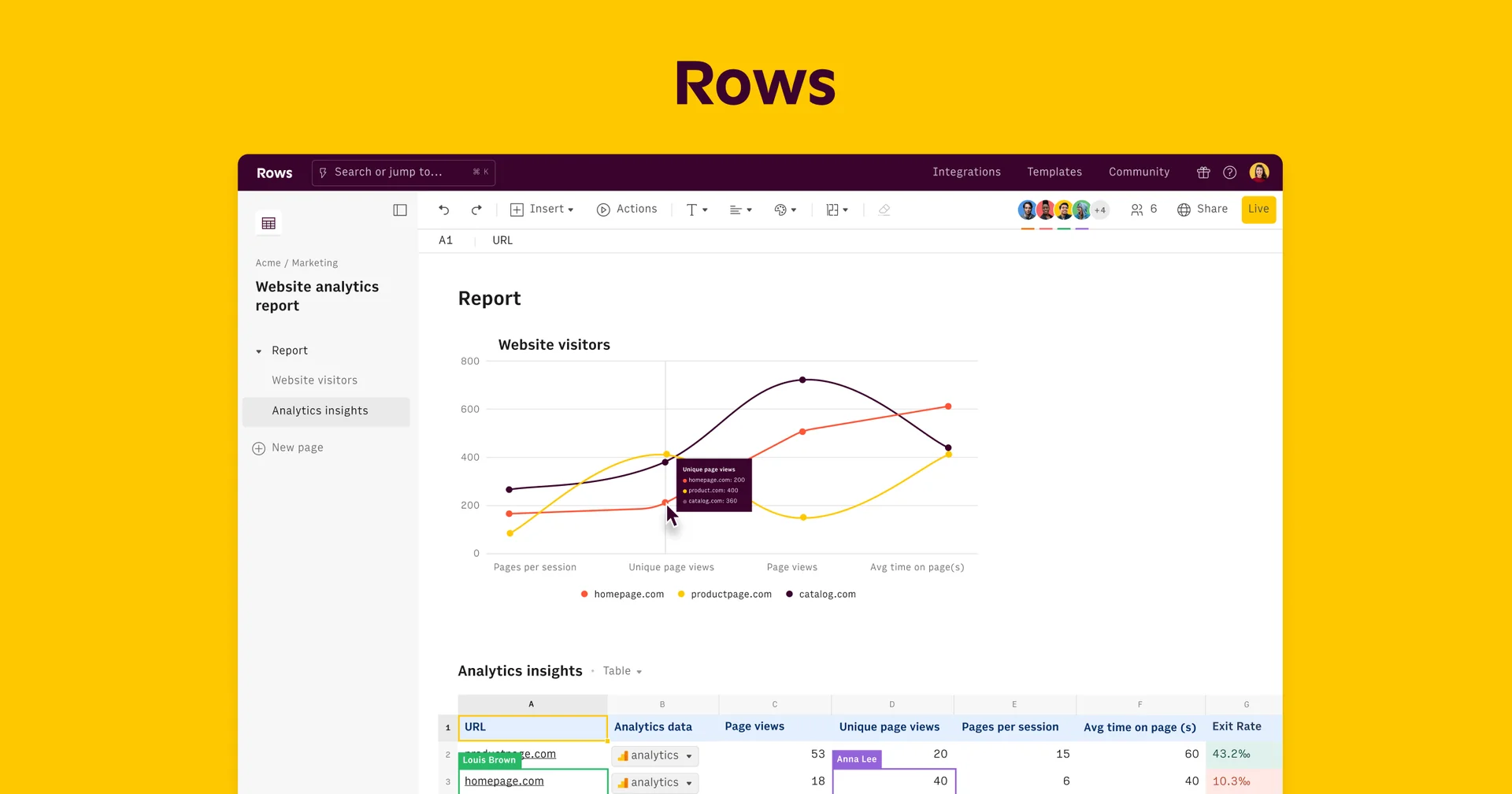
Description
️ 🖼Tool Name:
Rows
🔖 Categories:
- Data and Analytics
- Analytics and Dashboards
- Data Preparation and Cleaning
- Automation and Smart Agents
- Integrations and APIs
- Finance, Forecasting, and Dashboards
- Business and Operations Management
- No-Code Workflows
- Productivity and Scheduling
️ ✏What does this tool offer?
Rows is a smart spreadsheet platform that combines traditional spreadsheet functionality with artificial intelligence, data analysis, and integration with external data sources, It enables users to import, clean, merge, and analyze data, as well as create reports and interactive models, without the need for SQL or complex business intelligence tools.
The platform offers the Rows AI feature, which acts as a smart data analyst; users can give natural language instructions to the AI to extract data from PDF files, import business data, analyze datasets, generate reports, consolidate data, and perform advanced analyses—all without having to perform these tasks manually.
The AI can also convert text commands into reports, models, and dynamic calculators that function within a spreadsheet-like environment, so that users can request the creation of a specific financial model, calculator, or analysis, and Rows automatically builds it.
The platform offers built-in integrations that allow users to import data directly from social media, data warehouses, advertising platforms, business systems, and other tools used by the team—without the need to write code.
It also offers RowsX, which converts spreadsheets found on thousands of websites into usable data within Rows with a single click.
The platform supports keeping data synchronized and automatically updated according to schedules ranging from every minute to once a month, and it allows you to combine live data from more than 50 sources into a single spreadsheet to create custom reports.
After analyzing the data, you can create interactive reports and dashboards and share them with others or embed them on websites, blogs, and tools like Notion, with the ability to keep the data automatically updated.
Rows supports real-time collaboration among team members, allowing multiple people to work on the same data, provide feedback, and complete tasks collaboratively.
It also offers a range of ready-made templates, including Instagram and Facebook analytics dashboards, a TikTok follower tracker, Google Search Console reports, SEO reports, a personal expense tracker, and a 13-week cash flow template.
⭐ What does it actually offer based on user experience?
- Import and analyze data using artificial intelligence.
- Extracts data from PDF files.
- Importing business data from multiple sources.
- Cleaning, merging, and analyzing data.
- Analyzing datasets using natural language commands.
- Create reports, models, and dynamic calculators.
- Create financial models, calculators, and analyses based on text instructions.
- Import data directly from social media, data warehouses, advertising platforms, and business systems.
- Integrate with over 50 data sources.
- Convert spreadsheets from thousands of websites into usable data with RowsX.
- Automatically update data on a schedule.
- Create interactive reports and dashboards.
- Share reports and findings with others.
- Embed reports within websites, blogs, and tools like Notion.
- Collaborate instantly with team members.
- Provide ready-made templates for analyzing Instagram, Facebook, TikTok, Google Search Console, and SEO.
- Provide a personal expense tracker.
- Provide a 13-week cash flow template.
- Work without needing SQL, separate BI tools, or coding to implement the integrations mentioned.
🤖 Does it include automation?
Yes. Rows includes AI-powered automation capabilities and direct integrations with data sources.
Rows AI can perform data extraction, analysis, and reporting tasks based on natural language instructions, while data integrations allow information to be imported and updated automatically on a schedule.
Automation capabilities vary by plan; the Free plan offers 5 AI tasks per month,while the Plus plan offers 200 AI tasks per month with daily automation of spreadsheets, and the Pro plan offers 1,000 AI tasks per month with automation as frequent as every minute.
💰 Pricing Model:
Freemium + Monthly Subscription + Annual Subscription + Custom Pricing for Enterprises.
Rows offers a free plan, a Plus plan for $8 per user per month, a Pro plan for $79 per month plus $8 per user per month, and an Enterprise plan with custom pricing.
An annual payment option is also available, offering a savings of approximately 20% compared to monthly payments.
🆓 Free Plan Details:
| Plan | Price | Details |
|---|---|---|
| Free | $0 | 5 AI tasks per month, manual spreadsheet import, 10 integration accounts, and up to 3 guests. |
💳 Paid Plan Details:
| Plan | Price | Features |
|---|---|---|
| Plus | $8 per user per month | 200 AI tasks per month, daily spreadsheet automation, 10 integration accounts, and up to 10 guests. |
| Pro | $79 per month + $8 per user per month | 1,000 AI tasks per month, spreadsheet automation every minute, 100 integrations, up to 200 guests, and video support. |
| Enterprise | Custom pricing | Unlock the power of data, AI, and APIs to create custom business workflows. |
🧭 How to access the tool:
| Access Method | Details |
|---|---|
| Web | A spreadsheet platform available via the Rows web environment. |
| Integrations | Import data from external sources, business platforms, social media, data warehouses, and advertising platforms. |
| API | API capabilities are available within the Enterprise plan, according to the information provided. |
| Report Embedding | Reports and dashboards can be embedded within websites, blogs, and tools such as Notion. |
🔗 Demo link or official website:
Rows Official Website