Description

🖼️ Tool Name:

 ColorPage Lab

✏️ Overview & Key AI Features (2026 Edition):

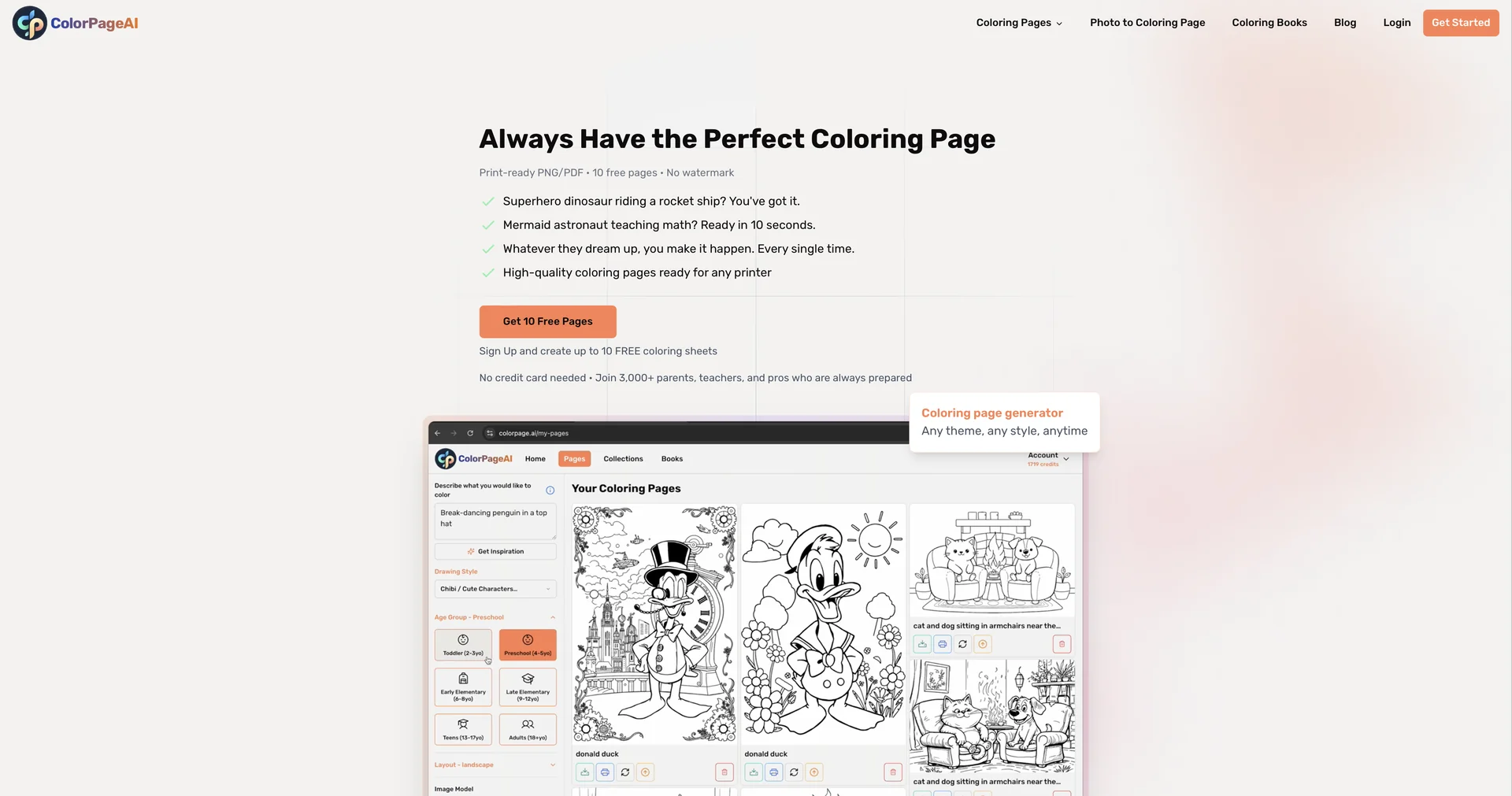
  • Text-to-Outline Generation: The core engine allows users to describe any scene (e.g., "A steampunk owl reading a book in a library") and receive a professional-grade coloring page in under 10 seconds.

  • Photo-to-Sketch Conversion: Advanced neural networks analyze the contours of uploaded photos, removing textures and shadows to leave only the essential black-and-white outlines.

  • Batch Production Mode: A "Sellers' Favorite." This allows users to upload a list of 50 prompts and have the AI generate a complete, themed coloring book in a single processing run.

  • Complexity Control: Features a "Difficulty Slider" that adjusts the detail level from "Toddler" (large, simple shapes) to "Adult Mandala" (intricate, high-detail patterns).

  • AI Colorizer (Preview Mode): Before printing, users can use the AI to "suggest" colors, helping them see what the finished artwork could look like or providing inspiration for kids.

  • Commercial-Ready Output: The 2026 version ensures all outputs are watermark-free and high-resolution (300 DPI), making them instantly compatible with professional publishing standards.

⭐️ User Experience (2026):

  • "The KDP Shortcut": Currently rated 4.8/5 by the self-publishing community. It is cited as the most efficient way to maintain a "hand-drawn" aesthetic without hiring an illustrator.

  • Family-Friendly Safety: Parents appreciate the built-in "Kid-Safe" filter, which ensures that all generated prompts result in age-appropriate imagery.

💵 Pricing & Plans (February 2026 Status):

PlanPrice (Approx.)Key Features
Free Explorer$0Up to 3 daily generations; basic resolution; personal use only.
Color Starter~$8 / one-time200 high-res credits; no expiry; lifetime access to personal downloads.
Studio Pro~$24 / mo1,000 pages/mo; Full Commercial License; batch mode; priority queue.
Studio Elite~$58 / mo3,000 pages/mo; bulk PDF export; advanced line-weight controls.

🎁 How to Get Started:

Visit colorpage.ai. You can start for free by typing a simple prompt in the "Quick Gen" box. If you want to convert a personal photo, use the "Photo-to-Page" uploader. Once the line art is generated, use the "Enhance" button to sharpen the lines before hitting "Print."

⚙️ Access or Source:

  • Official Website

  • Alternative Hub

  • Category: AI Image Generation, Educational Tech, Print-on-Demand (POD) Tools.

  • Primary Use Case: Transforming ideas and photos into high-quality, printable coloring pages for education, therapy, or commercial publishing.

🔗 Experience Link: 

https://colorpage.ai

Pricing Details

💵 Pricing & Plans (February 2026 Status): Plan Price (Approx.) Key Features Free Explorer $0 Up to 3 daily generations; basic resolution; personal use only. Color Starter ~$8 / one-time 200 high-res credits; no expiry; lifetime access to personal downloads. Studio Pro ~$24 / mo 1,000 pages/mo; Full Commercial License; batch mode; priority queue. Studio Elite ~$58 / mo 3,000 pages/mo; bulk PDF export; advanced line-weight controls. 🎁 How to Get Started: Visit colorpage.ai. You can start for free by typing a simple prompt in the "Quick Gen" box. If you want to convert a personal photo, use the "Photo-to-Page" uploader. Once the line art is generated, use the "Enhance" button to sharpen the lines before hitting "Print."