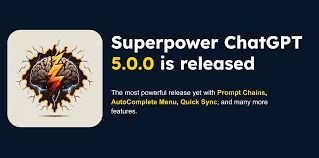
Description
🖼️ Tool Name:
Superpower GPT
🔖 Tool Category:
ChatGPT enhancement extension; it falls under the category of Productivity & Automation and Conversations.
✏️ What does this tool offer?
Superpower GPT is a browser extension (primarily for Chrome and Firefox) that adds powerful enhancements to the ChatGPT interface. It helps users save time, organize conversations, and unlock features like search, folders, export, and prompt libraries directly within the ChatGPT experience.
⭐ What does the tool actually deliver based on user experience?
• Search across your ChatGPT conversation history
• Organize chats into folders and categories
• Pin important conversations
• Access a built-in prompt library for quick reuse
• Export conversations (PDF, markdown, etc.)
• Highlight text, copy responses, and use shortcuts
• Enhances productivity for frequent ChatGPT users
🤖 Does it include automation?
Yes —
• Automatically saves and indexes conversations for easy access
• Suggests prompts and completions from stored libraries
• Streamlines repetitive tasks like exporting and organizing
• Some versions may offer auto-tagging or metadata generation
💰 Pricing Model:
Free
🆓 Free Plan Details:
• Full access to most productivity features
• Open-source and free to use
• No login required beyond your ChatGPT account
💳 Paid Plan Details:
• N/A – free and open-source at the time of writing
🧭 Access Method:
• Browser Extension: Available on Chrome Web Store and Firefox Add-ons
• GitHub (source code)
🔗 Experience Link: