ChatGPT for Search Engines
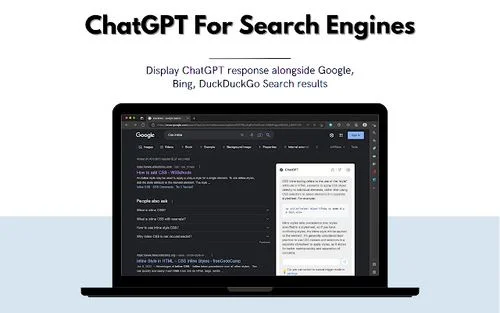
Description
🖼️ Tool Name:
ChatGPT for Search Engines
🔖 Tool Category:
AI-powered browser assistant; it falls under the category of Smart Assistant and Productivity & Automation.
✏️ What does this tool offer?
ChatGPT for Search Engines is a browser extension that enhances traditional search engines like Google, Bing, DuckDuckGo, and others by displaying AI-generated answers from ChatGPT alongside the usual search results. It helps users get instant summaries, explanations, or answers without clicking through multiple links.
⭐ What does the tool actually deliver based on user experience?
• Shows ChatGPT answers in a sidebar next to your search engine results
• Supports Google, Bing, DuckDuckGo, and others
• Reduces time spent browsing by summarizing answers instantly
• Lets you chat or ask follow-up questions directly in the browser
• Compatible with OpenAI API keys or ChatGPT accounts (optional)
🤖 Does it include automation?
Yes —
• Automatically triggers responses based on your search query
• Displays instant AI-generated answers to complement web results
• Offers chatbot functionality in real-time
💰 Pricing Model:
Free (with optional OpenAI API usage)
🆓 Free Plan Details:
• Fully functional via free ChatGPT account
• Compatible with OpenAI’s free-tier models (e.g., GPT-3.5)
💳 Paid Plan Details:
• Optional: Use your OpenAI API key for access to GPT-4
• No paid plans from the extension itself — usage costs depend on OpenAI’s pricing if you choose API access
🧭 Access Method:
• Browser Extension (available for Chrome, Firefox, Edge, etc.)
• Example from GitHub
🔗 Experience Link: