Description

️ Tool Name: 🖼
EmailTriager (currently Serif.ai)

Categories: 🔖

  • Cold Email and Sequences
  • Automation and Smart Agents
  • Chat/Voice Agents
  • Productivity and Scheduling
  • Smart Calendars and Personal Assistants
  • Content Management and Publishing

️ What does this tool offer? ✏
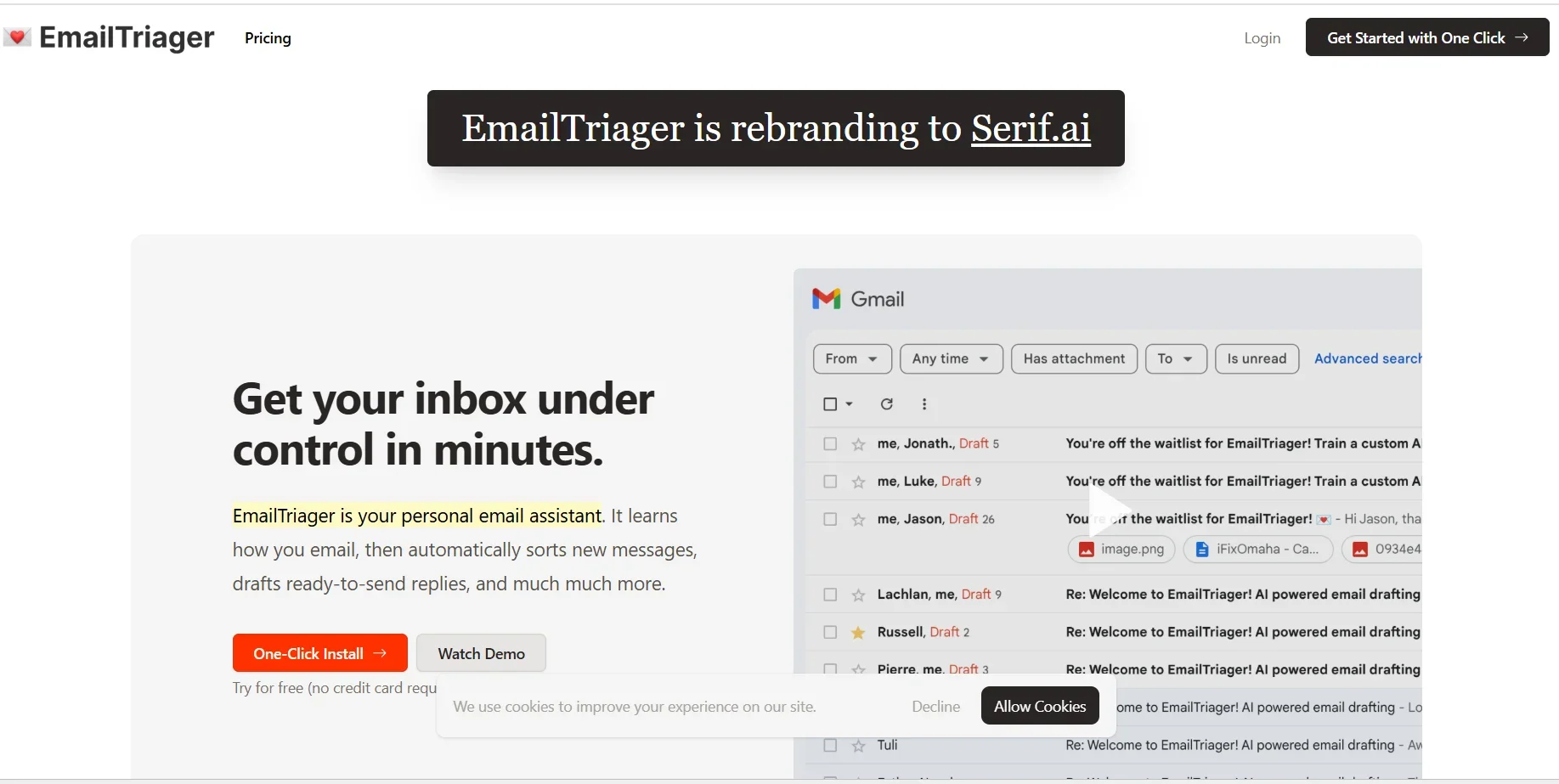
EmailTriager, currently being rebranded as Serif.ai, is an AI-powered personal email assistant designed to help users organize their inboxes and complete email-related tasks faster.

The tool learns the user’s email sending and receiving habits, then automatically sorts new messages, creates ready-to-send drafts, and offers various features that help reduce the time and effort spent managing email.

EmailTriager transforms email from a mental burden into a simple process of reviewing and sending drafts, as it organizes incoming messages and generates ready-to-send replies in the background.

The tool uses True Voice technology, which aims to generate natural responses that mimic a real user’s style, as it:

  • It learns from previous emails.
  • It trains a personal assistant for the user with a single click.
  • It generates replies that match the user’s personal writing style.

EmailTriager integrates directly with Gmail without requiring you to change how you use email or train an AI model, as:

  • The tool is automatically trained on past messages.
  • Drafts appear directly within Gmail.
  • It can be added via the “Add to Gmail with One Click” option.

The tool’s features include:

  • Intelligent Email Triaging for smart email sorting.
  • Generating pre-written replies based on the user’s actual voice.
  • Learning the user’s signature style.
  • Leveraging help documents or reference information.
  • Generating ready-to-send replies based on previous messages.

EmailTriager prioritizes privacy and security, ensuring that:

  • The user’s messages remain their sole property.
  • Emails are not used to train general AI models.
  • Only the user has access to their own AI model.

The tool has received security certification through verification by a Google security auditor and has obtained CASA Tier 2 certification.

EmailTriager offers a simple user experience with no learning curve; it can be launched immediately after installation, allowing users to take advantage of the smart email assistant.

What does it actually offer based on user experience? ⭐

  • Automatically organizes your inbox.
  • Creates reply-ready drafts within Gmail.
  • Reduces the time needed to manage emails.
  • Generates replies that sound like they were written by a real person.
  • Learning from past emails to improve replies.
  • Run in the background and create drafts without constant intervention.
  • Transform email into a process that relies solely on reviewing and sending drafts.

From user experiences:

  • Dominic Whyte noted that Kevin Yang’s new email tool is magical and gets better every day.
  • Kevin Yang explained that the tool can now automatically generate email drafts in the background without requiring a Chrome extension.
  • Shane Mac described the experience of seeing pre-written drafts after a short while as similar to his first experience with Uber or Snapchat.
  • Tom Pospisil noted that it’s an excellent alternative to Chrome extensions when using OpenAI with email, as it creates a draft and the user just needs to edit and send it.

Does it involve automation? 🤖
Yes, EmailTriager relies primarily on AI-powered automation.

Automation includes:

  • Automatically sorting emails.
  • Creating draft replies in the background.
  • Learning from the user’s previous messages.
  • Generating replies that match the user’s style.
  • Setting up an AI-powered executive assistant to manage:
    • Replies.
    • Meeting preparation.
    • Follow-ups.

It also offers Guided Onboarding to set up the smart assistant and identify tasks that can be automated from your inbox.

Pricing model: 💰
EmailTriager (Serif.ai) operates on a paid subscription model following a free trial period.

Includes:

  • A 7-day free trial.
  • Paid plans starting at $30/month.
  • Cancel anytime.

Before the trial period ends:

  • A reminder is sent to the user.
  • The card is verified via a temporary $0.50 charge, which is refunded immediately.

🆓 Free plan details:

FeatureDetails
Plan TypeFree Trial
Duration7 days
PriceFree during the trial period
Credit CardRequired for verification only
Verification charge$0.50, refunded immediately
CancellationCan be canceled at any time

Paid Plan Details: 💳

PlanPriceFeatures
Paid PlanStarting at $30/monthAI email assistant, smart email sorting, automatic draft creation, AI executive assistant setup, reply and follow-up management, ability to join a team or create a new one.

How to access the tool: 🧭

MethodDetails
WebAvailable via the official website
GmailSeamless integration with Gmail
Add GmailAdd to Gmail with One Click
TeamAbility to Join or Create a Team
Private CodeOption to use "Have a code?"
Supporthelp@emailtriager.com

Demo link or official website: 🔗
https://www.emailtriager.com/

Pricing Details

💰 Pricing Model: EmailTriager (Serif.ai) operates on a paid subscription model following a free trial period. Includes: A 7-day free trial. Paid plans starting at $30/month. Cancel anytime. Before the trial period ends: A reminder is sent to the user. A card verification is performed via a temporary $0.50 charge, which is immediately refunded. 🆓 Free Plan Details: Feature Details Plan Type Free Trial Duration 7 days Price Free during the trial period Credit Card Required for verification only Verification Charge $0.50, refunded immediately Cancellation Can be canceled at any time 💳 Paid Plan Details: Plan Price Features Paid Plan Starting at $30/month AI email assistant, smart email sorting, automatic draft creation, AI executive assistant setup, reply and follow-up management, ability to join a team or create a new one.