Description

️ Tool Name: 🖼
Schedulely

Categories: 🔖

  • Smart Calendars and Personal Assistant
  • Productivity and Scheduling
  • Meeting Summaries and Notes
  • Tasks and Projects
  • Habit and Focus Tracking
  • Automation and Smart Agents
  • Business and Operations Management
  • Integrations and APIs

️ What does this tool offer? ✏
Schedulely is an AI-powered scheduling platform designed to manage work time, meetings, and personal life. It automatically optimizes the user’s schedule by protecting focus time, selecting the best meeting times, scheduling tasks and habits, and adding breaks between meetings to minimize interruptions and context switching.

Features include AI Focus Time to automatically reserve deep work periods,AI Smart Meetings to find the best meeting times and reschedule them when conflicts arise,AI Habits to organize recurring routines, andAI Tasks to schedule tasks based on priority and deadlines.

It also offers smart booking links, break times, calendar synchronization, and time and productivity analytics. It integrates with Google Calendar, Outlook, Slack, Zoom, Jira, Asana, Linear, and Microsoft Teams.

The platform states that user data is not used to train AI models. Schedulely – Official Website

What does it actually offer based on user experience? ⭐

  • Automatically book deep work sessions through AI Focus Time.
  • Find the best meeting times and reschedule them when conflicts arise.
  • Organize habits and recurring routines.
  • Schedule tasks based on priority and deadlines.
  • Create smart booking links.
  • Add breaks between meetings.
  • Synchronize calendars.
  • Provide time and productivity analytics.
  • Provide time tracking.
  • Integration with Google Calendar, Outlook, Slack, Zoom, Jira, Asana, Linear, and Microsoft Teams.
  • According to the platform, user data is not used to train AI models.

Does it include automation? 🤖
Yes, Schedulely uses AI to automate schedule organization. It can automatically block out focus time, select meeting times, reschedule meetings when conflicts arise, organize routines, and schedule tasks based on priorities and deadlines, as well as insert breaks between meetings.

Pricing Model: 💰
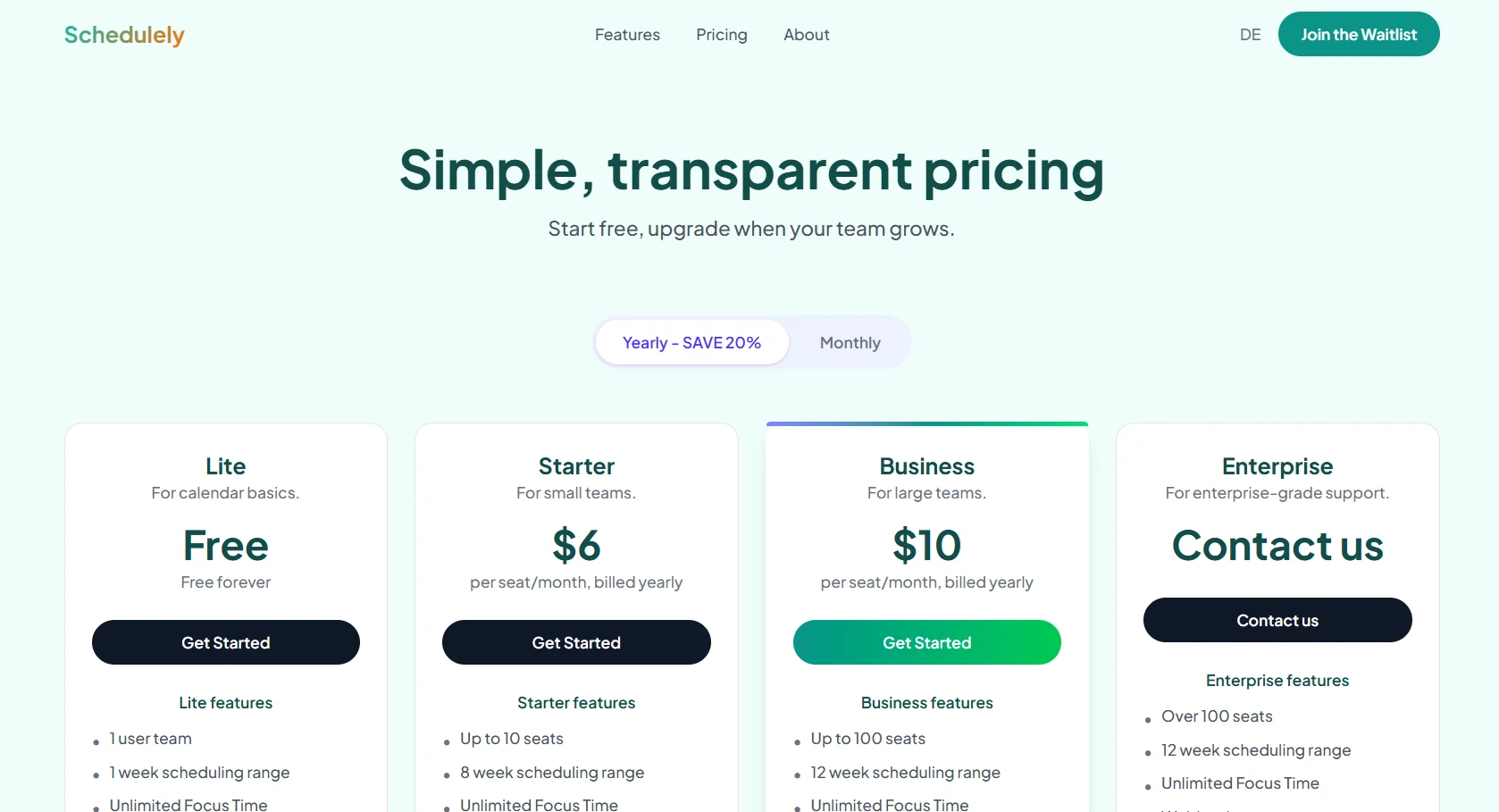
Freemium / Paid Subscription — Schedulely offers a free plan at $0,along with paid plans including Starter,Business, andEnterprise. Paid plans offer a 20% discount for annual payments. Official Schedulely Pricing Page

🆓 Free Plan Details:

FeatureDetails
Price$0
UsersOne user
Scheduling RangeOne week
Focus TimeUnlimited
Scheduling LinksOne link
Smart MeetingsOne Smart Meeting
HabitsOne Habit
Calendar SyncOne Personal Calendar
IntegrationsLimited
Time TrackingUnlimited
TasksUnlimited

Paid Plan Details: 💳

PlanPriceFeatures and Differences
Starter$6 per user per month when billed annuallyUp to 10 users, 8-week scheduling, multiple smart links and meetings, habits, unlimited calendar syncing and integrations, people analytics, and time tracking
Business$10 per user per month when billed annuallyUp to 100 users, 12-week scheduling, unlimited links, meeting scheduling, habits, and integrations, Webhooks, and Delegated Access
EnterpriseCustom pricingFor teams with more than 100 users, with all Business features plus SSO and SCIM for enterprise-level user management

How to access the tool: 🧭

Access MethodStatus
WebAvailable
AppNot Specified
APINot specified, but Webhooks are available in Business
AddNot specified
IntegrationsGoogle Calendar, Outlook, Slack, Zoom, Jira, Asana, Linear, and Microsoft Teams

Trial link or official website: 🔗

Schedulely – Official Website

Official Schedulely Pricing


Pricing Details

Freemium / Paid Subscription — Schedulely offers a free plan priced at $0, along with paid plans including Starter, Business, and Enterprise, with a 20% discount for annual payments. The free plan includes one user, a one-week scheduling range, and unlimited features such as Focus Time, time tracking, and tasks, along with one scheduling link, one smart meeting, one habit, and one personal calendar sync, with limited integrations. The Starter plan costs $6 per user per month when billed annually and supports up to 10 users and 8 weeks of scheduling, with multiple scheduling links and smart meetings, unlimited habits, calendar syncs, and integrations, plus people analytics and time tracking. The Business plan costs $10 per user per month when billed annually and supports up to 100 users with 12 weeks of scheduling and unlimited features, plus Webhooks and Delegated Access. The Enterprise plan offers custom pricing for teams with more than 100 users and includes all the benefits of the Business plan, plus SSO and SCIM for enterprise-level user management. You can access the tool through the official Schedulely website and sign up for the appropriate plan or join the waitlist when it becomes available.