Fill 3D
Explore infinite possibilities in Architectural Visualization with Thea for Sketch Up.
Last updated
Features
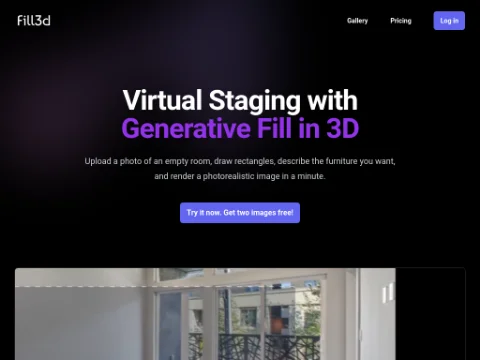
- Fills a drawn 3D area in your photo with photorealistic furniture matching the room's depth, lighting and scale
- Exports up to 4K resolution
- Renders realistic lighting and shadows from the photo's light sources
- Refines results by tweaking the prompt or regenerating parts
- Detects floor and wall planes automatically
- Adjusts lighting automatically from the input image
Pricing Details
💵 Pricing (2025 Update)
Fill 3D typically operates on a Pay-per-Render or Subscription model:
Free / Beta Access:
Cost: $0.
Features: Often available as a limited "Beta" where users can generate a few low-resolution staged images to test the technology.
Paid Plans:
Cost: Rates vary, but it usually follows a "Credit" system (e.g., $1 - $5 per high-res render) or a monthly subscription starting around $19/month for professional stagers.
Note: Many users access this via Google Colab or specific API integrations, which may have their own usage costs.
🎁 Is the free version a trial or completely free?
It is primarily a Paid tool with a Free Trial/Beta. Because generating 4K 3D-aware images requires massive GPU power, the tool is not "free forever" for high-volume use.
💳 What does the free version offer?
Access to the basic 3D staging engine.
Lower resolution exports (for testing purposes).
Standard generation speed.
💳 What does the paid version offer?
4K & High-Definition Exports: Necessary for professional real estate listings.
Commercial Rights: The ability to use the images for business and marketing.
Faster Rendering: Priority on the AI servers.
Advanced Controls: More precise tools for "drawing" where furniture should go.
Related Tips
- AI Room Designer Explained: How to Redesign Rooms in Your Home Using a Single Photo? · Image Design and Creation, Editing, Enhancement & Upscaling…
- AI Room Designer Explained: How to Redesign Rooms in Your Home from a Single Photo? · Image Design and Creation, Editing, Enhancement & Upscaling…
- How can a user use ChatGPT or Nano Banana to create 9 professional product images from a single photo? · Image Design and Creation, Text to Image Generation…
- How to Create an Advertisement Image and Visual Guide for Any Product Using Nano Banana · Image Design and Creation, Text to Image Generation…
- A library of photo templates—copy and apply them to your photos in minutes · Image Design and Creation, Text to Image Generation…