Dzine AI
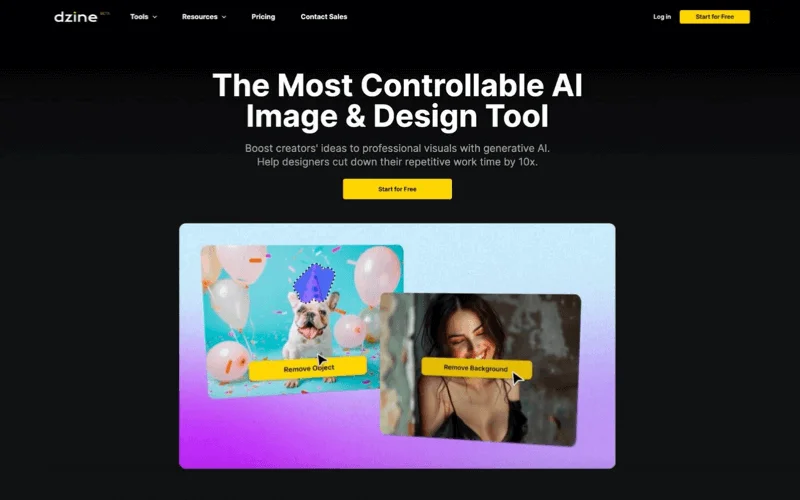
Dzine is an AI-powered creative platform for generating and editing images, designing graphics, creating videos, and enhancing video quality, as well as synchronizing lip movement with audio, generating dialogue and voiceovers, and creating consistent characters. The platform offers a layer-based workspace for controlling image composition and element placement, tools for selecting and separating elements into layers, and an assistant for refining text commands. It also supports collaboration among team members, asset and resource management, and tracking production stages.
- Text-to-Speech / Speech-to-Text
- Video Generation & Editing
- Text and Images to Video
- Motion, Titles & Subtitles
- Video Summaries & Clips
- Image Design and Creation
- Video Ideas & Scripting
- Interactive Stories & Characters
Last updated
Features
- Create and edit images using a variety of templates, with the ability to control the image's composition and style.
- Generate videos from text or images, with tools for creating animations and videos.
- Use a layered workspace where you can drag, drop, and reposition elements to adjust the image composition.
- Apply predefined styles to customize designs without having to write complex commands to describe the style.
- Automatically identify elements and separate them into independent layers, with the option to save them as assets for later use.
- Improve image clarity and correct visual defects, with tools to enhance the quality of photos and videos.
- Synchronizing speech with lip movement, along with tools for generating dialogues and podcasts, converting text to speech, and creating speaking characters.
- Create reusable characters with multiple angles, outfits, and expressions to maintain consistency in their appearance across scenes.
- Providing an asset library, analyzing scripts and converting them into organized scenes, real-time collaboration, managing seats, credits, and spaces; and tracking work references, orders, templates, revisions, and approvals, along with tools to monitor copyright risks and potential similarities.
Pricing Details
Dzine offers four subscription plans for individuals, with the option of a monthly or annual subscription that provides a 22% discount, according to the pricing page. The Beginner plan costs about $8.99 per month, and includes 1,000 credits per month, 10 GB of asset storage, the ability to store 10 custom characters and 10 professional styles, and the ability to run 8 tasks simultaneously. The Creator plan costs $24.99 per month and includes 6,000 credits per month with the ability to carry over credits for up to 3 months, as well as benefits such as custom generation, commercial use, multi-character lip-syncing, and video enhancement up to twice the original quality with a resolution of 1080p. The Master plan costs $59.99 per month and includes 9,000 credits per month and unlimited access to specific image models subject to the fair use policy, 100 GB of storage, storage for 60 custom characters and 60 professional styles, the ability to run 15 tasks simultaneously, and video enhancement up to 4x the original quality with resolution up to 8K. The Master Pro plan costs $149.99 per month and includes 30,000 credits per month, unlimited access to specific image models subject to the fair use policy, 200 GB of storage, the ability to store 120 custom characters and 120 professional styles, the ability to run 18 tasks simultaneously, and video enhancement up to 4x with resolution up to 8K. The information in the text indicates that 100 free credits are available upon registration, with 30 free credits replenished daily. The final annual prices were not specified in the attached content.
Tips for Dzine AI
Related Tips
- A video prompt that gives you the feel of GTA with an Arabic twist · Video Generation & Editing, Text and Images to Video
- 2 million free tokens to create videos! on Seedance · Video Generation & Editing, Text and Images to Video
- How to Use the Pokecut Tool to Easily Extract Images · Image Design and Creation, Editing, Enhancement & Upscaling…
- A professional prompt for turning a meal name into a full recipe infographic · Image Design and Creation, Text to Image Generation…
- Bosala Brand Studio Explains: How to Create a Complete Visual Identity from a Logo in Minutes? · Image Design and Creation, Text to Image Generation…