Strut
Description
️ 🖼Tool Name:
Strut
🔖 Categories:
Content and Copywriting, Business Document Creation, Education and Research, Notes and Analysis, Rewriting and Style Improvement, Summarization, Headings, and Ideas, Image Design and Creation, Text-to-Speech / Speech-to-Text, Tasks and Projects, Cross-Publishing and Collaboration, Knowledge Base and Self-Service, Automation and Smart Agents.
️ ✏What does this tool offer?
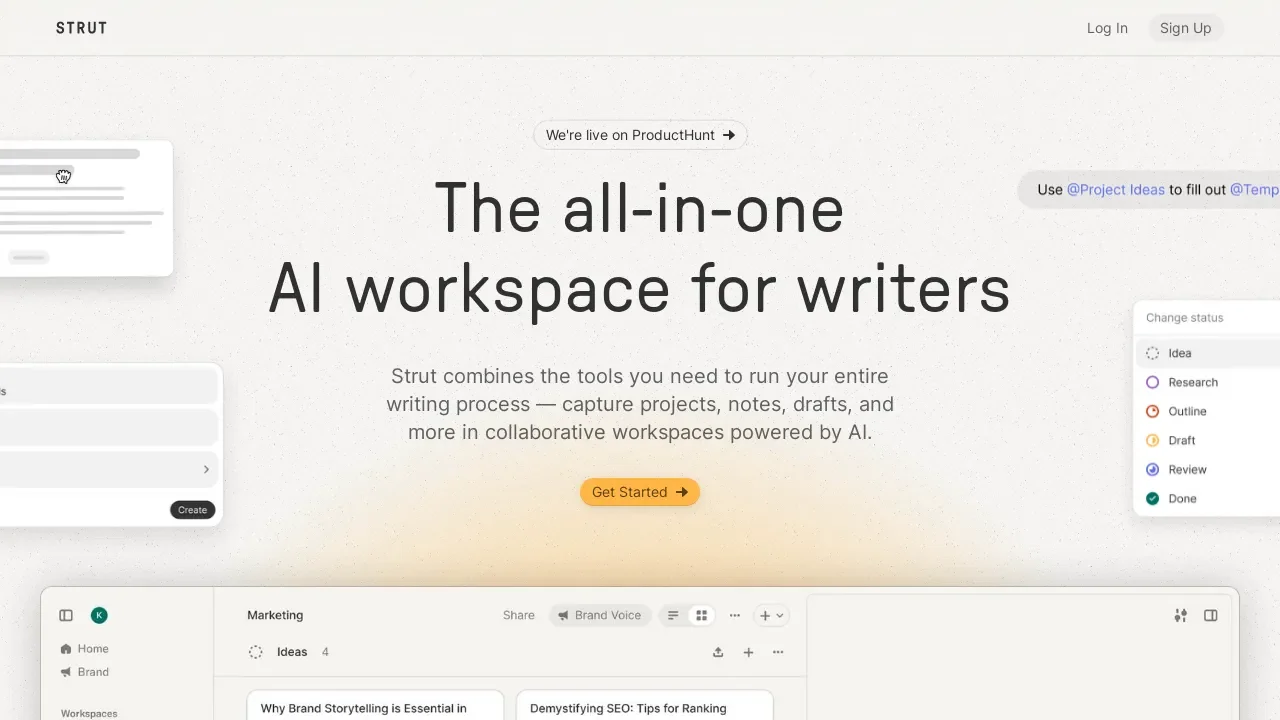
Strut positions itself as an AI-powered workspace and notebook, designed to create, expand, and organize long-form written work—such as articles, reports, research papers, and manuscripts—starting from the user’s initial notes. The platform brings together initial notes, developed sections, structure, and the full draft within a single workspace. The process begins by capturing notes, ideas, quotes, and questions, then developing them by expanding on ideas and linking them to relevant content, followed by organizing the material into an outline, sections, or chapters while preserving the context of the sources, leading up to writing the full draft and revising it using context-aware artificial intelligence that follows the user’s guidelines.
Strut provides a space that brings together the outline, sources, version history, and a context-aware assistant all around a single manuscript; it also allows users to create projects and manage notes, sources, chapters, and drafts, along with an editor for long-form writing. Features include AI Long-form Writing,Writer’s Notebook,Manuscripts, andLong-form Editor, as well as search, version history, collaboration, and export.
Strut also offers free writing tools, including the Outline Generator to create a seven-part outline based on the topic, audience, and writing promise,the Writing Brief Builder to create a brief covering the audience, promise, evidence, claim, scope, and definition of success through four questions, andthe Focus Sprint Planner to plan a single writing session. The platform notes that its library contains 31 practical guides, with resources tailored for students, researchers, journalists, newsletter writers, technical writers, nonfiction authors, grant and proposal writers, and ghostwriters.
⭐ What does it actually offer based on user experience?
The verified pages on the site do not display independent user reviews in the traditional sense; instead, Strut explains the user experience through product features and practical examples. Artificial intelligence works on the text selected by the user; you can select a section and provide guidance, and the result appears next to the draft with options such as Copy,Insert, andReplace, rather than rewriting the document directly. An automatic version is also saved before any generated text is inserted or substituted, so the previous version can be retrieved via the version history.
🤖 Does it include automation?
Yes, Strut includes AI-powered operations to perform specific tasks on texts and sources, but they are designed as user-defined operations on existing content, not as a tool that writes the entire piece independently. The eight writing operations include: expand, outline, strengthen, summarize, critique, tone, plot, and rewrite. The Pro plan also includes transcribing voice notes to text, Voice Profileanalysis ,and AI-generated images. Strut explains that each process relies on a third-party provider and consumes the same token balance.
💰 Pricing Model:
Strut uses a freemium model that includes a free plan and a paid Pro plan. The Free plan is $0 forever,while the Pro plan costs $9.99 per month or $69.99 per year;the website advertises a 42% savings with an annual subscription. Strut also offers a 7-day free trial for the Pro plan, which requires a credit card for verification; no charges are incurred on the first day of the trial. After the trial ends, the plan automatically renews at the specified price unless canceled.
🆓 Free Plan Details:
| Item | Details |
|---|---|
| Price | $0 forever |
| Projects | One project |
| Documents | Up to 3 documents per project |
| Notes | Unlimited |
| Version History | Unlimited |
| Version Snapshots | Available with one-click restore |
| Export | Markdown |
| Search | Search within notes, drafts, and sources |
| Import sources | PDF, Word, Excel, CSV, Markdown, text |
| Reviewers | Invite reviewers and collect feedback |
| Comments | Embedded comments with the ability to resolve them |
| AI tokens | The pricing page lists 50,000 lifetime starter AI tokens,while the AI Writing page mentions 20,000 tokens at the start + 2,000 daily up to a total of 80,000 |
| AI Writing | Available |
| Voice Profile | Available |
| Voice-to-text conversion | Available |
| AI Image Generation | Available |
| Credit card | Not required to create a free account |
The pricing page confirms that the core workspace features are available in the free plan, including projects, notes, drafts with versions, sources, reviewers, search, and export. It also explains that the local writing, organization, search, collaboration, and export features continue to work even after the AI credit balance runs out.
Note on the free credit: There is a clear discrepancy between Strut’s official pages; the pricing page mentions 50,000 lifetime starter AI tokens,while the AI writing feature page mentions 20,000 to start, with 2,000 added daily up to a total lifetime limit of 80,000, and the privacy page also mentions a system of 2,000 per day up to 80,000. Therefore, it is not possible to determine a single value from the website alone without noting this discrepancy.
💳 Paid Plan Details:
| Item | Pro |
|---|---|
| Monthly Price | $9.99 per month |
| Annual Price | $69.99 per year |
| Monthly cost when paying annually | $5.83/month |
| Annual savings | 42% |
| Free trial | 7 days |
| Card | Required to start the Pro trial |
| Payment upon starting the trial | No charge on the first day of the trial |
| AI tokens | 1,000,000 AI tokens per month |
| Projects | Unlimited |
| Documents | Unlimited |
| Notes and Release Log | Unlimited |
| Writing Tasks | expand, outline, strengthen, summarize, critique, tone, plot, rewrite |
| Voice Profile | Available |
| Convert voice notes to text | Available |
| Generate images using AI | Available |
| New Feature Prioritization | Available |
| Cancel | Can be canceled at any time |
Please note that the Pro balance of 1,000,000 AI tokens is replenished every calendar month during your subscription, and any remaining balance does not carry over to the next month. Writing, OCR, source-related queries, speech-to-text conversion, Voice Profile analysis, and image generation all rely on this same balance.
A 7-dayPro trial is available ;your card is verified when the trial begins, with no charge on that day. If you do not cancel, the plan renews at the specified price after the trial ends. You can also switch between monthly and annual billing through the billing portal.
🧭 How to Access the Tool:
You can create a free account using Google without a credit card and get a free workspace and starter credit. Strut also offers a demo that you can explore without an account, and you can start the 7-day free Pro trial from the pricing page.
🔗 Trial link or official website:
Strut’s official website