Description
🖼️ Tool Name:
Reiden AI
🔖 Tool Category:
Smart productivity assistant focused on teaching keyboard shortcuts.
✏️ What does this tool offer?
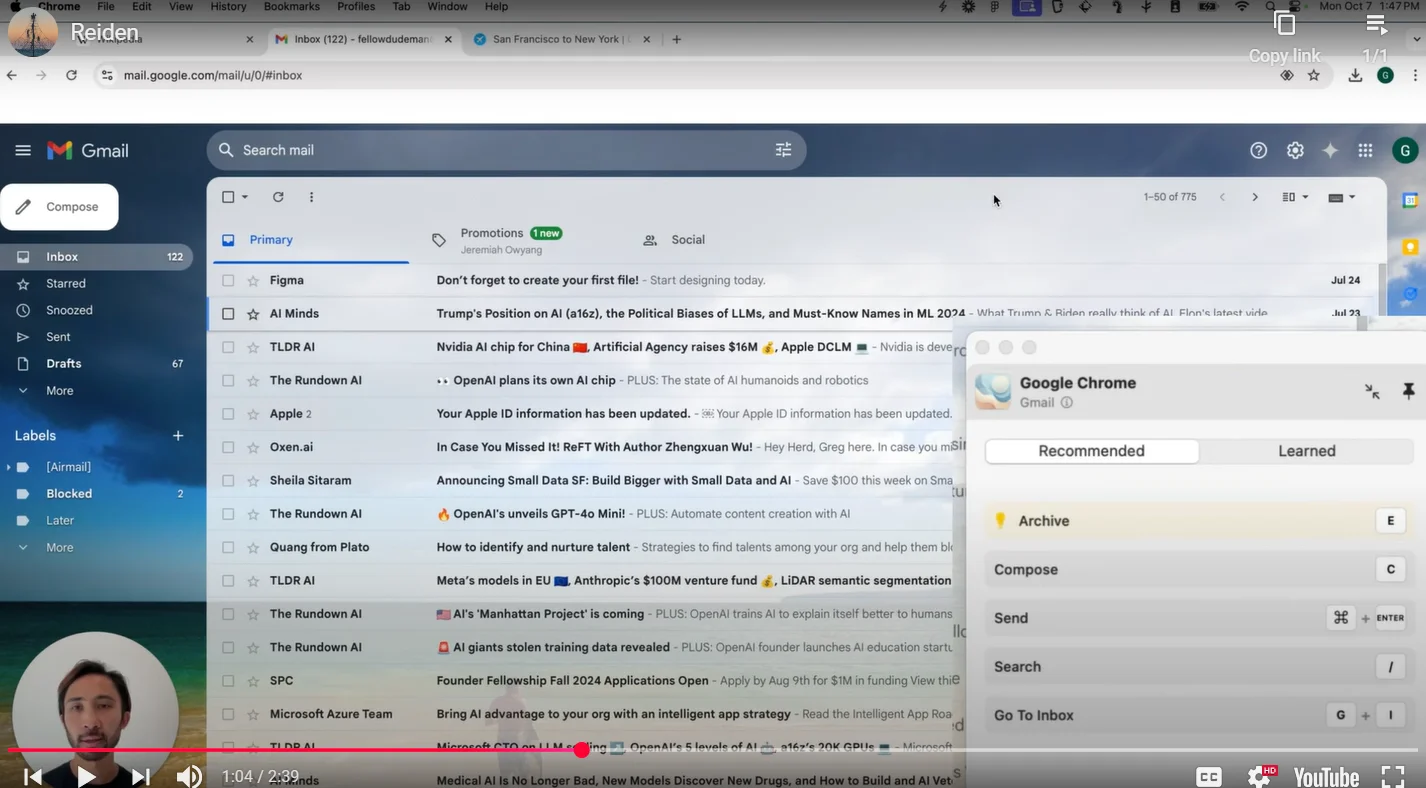
Reiden AI monitors how you interact with apps and suggests the best keyboard shortcuts to speed up your work. It helps reduce mouse use, saves time, and boosts your efficiency.
⭐ What does the tool actually deliver based on user experience?
Tracks your workflow and identifies where you waste time
Recommends relevant keyboard shortcuts tailored for each app
Works with over 20 popular apps like Chrome, Gmail, Slack, VS Code, Figma, and Zoom
Helps save up to 8 days per year in time
Makes your work smoother and more efficient
🤖 Does it include automation?
Yes, it uses AI to automatically monitor your activity and suggest shortcuts.
💰 Pricing Model:
Currently free to use, no paid plans announced yet.
🆓 Free Plan Details:
The free plan includes all features with no cost.
🧭 Access Method:
You can download and use the tool from their official website.
🔗 Experience Link:
reiden.ai