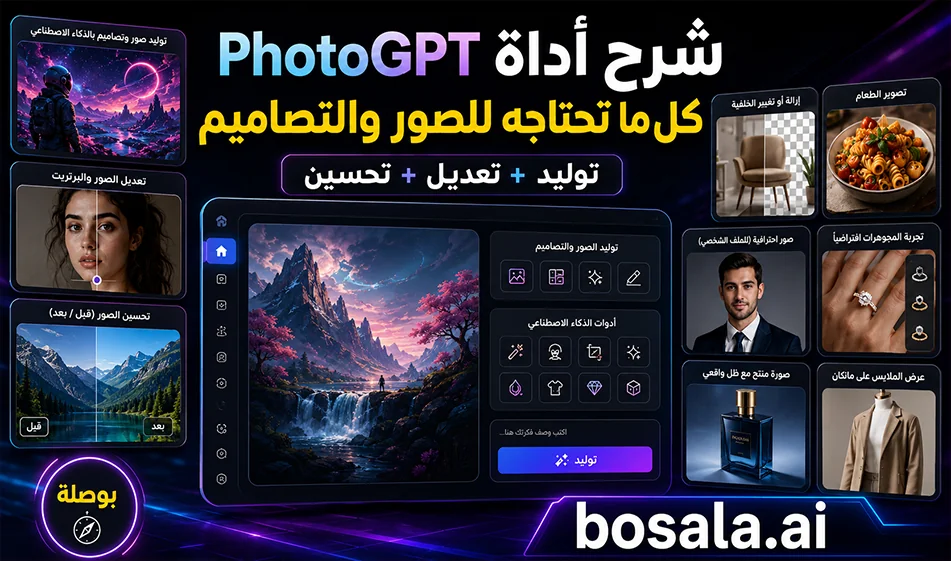
PhotoGPT Review: A Comprehensive AI Tool for Creating and Editing Images
PhotoGPTis a practical platform for creating, editing, and enhancing images, as well as generating designs suitable for social media, products, portraits, headshots, and e-commerce stores. The concept is simple: choose the right tool, enter a prompt or upload an image, and get a ready-to-use result in no time.
Website: https://photogpt.io/
Main Menus and Tools in PhotoGPT
GPT Image 2
For creating images and designs from text or a reference image, suitable for posters, ads, product photos, and designs containing text.
AI Photo Editor
For AI-powered photo editing, such as changing elements, enhancing the image’s appearance, or making quick edits without design software.
AI Clothes Changer
To change the clothes in an image while preserving the person’s shape and lighting as much as possible.
AI Photo Enhancer
To improve the quality of low-resolution photos, increase clarity, and enhance details.
AI Hairstyle Changer
To try out different hairstyles on a person’s photo.
AI Pose Generator
To change a person’s pose or create new poses suitable for portraits or advertising.
Portrait
To create professional or artistic portraits.
Headshot
To create formal photos suitable for profiles, LinkedIn, and resumes.
Lifestyle
To create photos with a realistic, everyday style suitable for social media.
Product
To create professional, advertising-style product photos.
E-commerce
To prepare product images for online stores with clear backgrounds and a commercial look.
AI Color Changer
To change the colors of elements within an image.
AI Photo Cleaner
To clean up the image and remove unwanted elements or noise.
AI Watermark Remover
To remove unwanted marks or text from images when you have the rights to use them.
AI Background Changer
To change the background of a photo or replace it with a more professional one.
AI Headshot Generator
To create high-quality formal headshots.
AI Food Photography
To enhance or create appealing food photos for restaurants and cafes.
Virtual Ring Try-On
To virtually try on rings.
Virtual Earring Try-On
To try on earrings on a person's photo.
Shadow Maker
To add realistic shadows to products or objects.
AI Ghost Mannequin
To create clothing images without a model, suitable for stores.
Creating Images and Designs with GPT Image 2
The GPT Image 2feature is the most important inPhotoGPT, as it helps create realistic images and ready-to-use designs through prompts. It can be used to design ads, posters, product images, banners, social media posts, infographics, and images with clear text.
You can write a description of the image, specify the aspect ratio (such as 9:16 or 16:9), choose the quality and number of images, then click "Generate." The more precise the prompt, the closer the result will be to being ready for immediate use.
Free and Renewable Credits
PhotoGPT offersa daily free trial to test the tools, particularly GPT Image 2. However, the number of attempts or free credits may vary depending on the site’s policy at the time of use, so it can be considered a daily renewable free trial rather than a fixed, permanent number.
Lowest Subscription Price
The lowest visible subscription plan is the Starterplan , priced at approximately $16. 66 per month when paid every 6 months, and includes roughly 5,000 credits per month to use for creating, editing, and enhancing images, as well as some video and training tools.
Compass Tip
Don’t write a generic prompt like: “Design a beautiful image.” It’s best to specify the type of image, its purpose, dimensions, required text, background, lighting, colors, and visual style. Example:
“Design a 9:16 vertical ad for a coffee product, warm background, clear Arabic text, cinematic lighting, suitable for Instagram.”
Conclusion
PhotoGPT is a useful tool for anyone who wants to create and edit images from a single platform. Its strength lies in combining image generation, editing, enhancement, background and clothing changes, headshot creation, and product image preparation. GPT Image 2 is the standout option within the platform for those seeking professional designs and images with clear text and high quality.