Description
️ Tool Name: 🖼
Decory AI
Categories: 🔖
Smart Interior Design, 3D and Architectural/Interior Design, Architecture and Interior Design, Image Design and Creation, Product Visualization, and AR/VR
️ What does this tool offer? ✏
Decory AI is an AI-powered interior design tool that transforms photos of rooms and interior spaces into new, visually realistic designs. Users can upload a photo of any room, select a design style, and receive a redesign in about 30 seconds. The tool supports more than 20 design styles, including Modern, Scandinavian, Japandi, Bohemian, Industrial, Art Deco, Coastal, Farmhouse, Arabian Luxury, and more. It also allows users to make adjustments to specific areas of the room—such as a wall, a corner, or a furniture arrangement—as well as replace or remove elements, change flooring and wall colors, and search for and place furniture within the space using artificial intelligence. It also features “Style Reference” to apply the visual style of a reference image to the room, along with a color palette that includes color codes, a list of furniture with links to purchase items, and the ability to export the design report as a PDF. It also offers four methods to start designing—including Photo Scan, AI Architect, Draw, and Templates—and supports the design of living rooms, bedrooms, kitchens, bathrooms, offices, dining rooms, and outdoor spaces. The company notes that Decory was designed with Arabic-speaking users in mind and supports design trends specific to the Middle East and North Africa region.
What does it actually offer based on user experience? ⭐
According to the official website, Decory has over 500,000 downloads and an advertised rating of 4.4 stars; the homepage also displays a 4.4-star rating based on more than 1,400 reviews on the App Store. The website also features testimonials from users about using the tool to experiment with different room styles, visualize spaces before buying furniture, and present designs to clients. These opinions and testimonials are published by Decory itself and should therefore not be considered independent reviews.
Does it include automation? 🤖
Yes. Decory relies on artificial intelligence to automate the process of analyzing a room photo, generating a design, rearranging elements, and changing styles, furniture, and colors. After uploading a photo and selecting a style, the design is automatically generated in about 30 seconds. You can also use AI tools to adjust specific elements or areas instead of redesigning the entire space.
Pricing Model: 💰
Freemium, with the option to start for free and optional paid plans available. The official website states that the app is free to download and start designing rooms, with in-app purchases and paid plans available for additional features and greater functionality.
🆓 Free Plan Details:
| Feature | Details |
|---|---|
| Price | Free to get started |
| Usage | Room Design and Remodeling with Artificial Intelligence |
| Platforms | iOS and Android |
| Design from a Photo | Available |
| Styles | 15+ styles, and 20+ styles for existing website pages |
| Generation | Available with the free plan |
| Editing | Includes basic design editing tools |
| Credit Card | Not required to get started |
| Design experience | No design experience needed |
The current website states that a free version is available to get started, while generation limits and some advanced features vary depending on the plan and usage.
Paid plan details: 💳
| Plan | Price | Details |
|---|---|---|
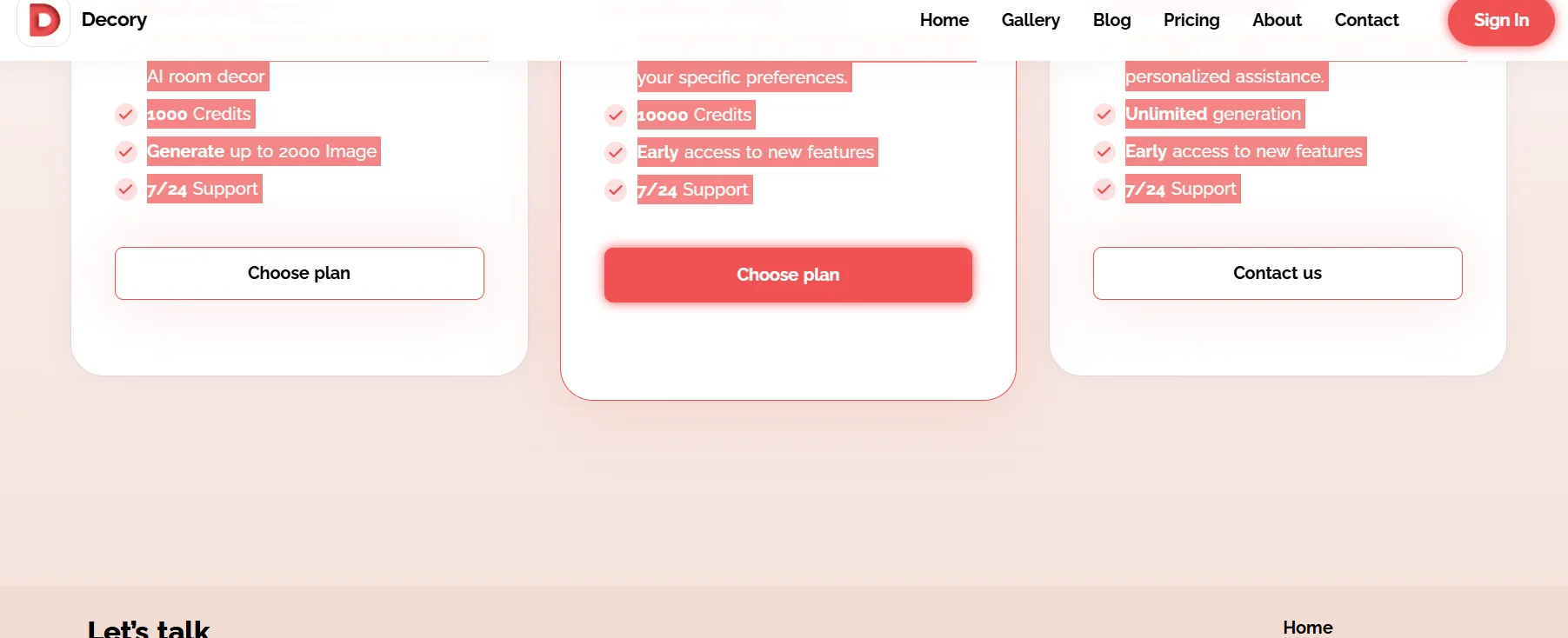
| Weekly Plan | $9.99/week | Core features for AI-powered room design, 1,000 Credits, generate up to 2,000 images, and 24/7 technical support |
| Monthly Plan | $49.99/month | More options to customize designs to your preferences, 10,000 Credits, early access to new features, and 24/7 technical support |
| Corporate Plan | Custom | Unlimited generation, early access to new features, 24/7 technical support, and faster response times and personalized assistance |
These prices and benefits are currently listed on Decory’s official pricing page.
How to access the tool: 🧭
| Access Method | Details |
|---|---|
| iOS | Decory app via the App Store |
| Android | Decory app on Google Play |
| Using Photos | Upload a photo of the room or take a photo directly |
| AI-Powered Design | Photo Scan, AI Architect, Draw, and Templates |
| Share Your Design | Share your results with friends, designers, or on social media |
| Commercial use | Available to interior designers and real estate agents, with custom plans and an API for enterprise use when contacting the company |
The official website confirms that Decory is available on iOS and Android, and notes that it can be used for commercial projects and offers custom options for teams and API interfaces.
Try it out or visit the official website: 🔗
Decory AI – Official Website