GetFloorPlan
Description
🖼️ Tool Name:
GetFloorPlan
🔖 Tool Category:
AI-powered real estate visualization tool; it falls under the category of automated floor plan generation, 2D/3D rendering, and virtual staging tools.
✏️ What does this tool offer?
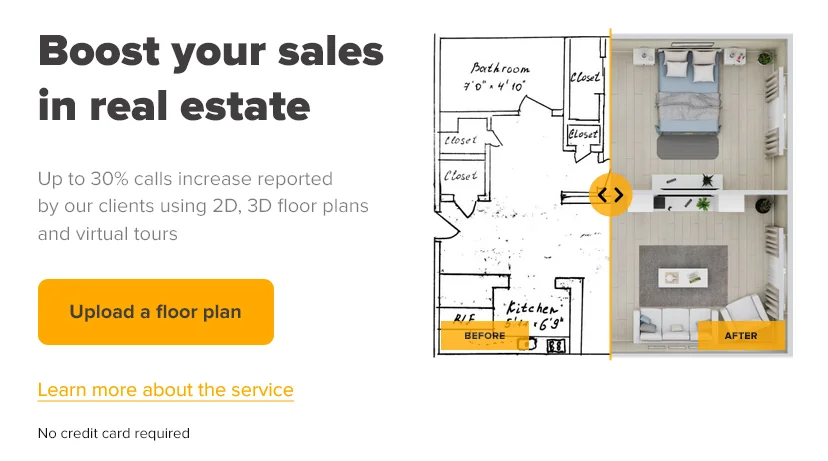
GetFloorPlan allows users—especially real estate agents, architects، والمصممين—to convert simple building photos or sketches into detailed 2D floor plans, 3D floor plans، و virtual staging layouts. The tool automates the creation of accurate property layouts and stunning visualizations for listings, presentations, and renovation planning.
⭐ What does the tool actually deliver based on user experience?
• Converts property photos into 2D floor plans
• Creates 3D floor plans with furniture and layout suggestions
• Generates virtual staging for empty rooms
• Outputs high-quality visualizations ideal for real estate listings
• Accepts simple sketches and turns them into professional plans
• Offers multiple design styles (modern, Scandinavian, minimalist…)
• Provides dimensions, structure outlines, and room labeling
• Fast generation suitable for real estate workflow
• Download-ready files for marketing or client presentations
• Reduces cost and time compared to manual CAD work
🤖 Does it include automation?
Yes — GetFloorPlan provides strong automation features:
• Auto-detection of walls, doors, and room boundaries
• Automatic 2D layout reconstruction
• Auto-generation of 3D floor plans with realistic staging
• Auto-furniture placement based on room type
• Batch conversion for multiple inputs
• Smart correction for imperfect sketches and photos
💰 Pricing Model:
Freemium (credit-based + subscriptions)
🆓 Free Plan Details:
• Limited free floor plans
• Basic 2D outputs
• Watermarked images (depending on plan)
💳 Paid Plan Details:
• High-resolution 2D & 3D floor plans
• Virtual staging packages
• Faster rendering
• Commercial usage rights
• Bulk credits for real estate agencies
• Monthly & annual plans
🧭 Access Method:
• Web App
• Upload via browser
• No installation needed
🔗 Experience Link: