Description
️ Tool Name: 🖼
DGM.sh
Categories: 🔖
3D Design, Architecture, and Interior Design
Architecture and Interior Design
CAD Engineering Design
UI/UX Templates
Content Management and Publishing
Cross-Platform Publishing and Collaboration
Removal and Replacement of Elements and Backgrounds (Partially Indirect)
Automation and Smart Agents (Converting Design to Code)
️ What does this tool offer? ✏
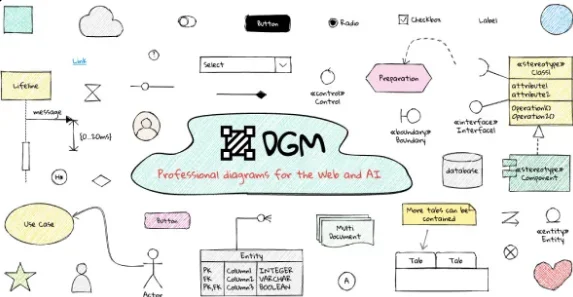
DGM.sh is an advanced platform for creating sketchnotes and generating engineering and visual diagrams quickly and professionally, designed for designers, developers, and technical teams.
The tool allows you to create various types of diagrams—such as UML, ERD, flowcharts, and UI interfaces—using smart shapes and ready-made templates, with support for real-time collaboration among team members.
It also features the ability to convert visual ideas into code using an AI assistant powered by GPT-4 vision technologies, which directly links design and programming and accelerates the workflow.
The platform also offers customizable smart shapes, ready-to-use, shareable libraries, and support for hand-drawn sketches to add a flexible touch to designs, as well as export to PNG and SVG formats and the ability to publish to the web or embed drawings on other sites.
It also supports cloud storage, a 7-day revision history, and automatic color adaptation for light and dark modes, though some saving features remain limited to the cloud.
(dgm.sh)
What does it actually offer based on user experience? ⭐
Easily create UML diagrams, ERDs, and flowcharts
Design UI interfaces using ready-made templates
Convert diagrams to code using AI
Support for real-time collaboration
Use customizable smart shapes
Support for freehand drawing for flexible visual output
Exporting drawings in PNG and SVG formats
Publish drawings to the web or embed them on other sites
Limited cloud storage + 7-day revision history
Does it include automation? 🤖
Yes, it includes partial automation via artificial intelligence, including:
Automatically converting ideas or drawings into code
Creating diagrams from smart templates
Automatically suggesting suitable shapes and layouts
Speeding up the diagram design process and linking it to software development
Pricing model: 💰
Freemium (currently free plan only + future paid plans)
🆓 Free Plan Details:
| Feature | Details |
|---|---|
| Price | $0 per month |
| Usage | Local (Local files) |
| Export | PNG and SVG |
| Libraries | Ready-to-use public libraries |
| Cloud | Up to 3 documents |
| Revision History | 7 days |
| Notes | Paid plans coming soon |
Paid plan details: 💳
Currently unavailable (to be launched in the future)
How to access the tool: 🧭
| Method | Details |
|---|---|
| Web | Browser-based cloud platform |
| API | Not specified |
| App | Not specified |
| Add-ons | Not specified |
Link to the demo or official website: 🔗
https://dgm.sh/pricing/