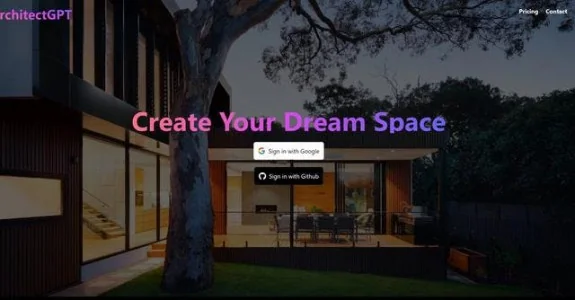
ArchitectGPT
ArchitectGPT is an AI-powered architectural and interior design platform that transforms photos of rooms, facades, engineering plans, and CAD drawings into high-quality, realistic visualizations in seconds. It is aimed at architects, interior designers, real estate professionals, and homeowners, and provides tools for redesigning interior and exterior spaces, designing gardens, virtually furnishing properties, converting blueprints into 3D renderings, and enhancing images, materials, and lighting. It also allows users to edit designs using text commands, create cinematic walkthrough videos from still images, and generate preliminary cost estimates through its specialized tools. The platform includes a suite of tools—such as PlanVision, ArchitectPro, CADGPT, FurnishAI, and Finish Studio—to help users move from an initial idea and blueprint to visual renderings suitable for presenting to clients and marketing properties.
- Video Generation & Editing
- Image Design and Creation
- Text to Image Generation
- Editing, Enhancement & Upscaling
- Interior Design & Engineering
- Object & Background Editing
- Business Operations
- 3D Modeling & Rendering
- CAD Engineering
- Product Viz & AR/VR
- AI Interior Design
- 3D and geometric/interior design
Last updated
Features
- Interior Redesign Using Artificial Intelligence: Change styles, furniture, and decor while preserving the original layout of the space.
- Exterior Redesign: Experimenting with new architectural styles, materials, and finishes for buildings while preserving their original structure.
- Turning Architectural Drawings into Realistic Visualizations: Converting drawings or DWG and DXF files into furnished floor plans, while preserving the locations of walls, doors, windows, and fixtures.
- Working with CAD Files: Converting engineering drawings into 3D models and photorealistic renderings, including working with AutoCAD drawings and Revit and SketchUp exports.
- Virtual Furnishing and Clearing Spaces: Add furniture to empty rooms using FurnishAI, or remove furniture and objects from images using Unfurnish.
- Changing Materials and Finishes: Replace floors, walls, and finishes based on photos of actual materials or color samples, modifying only the selected surface.
- Editing designs using text commands: Modify materials, lighting, and architectural elements using natural language without having to use layers or masks.
- Image Enhancement and Video Creation: Increase image resolution up to 4 times, transform daytime photos taken outdoors into sunset scenes, and create 8-second cinematic walkthrough videos, as well as videos showing the transformation before and after the design.
- 1. Additional planning and analysis tools: PlanVision for analyzing floor plans and evaluating room layouts, lighting, and storage; ArchitectPro for supporting preliminary planning, materials, visualizations, and rough cost estimates; as well as tools for landscaping, commercial space design, and creating inspiration boards.
Pricing Details
The ArchitectGPT platform offers four subscription plans tailored for architects, interior designers, and real estate professionals, with the option to choose between monthly and annual billing. The platform offers a 17% discount for annual subscriptions, Subscriptions can also be canceled at any time. The Basic plan starts at $29 per month and allows users to create up to 300 designs per month, with access to more than 64 design styles, more than 20 landscape design options, and more than 30 interior room types, along with high-quality output, commercial use with attribution, unlimited downloads without watermarks, and standard support. The Standard plan costs $59 per month and allows you to create 1,000 designs per month, with over 115 design styles, over 30 landscape options, and more than 72 interior room types, along with high-quality output, commercial use with attribution, unlimited downloads, and priority support.
The Pro plan costs about $99 per month and offers 5,000 generates per month, 2K-resolution output for every image generated, over 180 exclusive styles, and over 140 interior room types, in addition to advanced tools including text-based design editing, result refinement and version history, virtual furnishing via FurnishAI, integration of reference images using Mood Board, creating custom styles, producing virtual real estate tours and before-and-after videos for 5 credits per video, enhancing images and upscaling them to 4K resolution, clutter and furniture removal, converting daytime photos into sunset scenes, and transforming designs into sketches, watercolors, line drawings, and study models. The plan also includes the Site Insert tool to insert a new building into a site image while maintaining scale and lighting, the DreamStyle tool to generate images from text, CADGPT to convert DWG files into 3D models and generate room visualizations via chat, CAD Redesign for converting SketchUp and Revit exports, the Front Elevation tool for creating realistic building facades, and the Floorplans tool for converting floor plan images or DWG/DXF files into furnished floor plans. It also includes access to the 2D and 3D room planner myroomplanner, the PlanVision assistant for analyzing floor plans and answering questions about rooms, layout, lighting, and storage, and the ArchitectPro assistant to support the preparation of project briefs, architectural programs, block and material selections, visualizations, and cost estimates. This plan allows for commercial use without the need to credit the source, offers priority support, and provides early access to new features.
The Premium plan costs $149 per month and offers an unlimited number of design creations, all the features of the Pro plan, plus the Finish Studio tool for replacing floors, walls, and finishes with images of real materials, double video resolution, the ability to create longer 10- and 15-second videos for property tours and before-and-after clips, and priority in the processing queue during peak periods. The plan also includes commercial use without attribution, priority premium support, and early access to new features.
Related Tips
- A video prompt that gives you the feel of GTA with an Arabic twist · Video Generation & Editing, Text and Images to Video
- 2 million free tokens to create videos! on Seedance · Video Generation & Editing, Text and Images to Video
- Wafeq Overview: An Arabic accounting software program suitable for business owners and accountants · Business Operations, Invoicing, Contracts & Proposals…
- How to Use the Pokecut Tool to Easily Extract Images · Image Design and Creation, Editing, Enhancement & Upscaling…
- A professional prompt for turning a meal name into a full recipe infographic · Image Design and Creation, Text to Image Generation…