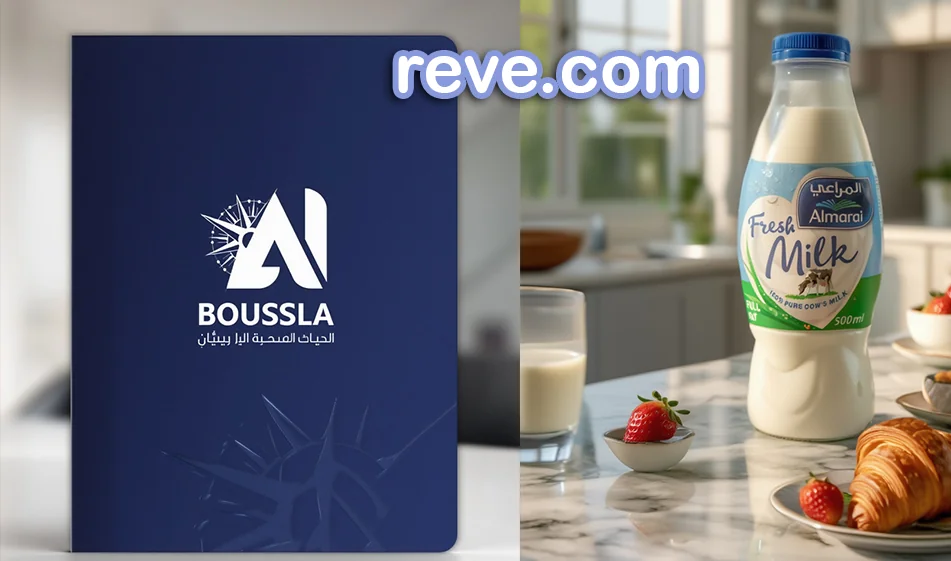
How to Create a Visual Identity and Product Ad Designs Using Reve
The idea: Instead of starting from scratch every time, use Reve as a “brand identity kit” + “ad kit” generator with images, then finalize the layout (Arabic text, logo, and price) later in Canva to ensure neat Arabic typography and brand consistency.
1) Before Reve: Prepare 6 elements (takes 5 minutes)
- Brand name + short description (one line).
- Your audience: (young people/families/women/athletes…).
- Brand personality: luxurious, youthful, natural, medical, playful…
- 3 main colors (primary + secondary + accent color).
- Visual style: Clean studio / Cinematic / Natural / Trendy.
- Product type and image (if you have a product image, great).
Tip: Consistency in these elements is the secret to making your designs look like a cohesive “brand identity” rather than a collection of random images.
2) Building a Visual Identity in Reve
What should you create first?
Start by creating “identity components” rather than jumping straight into the ad:
a) Moodboard (4 images)
- Its purpose is to establish: colors, lighting, textures, and style.
Ready-made prompt (copy and edit the name):
“Visual identity board for a brand named (brand name), style (luxury/youthful/natural), main colors: (list 3 colors), materials: (marble/wood/metal/fabric…), photography style (clean studio/cinematic), ad layouts with space left for text later, no text or logos.”
b) Backgrounds and Visual Identity (Background Pack)
- Request 6 static backgrounds in the same style to be used in all ads.
Ready-made prompt:
“A set of 6 coordinated ad backgrounds for the (brand name) identity, using the same colors and materials; clean backgrounds suitable for placing a product in the center, soft lighting, realistic shadows, empty space for text later, no text.”
c) Supporting Elements (Patterns / Icons in general)
- Request light patterns or abstract shapes in the same colors (without text).
3) Designing Product Ads in Reve
Here, you have two options depending on what you have available:
Case (1): You have a ready product image
Request “product ad images” while maintaining its shape and label.
Ready-made product ad prompt:
“Professional ad image for (product name) from (brand name), realistic product photography, soft studio lighting, realistic shadows, background (depending on the product: marble/wood/gradient), 45-degree angle, high detail, empty space for text later, keep the product shape and label unchanged, no text inside the image.”
Case (2): No product image available (create from scratch)
Request the product model as an ad design with the same brand identity.
Ready-made prompt:
“Create an advertising image for a product (product type) under the brand name (brand name), realistic product photography style, soft lighting, clean advertising composition, background consistent with brand colors, high detail, empty space for text to be added later, no text.”
4) Ready-made “Brand-Consistent” Ad Pack (Best for Campaigns)
Ask Reve forthe same product in three fixed settings; this quickly gives you a complete campaign:
- Version 1: Clean Studio (for the store and catalog)
- Version 2: Dark Luxury (for brand and prestige)
- Version 3: Real-life usage scene (for trends and engagement)
Unified prompt for the package:
“Create 3 advertising images for the same product (product name) using the same shooting angle and visual identity, with only the background varying: 1) Clean white studio, 2) Luxurious dark background, 3) Simple real-life usage scene. Soft lighting, realistic shadows, high detail, space for text later, no text within the images.”
5) Why do we postpone Arabic text to Canva?
For practical reasons: many image generators may make mistakes with Arabic characters or alignment.
The best:
- Generate a “clean” image from Reve
- Then add in Canva: the name, price, offer, and logo in a consistent Arabic font
6)“Compass Rules” for a Professional Look
- Rule 1: Don’t change the style every time; keep it consistent (colors + lighting + textures).
- Rule 2: Always write in the prompt: soft lighting + realistic shadows + space for text later + no text.
- Rule 3: Produce 6–9 images, then select only 3 for the campaign (don’t publish everything).
- Rule 4: Make sure each ad conveys a single idea: one feature or one offer.
7) Ready-made templates for social media dimensions
After selecting your images from Reve, export/crop them to these dimensions:
- Post: 1080×1350
- Story/Reels: 1080×1920
- Cover/Banner: 1920×1080
✅ Compass Summary
Reve helps you build a consistent visual identity and then quickly convert it into product ad images with multiple backgrounds and angles. The real secret is: generating “clean” images with the same identity, then adding Arabic text later in a consistent font to produce a campaign that looks professional.