Digen.ai Review: A Detailed Guide to Video and Image Generation, How to Use It, and Pricing
Quick SummaryDigen.ai is a platform that combines AI-powered video and image generation with a wide range of templates and supporting tools such as video enhancement, watermark removal, image upscaling, and converting text or images into video. The platform focuses on speed and model diversity, and seems best suited for content creators who want to quickly produce short clips and publish-ready images. While there is a free tier and an initial trial, full pricing details aren’t always clearly displayed on the public pages.
Website:
https://digen.ai/ar/explore
Overview
If you’re looking for a single tool that combines image and video generation in one place, Digen.ai is worth checking out. The platform doesn’t offer just one video generator; it includes several video and image templates, giving users greater flexibility in choosing the right style for a scene or image. On the other hand, this very diversity might make the platform less intuitive for new users compared to tools that focus on a single function.
What is Digen.ai?
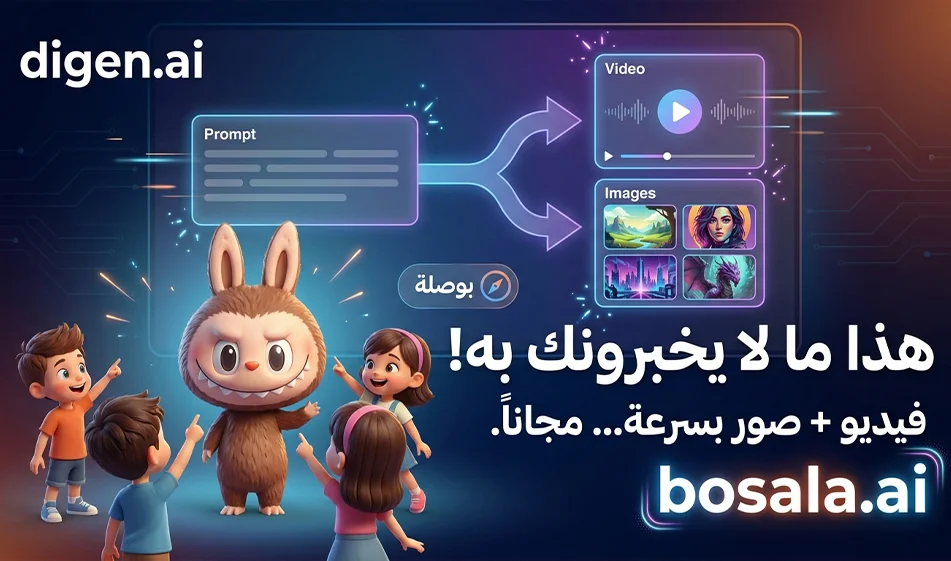
Digen.ai is an AI-powered generation platform that offers two main workflows: one for video and one for images. For video, the platform features tools such as Text to Video ,Image to Video ,AI Video Editor ,Lip Motion Video ,Act Motion Video , andEffect Models. For images, it offers Text to Image andImage toImage, along with supporting tools like AI Image Upscaler. The website also showcases multiple video models such as Real Motion 3.1 ,Sora 2 ,Veo 3.1 ,Grok Video ,Kling 3.0 , and Runway, as well as image models like Nano Banana Pro ,FLUX ,GPT Image 1.5 ,andSeedream 5.0 Lite.
This means that Digen.ai isn’t just a single, narrow tool, but rather an operating platform that brings together several generation engines under a single interface. This is a significant strength for those who like to experiment and compare models within the same space.
What can you do within Digen.ai?
Practically speaking, you can use Digen.ai for various types of content creation. You can convert text to video, turn a static image into an animated video, generate new images from text, edit existing images, and then enhance the results using additional tools such as upscaling, watermark removal, or increasing the frame rate. The platform also mentions in its official materials that it offers audio-related features such as Text to Speech ,AI Sound Effects , andLip Sync Video.
This makes it suitable for several common uses, such as short product ads, social media reels, animating character images, turning a product image into a promotional video, and quickly creating short clips ready for publication.
How to Use Digen.ai for Video Generation
Digen.ai ’s tutorialsexplainthat the video experience can start very simply. In one of the official guides on converting an image to video, the process involves three steps: uploading the image, selecting a ready-made template or style, and then clicking “Generate” and “Share.” The platform also notes that the short video can be ready in about 10 to 30 seconds using this method.
In practical terms, here’s how you can do it:
1) Choose the project type
First, choose whether you want Text to Video or Image to Video. If you only have a prompt, go with Text to Video. If you have a reference image or product photo, the best option is Image to Video.
2) Upload the image or write the prompt
If you’re working on a product ad or a cinematic scene, upload the reference image or write a clear visual description. The platform also allows you to upload images of products, characters, or logos to animate them within certain templates.
3) Choose a template
This is where Digen.ai’s strength shines. The platform offers multiple templates, allowing you to experiment with different engines depending on the type of shot. Some projects require a short promotional video, while others need facial animation, character movement, or a scene closer to cinema.
4) Generate andthen refine
After generation, you can use accompanying tools such as Video Upscaler , FPS Booster , or Remove Video Watermark if they are available within your plan or usage type.
How to Use Digen.ai for Image Generation
For images, the platform offers Text to Image andImage toImageworkflows, with several image-specific models available, such as Nano Banana Pro ,FLUX ,GPT Image 1.5 ,and Seedream 5.0 Lite. This means you can use the same platform to generate a product image, an ad image, or a portrait, and then later animate it into a video.
In practice, the process is simple:
Go to the images section, type a description of the scene or upload an image you want to edit, then choose the appropriate model. After generation, you can enhance the result using the AI Image Upscaler. This feature is particularly useful for content creators looking to build a complete production pipeline: image first, then video later.
Is Digen.ai suitable for beginners?
Yes, but with an important caveat. The platform seems easy to use for some quick workflows, especially converting an image to video using ready-made templates and just a few steps. On the other hand, the abundance of templates and options can make the experience a bit confusing for first-time users, especially if they don’t know the difference between the various templates. Therefore, it can be said that Digen.ai is suitable for beginners in terms of quick execution, but it is better suited for users who have a clear idea of the type of result they want. This is an analytical conclusion based on the platform’s structure and the variety of tools officially offered.
How long is the free trial?
Here, we must distinguish between two levels:
The platform clearly states that there is free registration and free credits for new users. It also mentions in an official article that new users receive enough free credits to try out the basic features, create several images, and test some functions before upgrading. Other materials also indicate the availability of daily free credits for certain uses.
However, the scope of this free trial is not uniform across all services within Digen.ai. For example, on an official page for DIGEN Sora 2 , the platform states that every new user receives one free high-quality video generation,after which paid credits start at $0. 99 pervideo specifically for this service. The same page also mentions the possibility of generating the first720p videofor free.
In an official guide to credit usage, Digen.ai statesthat some tools allow free users only two attempts,eachconsuming 20 memes , clarifying that a meme is the platform’s internal credit unit, and that free limits may vary depending on the feature, event, or service type.
Therefore, the accurate answer is:
Digen.ai offers a genuine free trial, but the amount varies by section and model. There is no single fixed number that can be generalized across the entire platform based on the available public pages; rather, there aregeneral free credits for new users, with different offers or limits depending on the tool used.
Prompts for images and video:
1) Image — Teaching the color red
Create a vertical 9:16 cinematic educational image for children. Show an original cute mischievous plush monster character, small furry body, long rabbit-like ears, round face, wide playful smile, tiny sharp cartoon teeth, glossy expressive eyes, soft realistic fur, child-friendly, highly detailed, realistic fantasy toy style. The character stands in a bright, magical children’s room and happily teaches the color red. Place only clearly visible red objects around the character: a red ball, a red apple, a red toy car, a red cube, and a red balloon. The character is pointing proudly toward the objects. Strong focus on the color red. Warm cinematic lighting, soft depth of field, clean composition, premium children’s educational poster style, no text on screen.
2) Video — Teaching the Color Red
Create an 8-second vertical 9:16 educational children’s video in a realistic cinematic fantasy toy style. Show an original cute, mischievous plush monster character with soft fur, long ears, glossy eyes, and a playful smile in a bright, magical children’s room. The character happily points to red objects around it: a red ball, a red apple, a red toy car, and a red block. The character gestures with excitement and teaches children the color red in Arabic.
Arabic dialogue:
"This is the color red. The apple is red, the ball is red, and the car is red."
Keep the character adorable, expressive, and child-friendly. Use warm cinematic lighting, soft camera movement, shallow depth of field, clean educational visuals, and no text on screen. Arabic voice only. No subtitles.
3) Image — Teaching the Color Green
Create a vertical 9:16 cinematic educational image for children. Show an original cute mischievous plush monster character, small furry body, long rabbit-like ears, round face, wide playful smile, tiny sharp cartoon teeth, glossy expressive eyes, soft realistic fur, child-friendly, highly detailed, realistic fantasy toy style. The character stands in a fresh, magical garden classroom and teaches the color green. Place only clear green objects around the character: a green leaf, a green frog toy, a green ball, a green cube, and a green apple. The character happily points to the green items. Strong visual emphasis on the color green. Warm sunlight, cinematic depth of field, premium children’s educational scene, no text on screen.
4) Video — Teaching the Color Green
Create an 8-second vertical 9:16 educational children’s video in a realistic cinematic fantasy toy style. Show an original cute mischievous plush monster character with long ears, soft realistic fur, glossy expressive eyes, and a playful smile in a bright magical garden-like learning space. The character teaches the color green while pointing to green objects around it: a green leaf, a green ball, a green apple, and a green toy frog.
Arabic dialogue:
"This is the color green. The leaf is green, the apple is green, and the ball is green."
Use warm natural lighting, soft magical particles, clean composition, expressive gestures, child-friendly energy, and no text on screen. Arabic voice only. No subtitles.
5) Image — Teaching the Letter Alif
Create a vertical 9:16 cinematic educational image for children. Show an original cute mischievous plush monster character, small furry body, long rabbit-like ears, round face, wide playful smile, tiny sharp cartoon teeth, glossy expressive eyes, soft realistic fur, child-friendly, highly detailed, realistic fantasy toy style. The character stands in a bright magical learning room. Next to it is a large beautiful Arabic letter Alef made from glossy toy material. Around the character, place simple child-friendly objects that begin with Alef in Arabic, such as a toy rabbit concept, a toy lion concept, or a simple symbolic object, but keep the main focus strongly on the Arabic letter Alef. The character points proudly to the letter. Warm cinematic lighting, clean educational composition, no text on screen except the visible 3D Alef shape itself if naturally shown as an object.
6) Video — Teaching the Letter Alef
Create an 8-second vertical 9:16 educational children’s video in a realistic cinematic fantasy toy style. Show an original cute mischievous plush monster character with soft fur, long ears, glossy eyes, and a playful smile in a magical children’s classroom. Beside the character is a large 3D Arabic letter Alef as a physical toy-like object. The character points at the Alef and teaches it in Arabic with warm expressive gestures.
Arabic dialogue:
"This is the letter Alef. Alef is a beautiful letter, and it is the first letter."
Use soft cinematic lighting, simple colorful classroom details, playful camera movement, a child-friendly magical atmosphere, and no text on screen other than the physical Alef object itself. Arabic voice only. No subtitles.
7) Image — Teaching the Number One
Create a vertical 9:16 cinematic educational image for children. Show an original cute mischievous plush monster character, small furry body, long rabbit-like ears, round face, wide playful smile, tiny sharp cartoon teeth, glossy expressive eyes, soft realistic fur, child-friendly, highly detailed, realistic fantasy toy style. The character stands in a magical toy classroom beside a large 3D number one made from glossy, colorful material. Around the character, place one clear object of each type to reinforce the concept of one: one ball, one star, one apple. The character points happily at the number one. Warm cinematic lighting, shallow depth of field, premium educational composition, no text on screen except the visible 3D number shape itself if naturally shown as an object.
8) Video — Teaching the Number One
Create an 8-second vertical 9:16 educational children’s video in a realistic cinematic fantasy toy style. Show an original cute mischievous plush monster character with long ears, soft realistic fur, glossy expressive eyes, and a playful smile in a bright magical learning room. Beside the character is a large 3D number one as a toy-like object. The character points to the number and then to one ball and one apple, teaching children the concept of one in Arabic.
Arabic dialogue:
"هذا الرقم واحد. عندي كرة واحدة وتفاحة واحدة."
Keep the scene simple, clear, warm, and child-friendly. Use gentle camera motion, magical soft lighting, premium animated toy realism, and no text on screen other than the physical number object itself. Arabic voice only. No subtitles.
Regarding pricing, the information is not fully visible on the public homepage, as the main subscription page relies on JavaScript and the detailed packages are not displayed in a readable format via the text interface. Therefore, I cannot confirm fixed monthly or annual subscription prices from the current public page without exaggeration.
However, what can be confirmed from available official sources is the following:
Digen.ai uses an internal credit system called "meme," which can be obtained through a subscription or by topping up your balance. The platform also clarifies that some free features do not consumememe, but may have usage limits or access restrictions.
On theofficial DIGEN Sora 2 page, the platform states that paid credits start at $0. 99 per video after the first free generation specifically for this product. This is a price specific to that model and does not necessarily mean it is the standard price for all models or all videos within the platform.
Therefore, the best way to professionally describe the pricing is:
Digen.ai operates on a freemium modelbased on internal credits, with free initial access, followed by a transition to purchasing credits or subscribing for broader access. As for the full details of the packages for each tier, they are not displayed as static text on the currently open public page.
Key Features of Digen.ai
What sets Digen.ai apartis that it combines video and images within a single platform, giving you access to multiple templates instead of relying on just one. Additionally, the availability of tools such as upscaling, watermark removal, and motion enhancement makes it useful for those seeking a complete workflow from concept to final export. Its official materials also emphasize how easy it is to get started, the fact that no software download is required, and the ability to work directly from the browser, with some features available on mobile as well.
Another feature is that some of its official pages mention watermark-free downloads for certain templates and confirm that no invitations or waitlists are required for products like DIGEN Sora 2.
Disadvantages of Digen.ai
The most notable observation about the tool is that the abundance of templates and options may confuse new users, especially if they simply want a very simple tool with immediate results. Additionally, the full pricing details are not sufficiently clear on the public pages, which sometimes makes the purchasing decision less transparent compared to some competitors who display their packages directly. This is an analytical observation based on the site’s current structure and the clarity of general information.
Do we recommend using Digen.ai?
Yes, we recommend it if your goal is to combine image and video generation within a single platform, and you enjoy experimenting with multiple templates, especially for short-form content, ads, and animated images. However, if you want a very simple tool with few, clear options and pricing visible on the first page, you may need to compare it with other alternatives before subscribing. This is a practical assessment based on the official information available and the nature of the current platform.
Conclusion
Digen.ai isa powerful and flexible platform that combines image and video generation, offering a wide range of templates and tools in one place. A free trial is available, but it isn’t a standard offer for all services; rather, it varies depending on the template and plan used. As for pricing, what is currently confirmed by official sources isthat new usersreceive Free credits , an internal credit system called “meme,” and a price starting at $0.99 per video on the DIGEN Sora 2 planafter the first free generation, while the full public packages are not clearly listed on the public webpage. Therefore, the tool is very suitable for experimentation and rapid production, but it requires some exploration on the user’s part to understand which track and model best suits their needs.